Skip to content
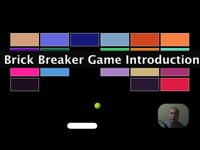
JavaScript Game for beginners Breakout HTML5 Game cover image
Play overlay
Preview this course

JavaScript Game for beginners Breakout HTML5 Game
Discoveryvip

Make a JavaScript Game - Create your first HTML5 Canvas JavaScript web based game from scratch explore how make a game

Summary

Price
£59.99 inc VAT
Or £20.00/mo. for 3 months...
Study method
Online, On Demand
Duration
2.5 hours · Self-paced
Qualification
No formal qualification
Certificates
  • Reed courses certificate of completion - Free

Overview

What you'll learn

  • How to create a Game from scratch

  • Build HTML5 Brick breaker Game

  • Create a Game using JavaScript

  • How to create a Breakout game with JS and HTML5 Canvas

  • Updating and drawing on Canvas

  • Creating interaction and dynamic content within a game

Certificates

Reed courses certificate of completion

Digital certificate - Included

Will be downloadable when all lectures have been completed

Curriculum

1
section
28
lectures
2h 29m
total
    • 1: Brick Breaker Game Introduction Preview 02:14
    • 2: How to Setup a Breakout Game Setup Preview 06:08
    • 3: Setup HTML and JS files and Canvas ready to draw code snippet 01:00
    • 4: How to create Player Character Setup Player Paddle 04:38
    • 5: Source Code draw player paddle on screen for game 01:00
    • 6: How to create Player Movement KeyPresses 04:03
    • 7: Source Code Game Animation Frame movement on canvas 01:00
    • 8: How to add Player Mouse Movement Player 04:21
    • 9: Source Code Move player with Mouse position 01:00
    • 10: How to add to game Add a Bouncing Ball 09:44
    • 11: Source Code Draw Bouncing Ball on HTML5 Canvas Game 01:00
    • 12: How to create Collision Detection within Game 14:35
    • 13: Source Code HTML5 Collision Detection Code 01:00
    • 14: How to generate the game screen Add Bricks to Screen 11:31
    • 15: Source Code Draw Bricks to Game 02:00
    • 16: How to add objects to Game Update Bricks 03:59
    • 17: Brick Collision Detection Source Code 02:00
    • 18: How to add Scoring and Win conditions to game 10:11
    • 19: Source Code Scoring 02:00
    • 20: Final Game Tweaks and Adjustments 11:29
    • 21: Source Code Game Updates 03:00
    • 22: Game Bug Fixes and Tweaks 09:22
    • 23: Source Code Debugging Game updates 03:00
    • 24: How to add Bonus Content to your HTML5 Game 14:51
    • 25: Source Code Bonus Blinking Game Updates 04:00
    • 26: Game Updates Ball Speed Update 04:23
    • 27: Final Source Code for HTML5 Canvas Breakout Game 04:00
    • 28: Final Game Code Review 11:06

Course media

Description

Make your own games online - start with this amazing simple game project creating a Breakout game from scratch

Explore how you can write code to create GAMEs - Games that run within any browser - Interactive Games that are fun to play and even more fun to make yourself. Dynamic Games that can be built upon to customize and add your own game ideas. See what you can build within just a few short hours.

Want to build online games - want to learn more about game creation - learn from experienced developer who has created over 100 online games. Source Code is included - try the code for yourself and customize it to make your own version of the game!!!! You will be amazed at how easy it can be.

Course covers all the basics of creating a fully functional game from start to finish!!!

  • Setup your game within HTML

  • Create page elements with JavaScript

  • Explore how to set objects and values to prepare for game play

  • Add interaction - keyboard arrow keys and mouse movement to move your character on the screen

  • Add animations for smooth game movement

  • Create conditions for ball behaviours, player behaviours

  • Build multiple interactive items in the game

  • Add collision detection to track interactions

  • How to debug your game

  • How to improve upon the game

  • How to add bonus items,

  • How to setup game start conditions and game win conditions.

Explore how you can create your first game using JavaScript and HTML5 canvas

Apply JavaScript to HTML5 canvas element - drawing on canvas lines and shapes.

How you can add animation to your Game with animation frames

How to make your game interactive with keyboard event listeners

Dynamic and interactive game project to practice and learn more about JavaScript and HTML5

Source Code is included

How to debug your HTML5 canvas game project

Making tweaks and adjustments adding game play , and scoring

Taught by an instructor with over 20 years of real world experience ready to help you learn more about HTML5 and JavaScript.

Start building your own version of the game TODAY.

Who is this course for?

  • Web developers
  • Game creators
  • Web designers
  • Frontend end developers
  • Anyone who wants to make a game

Requirements

  • JavaScript and prior coding experience

  • Access to an editor and browser

Questions and answers

Currently there are no Q&As for this course. Be the first to ask a question.

Reviews

Currently there are no reviews for this course. Be the first to leave a review.

FAQs

Interest free credit agreements provided by Zopa Bank Limited trading as DivideBuy are not regulated by the Financial Conduct Authority and do not fall under the jurisdiction of the Financial Ombudsman Service. Zopa Bank Limited trading as DivideBuy is authorised by the Prudential Regulation Authority and regulated by the Financial Conduct Authority and the Prudential Regulation Authority, and entered on the Financial Services Register (800542). Zopa Bank Limited (10627575) is incorporated in England & Wales and has its registered office at: 1st Floor, Cottons Centre, Tooley Street, London, SE1 2QG. VAT Number 281765280. DivideBuy's trading address is First Floor, Brunswick Court, Brunswick Street, Newcastle-under-Lyme, ST5 1HH. © Zopa Bank Limited 2025. All rights reserved.