- Reed courses certificate of completion - Free
JavaScript DOM Modern Interactive Dynamic Web Pages Games
Discoveryvip
Create Interactive and Dynamic Web Page content with JavaScript DOM manipulation All JavaScript Document Object Model
Summary
Overview
Certificates
Reed courses certificate of completion
Digital certificate - Included
Will be downloadable when all lectures have been completed
Curriculum
Course media
Description
JavaScript Explore what you can do with the Document Object Model making your web pages come to life!!!
The DOM is an object-oriented representation of the web page, which can be modified with JavaScript to Create Interactive and Dynamic Web Content
-
Select elements from the page
-
Update Elements on the Page
-
Apply Styling to the style attribute
-
Track user interactions with Click events and keyboard events
-
Move and manipulate page elements with JavaScript
Upcoming lessons will show you how - to make you web pages come to life
Creating a basic game project - where the player can move a page element using the keyboard. Also create new page elements - and automatically have new page elements added to the page when conditions are met. Creating a dynamic and interactive game that detects element collision and adds to the score. Move your element to hit the other elements on the page, score and see how new elements are created with a max number in from the code. Basic JavaScript Game structure that can be extended upon to build your own games and more.
Source Code is included - Step by step PDF guide and more.
Selection of page elements into JavaScript - select single or multiple Page elements with QuerySelector
Course Covers
-
Web Dev Setup Coding IDE and Resources - links and resources to setup introduction to course content.
-
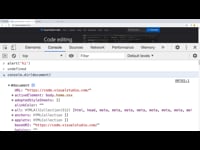
JavaScript DOM Document Object Model Introduction to Selection JavaScript element selection and manipulation of the text content. Selection of page elements into JavaScript - select single or multiple Page elements with QuerySelector
-
Element Style Manipulation with JavaScript Update Color and Background Color - Update manipulate the Element Style properties and add click events with JavaScript Event Listeners. Create a mini project that updates the element background color when it is clicked.
-
Update Element Position Using JavaScript - Move elements on the page update the element style left and top values with JavaScript.
-
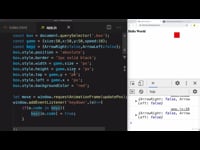
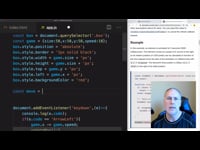
AnimationFrames with JavaScript and KeyBoard EventListeners Movement - Use of AnimationFrames to have smooth continuous movement of elements on the page. Adding keyboard key presses to move element according to keypress event listeners. Update element position with JavaScript.
-
Create Element using JavaScript and Randomly Place within Page Container Div Make new elements with JavaScript - using document create Element method to dynamically generate elements and add them to the HTML page.
-
Move element Randomly make clickable Make new elements clickable and randomly move on the page.
-
Collision Detection with JavaScript elements Add options to check collision between page elements. Check top to bottom element dimensions and left to right comparing to detect if there is overlap. If overlap happens, track as a collision. Add the collision check to the JavaScript project checking for any collision between page elements.
-
Scoring and Game Development with JavaScript Page Elements Adding scoring to the gameplay - create gameplay and allow the user to progress in the game. Game design and game concepts and how to apply it with JavaScript.
-
Final Gameplay of JavaScript DOM project
Source Code is included
Taught by an instructor with over 20 years of web development experience ready to help you learn more about JavaScript
Who is this course for?
- JavaScript beginners
- Anyone who wants to create web pages
- Webmasters and web designers
- Web application developers
- Anyone who wants to create modern websites
Requirements
-
JavaScript HTML and CSS
-
Coding experience
Questions and answers
Currently there are no Q&As for this course. Be the first to ask a question.
Reviews
Currently there are no reviews for this course. Be the first to leave a review.
Sidebar navigation
Legal information
This course is advertised on Reed.co.uk by the Course Provider, whose terms and conditions apply. Purchases are made directly from the Course Provider, and as such, content and materials are supplied by the Course Provider directly. Reed is acting as agent and not reseller in relation to this course. Reed's only responsibility is to facilitate your payment for the course. It is your responsibility to review and agree to the Course Provider's terms and conditions and satisfy yourself as to the suitability of the course you intend to purchase. Reed will not have any responsibility for the content of the course and/or associated materials.
FAQs
Interest free credit agreements provided by Zopa Bank Limited trading as DivideBuy are not regulated by the Financial Conduct Authority and do not fall under the jurisdiction of the Financial Ombudsman Service. Zopa Bank Limited trading as DivideBuy is authorised by the Prudential Regulation Authority and regulated by the Financial Conduct Authority and the Prudential Regulation Authority, and entered on the Financial Services Register (800542). Zopa Bank Limited (10627575) is incorporated in England & Wales and has its registered office at: 1st Floor, Cottons Centre, Tooley Street, London, SE1 2QG. VAT Number 281765280. DivideBuy's trading address is First Floor, Brunswick Court, Brunswick Street, Newcastle-under-Lyme, ST5 1HH. © Zopa Bank Limited 2026. All rights reserved.