Wordpress Web Design, Modern Web Design & Animation Design
Knowledge Door
3 Courses Bundle Certified By CPD | Learn From Experts | **Tutor Support & MCQ Assessment Included** | 100% Pass Rate
Summary
- Exam(s) / assessment(s) is included in price
- Tutor is available to students
Add to basket or enquire
Overview
CPD
Course media
Description
Why Learn with Us?
- We have taught and certified more than 50,000+ students and organisations worldwide
- We are committed to helping students start new careers or advance in their chosen career paths
- We have Award-winning Customer Support, and we’re proud of it
- We believe in you. Your success is our success
The Wordpress Web Design, Modern Web Design & Animation Design is one of our most popular training courses and is perfect for those individuals who want to start a new career path as a photoshop, WordPress developer and web designer, as well as established professionals who want to test their existing abilities and learn the latest techniques.
Course Curriculum
This comprehensive Wordpress Web Design, Modern Web Design & Animation Design course has been divided into 3 interactive lessons. This makes for a more stimulating and comprehensive study of all the essential areas of photoshop, WordPress development and web design, which also means that learners will be able to absorb the knowledge in manageable and intuitive segments and retain the vital information without even realising it.
This fully inclusive Wordpress Web Design, Modern Web Design & Animation Design course includes the following modules:
Learn how to increase your expertise in photoshop, WordPress development and web design by taking the following modules of this popular Wordpress Web Design, Modern Web Design & Animation Design course.
**Wordpress Web Design**
Introduction & installing WordPress
- WordPress Elementor Course Outline
- Website Online Hosting plan
- Installing WordPress on our website
- Installing WordPress ocean wp Theme & Elementor page builder
- Classic Editor Vs Gutenburg (Optional)
- Creating WordPress website pages & Menus
WordPress page builder Familiarization
- Quick tour in Elementor
- Creative Art directions & layout inspirations for WordPress design
- Familiarize with Elementor Part 1 (sections)
- Familiarize with Elementor Part2 (widgets)
- Brain storming & tips for fast workflow with Elementor
WordPress home page Design & development
- WordPress header & banner design part 1
- WordPress header & banner design part2
- WordPress header & banner design part3
- WordPress website middle sections design & development
- WordPress Png section design
- WordPress email opt-in section design
- WordPress Testimonials Section Design
- WordPress Image carousel section design
- WordPress Website Footer Design
- WordPress Website theme Customizer tour & Logo
- Finalizing our WordPress home page & design tips
The following module of the Wordpress Web Design, Modern Web Design & Animation Design course will give the exact set of skills and information base that you’ll need to succeed in your chosen career path of photoshop, WordPress development and web design.
**Modern Web Design**
Introduction
- What you will learn in this course?
Requirements to take this course
- Skills and Apps you need to take this course
Organizing your Web Design Project
- How to organize a design project
- Naming PSD, layers and groups
- Matching naming conventions with Developers
Gathering project information from client
- What are design briefs?
- Getting client’s initial Sketches and ideas
- Questions to ask your client before every Web Design Project
- Using Content Gathering template for website’s content
- Sketching, Wireframing, Atomic Design & 8point Grid system
- Using Mood Boards for Web Design projects (Design Direction)
- Sketching and Ideation (early sketches)
- Introduction to Balsamiq Mockups
- Wireframing in Balsamiq mockups part 1
- Wireframing in Balsamiq mockups part 2
- Atomic Design framework
- 8-point Grid System
Style Guides, colors and typographics scales
- Experimenting with Colors and Font Combinations
- What are UI Style Guides?
- Examples of UI Style Guides
- Creating UI Style Guide using Photoshop
- Selecting Type Scale for Responsive Web Design
- Designing for Desktop/Large View (Wstudio Web Design Project)
- Calculating your grid and guides using online tools
- Planning your Grid for Desktop View
- How to use White Space in your Web Design
- Setting up Art Boards in Photoshop
- Designing Header/Hero area Part 1
- Designing Header/Hero area Part 2
- Designing Steps section Part 1
- Designing Steps section Part 2
- Designing User Reviews section
- Adjusting white space and vertical rhythm
- Designing Team section Part 1
- Designing Team section Part 2
- Designing Footer Part 1
- Designing Footer Part 2
**Animation Design**
Welcome
- Introduction to Animate in Photoshop!
- Why Use Photoshop to Animate? How I Use Photoshop In Multimedia. A Case Study
Setting Up to Animate in Photoshop: Tools and Resources
- Royalty-Free and Public Domain Video Resources
- Setting Up to Animate in Photoshop: Windows and Tools
- Importing Your Video and Working With Different Video Formats
- Make a Quick & Dirty Stop Motion Animation By Adjusting Your Frames Per Second
Animating in Photoshop: Some Techniques You Can Try
- Drawing Right Over Your Video and Making A Simple Frame By Frame Animation
- Using the Onion Skin Options to Make More Decisive Drawings (Frame By Frame)
- Use the “Wiggle” Technique to Get More Mileage Out of Your Drawings (Looping)
- Let’s Have Photoshop Animate For Us (Position, Scaling, Opacity, Rotation, etc.)
- Rotoscoping and Animating the Frame By Frame Way (*The Essence of How I Work)
- Adding Filters and Other Special Effects to Your Video (For Good or For Evil)
- Turning a Video Into an Animated Painting With Brushes
- Exporting the Final Video From Photoshop
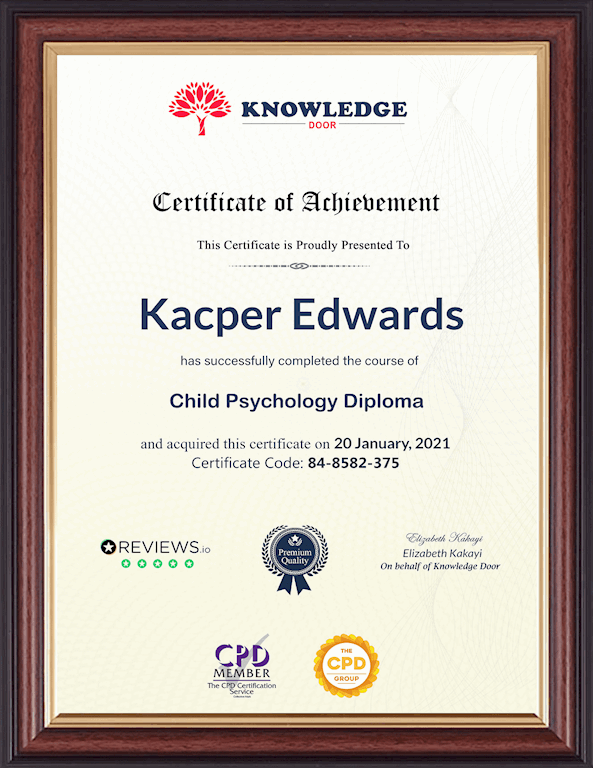
Certificate of Achievement from Knowledge Door
On completion of the Wordpress Web Design, Modern Web Design & Animation Design course, you will be eligible to obtain the certificate of achievement from Knowledge Door to evidence your new skill and accomplishment, as well as your knowledge and skill set. The certification is available in PDF format, at the cost of £12, or a hard copy can be sent via post at the cost of £35.
Who is this course for?
This comprehensive Wordpress Web Design, Modern Web Design & Animation Design course is ideal for anyone who is looking to improve their skills and move on to more challenging roles in this sector. Completion of the Wordpress Web Design, Modern Web Design & Animation Design course will prove your learning potential and provide the impetus to boost their career into whatever direction they choose but gaining an up-to-date perspective of everything involving photoshop, WordPress development and web design.
The Wordpress Web Design, Modern Web Design & Animation Design course will provide both established professionals and relative newcomers to photoshop, WordPress development and web design with some real advantages, earning extensive knowledge acquiring new skills which will make any candidate’s CV stand out in a crowded marketplace.
Requirements
There is no previous experience or specific entry requirements needed to enrol into this Wordpress Web Design, Modern Web Design & Animation Design course, any student from any background, and of any age, can enrol into this Wordpress Web Design, Modern Web Design & Animation Design course and learn at their own pace.
As long as you are seventeen years old, have a basic knowledge of the English language and are relatively comfortable with rudimentary IT skills, you will be eligible to enrol into this Wordpress Web Design, & Animation Design course.
Career path
This Wordpress Web Design, Modern Web Design & Animation Design course will bring you new opportunities and new possibilities in an ever-changing job market. Gain the latest techniques,knowledge and confidence that you’ll need to procure the dream job you’ve been looking for. To achieve all this and to gather more valuable credits on your CV, thiscourse could be a critical part of your future.
Questions and answers
Currently there are no Q&As for this course. Be the first to ask a question.
Reviews
Currently there are no reviews for this course. Be the first to leave a review.
Add to basket or enquire
Course provided by


Legal information
This course is advertised on Reed.co.uk by the Course Provider, whose terms and conditions apply. Purchases are made directly from the Course Provider, and as such, content and materials are supplied by the Course Provider directly. Reed is acting as agent and not reseller in relation to this course. Reed's only responsibility is to facilitate your payment for the course. It is your responsibility to review and agree to the Course Provider's terms and conditions and satisfy yourself as to the suitability of the course you intend to purchase. Reed will not have any responsibility for the content of the course and/or associated materials.
