
Microsoft Excel Course (Microsoft office)
Inspire London College Ltd
Microsoft Excel _ CPD Certified _ 30 Credits _ Quiz based Assessment
Summary
- Microsoft Excel - £29
- Microsoft Excel - £55
- Quiz based assessment (included in price)
- Tutor is available to students
Add to basket or enquire
Overview
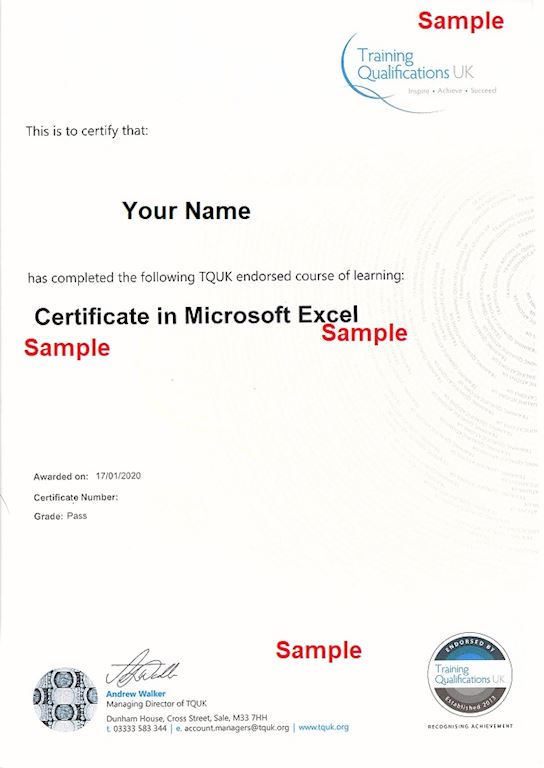
Certificates

Microsoft Excel
Digital certificate - £29

Microsoft Excel
Hard copy certificate - £55
Assessment details
Quiz based assessment
Included in course price
CPD
Course media

Description
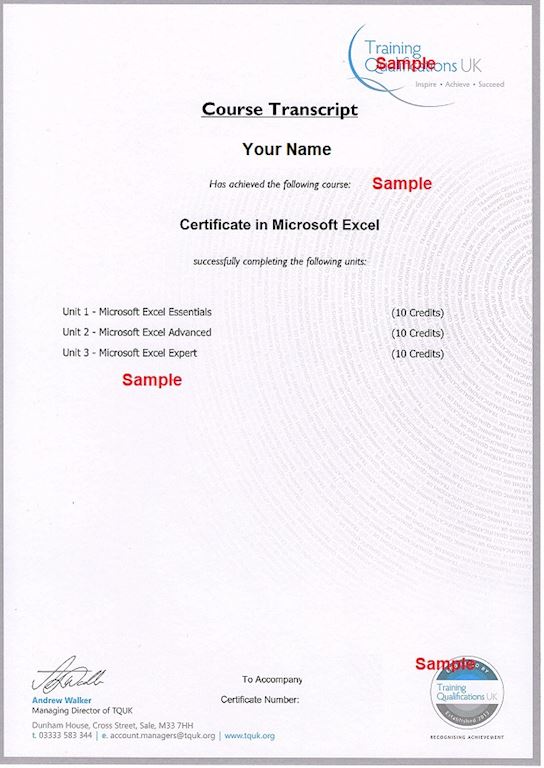
Microsoft Excel is 30 credits course. Therefore, to achieve a certificate, learners must complete the following modules:
- 1st Function: Worksheet in Microsoft Excel
- 2nd Function: Manage Data Cell in Microsoft Excel
- 3rd Function: Create Tables in Microsoft Excel
- 4th Function: Operation with Formulas in Microsoft Excel
- 5th Function: Quick Analysis, Chart, and Objects in Microsoft Excel
- 6th Function: Manage Workbook Option and Setting in Microsoft Excel
- 7th Function: Apply Custom Data Formats and Layouts in Microsoft Excel
- 8th Function: Create Advance Formulas in Microsoft Excel
- 9th Function: Create Advanced Charts and Tables in Microsoft Excel
Assessment of Microsoft Excel
After studying the course material, Learner will have to attempt the Final Quiz/Assignment.
Certificate of Microsoft Excel
Upon successfully passing the course (s) / Final Test, learner needs to pay for a Certificate of Completion from ILC (either in PDF format or Hardcopy).
CPD Certificate of Completion (PDF format) = £29
CPD Certificate of Completion (Hardcopy) = £40 + postage charges £15 = £55
Who is this course for?
Microsoft Excel
This Microsoft Excel course is ideal for anyone with a basic understanding of spreadsheets who wants to advance their skills and unlock Excel’s full potential. You’ll learn advanced Excel techniques, discover hidden features, and master tools that will help you transform raw data into clear, professional reports.
By the end of this training, you’ll be able to create professional, fully functional spreadsheets in Microsoft Excel 2007 or later—streamlining data entry, enhancing data analysis, and improving productivity.
Requirements
Microsoft Excel
To enrol in this accounting course, learners should:
Be 16 years of age or older.
Have a good command of the English language.
Possess basic ICT skills for online study, including the use of the internet and Microsoft Office.
Demonstrate a genuine motivation to learn and succeed.
Questions and answers
Reviews

Add to basket or enquire
Course provided by


Legal information
This course is advertised on Reed.co.uk by the Course Provider, whose terms and conditions apply. Purchases are made directly from the Course Provider, and as such, content and materials are supplied by the Course Provider directly. Reed is acting as agent and not reseller in relation to this course. Reed's only responsibility is to facilitate your payment for the course. It is your responsibility to review and agree to the Course Provider's terms and conditions and satisfy yourself as to the suitability of the course you intend to purchase. Reed will not have any responsibility for the content of the course and/or associated materials.
