Advanced Game Design Training with Unreal Engine, Unity, Maya & Blender for Game Designer
Academy for Health & Fitness
Flash Sale | 30-in-1 Bundle | Complete Career Guide 2025 | 300 CPD Points | Gifts: Hardcopy + PDF Certificate + SID
Summary
- CPD Accredited Digital certificate - Free
- CPD Accredited Hard copy certificate - Free
- Game Design for Beginner - Free
- Assessment (included in price)
- Tutor is available to students
Add to basket or enquire
Overview
Certificates
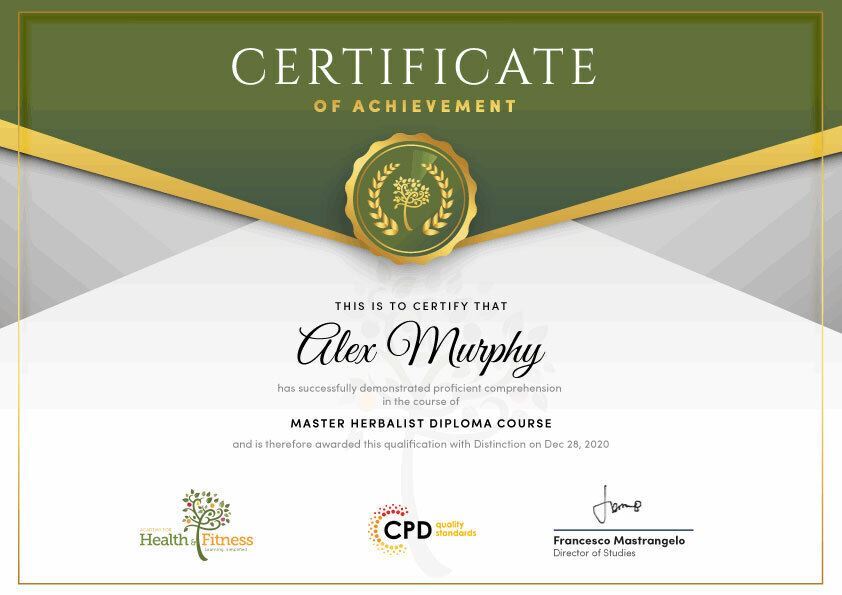
CPD Accredited Digital certificate
Digital certificate - Included
Upon passing the Course, you need to order a Digital Certificate for each of the courses inside this bundle as proof of your new skills that are accredited by CPD QS for Free.
CPD Accredited Hard copy certificate
Hard copy certificate - Included
Upon completing the course, you'll receive a CPD-accredited certificate at no additional cost. If you wish to order extra copies, they can be purchased separately for just £14.99 each.
Game Design for Beginner
Hard copy certificate - Included
After successfully completing the Game Design for Beginner, you can order an original hardcopy certificate of achievement endorsed by the Quality Licence Scheme.
Assessment details
Assessment
Included in course price
CPD
Course media


Description
Start your learning journey straightaway with our Game Design Training!
This premium bundle consists of 30 precisely chosen courses on a wide range of topics essential for anyone looking to Game Design in this field. Each segment of the course is meticulously designed to maximise learning and engagement, blending interactive content and audio-visual modules for a truly immersive experience.
★★★ Course Curriculum of Advanced Game Design Training with Unreal Engine, Unity, Maya & Blender for Game Designer Bundle ★★★
➽ Course 01: Game Design for Beginner
Game Structure
- Introduction
- What Is A Game
- Game Types
- Game Loops
- Game Arcs
Game Industry
- Game Roles – Part 1
- Game Roles – Part 2
- Game Industry
- Game Purposes
Game Layers
- Game Layers – How to separate elements
- Tutorials – How to teach the player
- Licensing – How to get free assets
Development
- Game Design Document and Game Design Canvas
- Crowdfunding
- Publishing
- Top 10 Game Designer Mistakes
- Thank You And Congratulations
➽ Course 02: Video Game Design Course
Introduction to game logo design
- The first question to ask
- My game logo design process
- The importance of sketching
Basic logos
- Simple racing game logo design
- Simple horror game logo design
- Simple logo for a puzzle game
Complex logo designs
- Cute Cartoon Game Logo Design – Part 1
- Cute cartoon game logo design – Part 2
- Design a sci-fi logo using negative space – Part 1
- Design a sci-fi logo using negative space – Part 2
- Cartoon Fantasy RPG game logo design -Part 1
- Cartoon Fantasy RPG game logo design -Part 2
- Grunge Zombie Shooter game logo design – Part 1
- Grunge Zombie Shooter game logo design – Part 2
➽ Course 03: Unreal Engine 4
- Module 01: Download Unreal Engine
- Module 02: Epic Launcher Overview
- Module 03: Create Your First Project in Unreal
- Module 04: Create Folders and Organize Your Scene
- Module 05: Open Different Viewports
- Module 06: Dock and Undock Windows
- Module 07: Save Your Scene
- Module 08: Hide Scene Icons
- Module 09: Summary F Key and ALT Key
- Module 10: Drag and Drop Walls into the Scene
- Module 11: Add Materials to the Walls
- Module 12: Quick Look at Materials in the Material Editor
- Module 13: Deleting All Lights Then Add Directional Light
- Module 14: Contact Shadow
- Module 15: Set Up Your First Point Light
- Module 16: Set Up a Spotlight
- Module 17: Add Rectangle Light
- Module 18: Cool Light Setup
- Module 19: Sphere Reflection Capture
- Module 20: Skylight Lighting with HDRI
- Module 21: Create the Sky
- Module 22: Atmospheric Fog
- Module 23: Exponential Height Fog
- Module 24: God Rays
- Module 25: Unreal Engine Particle System
- Module 26: Create a New Level and Add a Character
- Module 27: Preview of the Scene We Are Creating
- Module 28: Create HDRI Environment
- Module 29: Add Cinematic Camera to the Level
- Module 30: Create a New Level Sequence
- Module 31: Add Our Mannequin Character
- Module 32: Camera Settings
- Module 33: Depth of Field
- Module 34: Camera Movement
- Module 35: Second Camera
- Module 36: Export Your Project in Production Quality
- Module 37: Export Your Video for Further Editing
=========>>>>> And 27 More Courses <<<<<=========
How will I get my Certificate?
After successfully completing the course, you will be able to order your Certificates as proof of your achievement.
- PDF Certificate: Free (Previously it was £12.99*30 = £390)
- CPD Hard Copy Certificate: Free (For The First Course: Previously it was £29.99)
Who is this course for?
This Game Design bundle is ideal for:
- Students seeking mastery in this field
- Professionals seeking to enhance their skills
- Anyone who is passionate about this topic
Requirements
The Game Design course is accessible on any device—PC, Mac, laptop, tablet, or smartphone. Basic computer skills and an internet connection are all you need to access the course.
Career path
This Game Design bundle will allow you to kickstart or take your career in the related sector to the next stage.
Questions and answers
Currently there are no Q&As for this course. Be the first to ask a question.
Reviews
Currently there are no reviews for this course. Be the first to leave a review.
Add to basket or enquire
Course provided by


Legal information
This course is advertised on Reed.co.uk by the Course Provider, whose terms and conditions apply. Purchases are made directly from the Course Provider, and as such, content and materials are supplied by the Course Provider directly. Reed is acting as agent and not reseller in relation to this course. Reed's only responsibility is to facilitate your payment for the course. It is your responsibility to review and agree to the Course Provider's terms and conditions and satisfy yourself as to the suitability of the course you intend to purchase. Reed will not have any responsibility for the content of the course and/or associated materials.
