Why Learn with Us?
- We have taught and certified more than 50,000+ students and organisations worldwide
- We are committed to helping students start new careers or advance in their chosen career paths
- We have Award-winning Customer Support, and we’re proud of it
- We believe in you. Your success is our success
The Adobe Illustrator is one of our most popular training courses and is perfect for those individuals who want to start a new career path as a graphic designer, as well as established professionals who want to test their existing abilities and learn the latest techniques.
Course Curriculum
This comprehensive Adobe Illustrator course has been divided into 4 interactive lessons. This makes for a more stimulating and comprehensive study of all the essential areas of adobe illustrator, which also means that learners will be able to absorb the knowledge in manageable and intuitive segments and retain the vital information without even realising it.
This fully inclusive Adobe Illustrator course includes the following modules:
Learn how to increase your expertise in adobe illustrator by taking the following modules of this popular Adobe Illustrator course.
Introduction to Course
- Illustrator Course Outline
- The Power of Adobe Illustrator
- Achieving the best learning experience
Illustrator Fundamentals & Basics
- Illustrator Documents
- Illustrator workspaces & Properties Panel
- Artboards
- Navigation & zooming in illustrator
- New Illustrator cc 2019 view features
- illustrator Preferences & Settings
- illustrator Basic Geometric shapes
- Illustrator Transformation & Rotation
- illustrator Pathfinder panel & Shape Builder tool
- Illustrator Selection tools & methods
- grouping elements in illustrator
- illustrator Layers
- Illustrator Align & distribute panel
- Illustrator Guides, Grids & Rulers
- Exercise: Drawing Basic Geometric shapes
- Illustrator Stroke Panel
Colors, Appearance & Graphic Styles in Illustrator
- Illustrator color panels (color, swatches, themes, guide)
- Illustrator Gradient colors panel
- Free form gradient ( Illustrator 2019 users)
- Illustrator Appearance & Graphic style panels
- Illustrator effects
- Exercise: Appearance, graphic style, gradients
- Drawing Tools & Techniques
- Illustrator Pencil Tool
- Illustrator Brush tool
- Illustrator Drawing modes & blob brush tool
- Illustrator Pen Tools
- Illustrator curvature tool
- Pen Tools & curvature tool exercise
- Illustrator drawing modifying tools
- illustrator Transform & distort tools (Liquify Tools)
- Illustrator Puppet Warp tool
- Illustrator Envelope Distort
- Drawing Symmetric Shapes
- Drawing Concentric Symmetrical design
- Illustrator Clipping Masks
- Illustrator Opacity Masks
- illustrator live paint bucket tool
- Recolor Artwork
- Complex Drawing Exercise
- Illustrator Complex Drawing techniques
Illustrator Brushes
- Illustrator Art Brushes
- Illustrator Scatter Brush
- illustrator Bristle Brush
- Illustrator Calligraphic brush
- Illustrator Pattern brush
- Illustrator Images brushes
- Illustrator brushes exercise
Design With images in illustrator
- Images modifying for tracing
- Tracing images in illustrator
- Enhancing traced Vectors & coloring hints
- Illustrator image exercise
Typography in Illustrator
- Illustrator Typography Anatomy & Character control
- illustrator Paragraphes control
- Illustrator Character & paragraph styles panels
- Font Selection (illustrator cc 2019 users)
- Illustrator Fonts (Filtering, Variable, glyphs, stylistic sets, open type, SVG)
- illustrator Touch type tool
- Illustrator type on a path tools
- Clipping Typography Masks
- Illustrator Typography Art directions & trending visual effects
- Illustrator type envelope distort
- illustrator text wrap
- Exercise: Typography composition
Illustrator Advanced Techniques & Tricks
- Illustrator Blend Tool
- illustrator perspective drawing
- Illustrator Symbols
- illustrator global edits (Illustrator cc 2019 Users)
- Creating Patterns in illustrator
- Illustrator Graphs
- Illustrator Gradient Mesh
Exporting & Finalizing Artwork in illustrator
- Exporting illustrator files & save for web
- Preparing & exporting illustrator file for printing
- Asset Export Panel
- Creative Cloud & Illustrator Libraries
- illustrator export for screens, save for web & Archiving files
Supplementary Resources
- Supplementary Resources – Adobe Illustrator Complete Course – Build Illustrations & Graphics
Method of Assessment
After successfully completing the Adobe Illustrator course, you will be required to sit an online multiple-choice assessment. The assessment will be evaluated automatically through the system and the results will be provided to you instantly.
Certificate of Completion
On completion of the adobe illustrator course, you will be eligible to order your free PDF & Hardcopy certificate of course completion. There is a minimum postal charge applicable to obtain the hardcopy course completion certificate which is:
- Inside the UK = £6.49
- International Students = £17.49
Certificate of Achievement
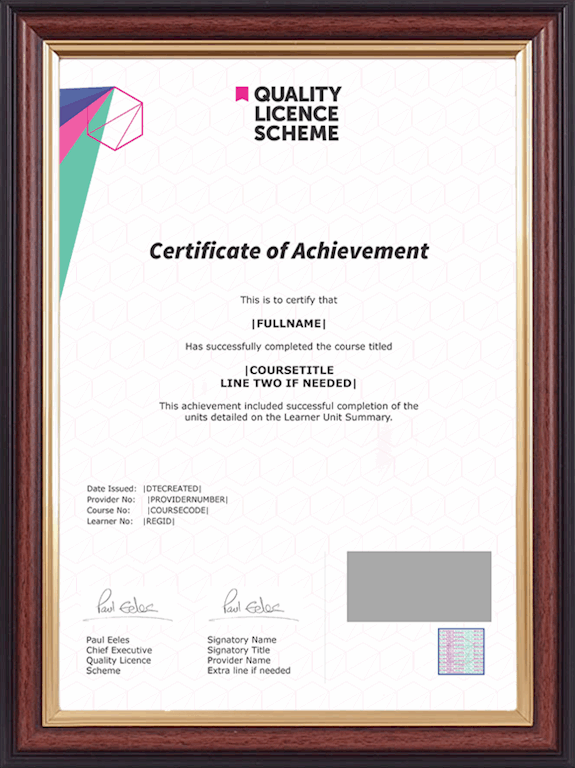
Endorsed Certificate from Quality Licence Scheme
On successful completion of the course assessment, you will be eligible to obtain the adobe illustrator Endorsed Certificate by Quality Licence Scheme. The Quality Licence Scheme is a brand of the Skills and Education Group, a leading national awarding organisation for providing high-quality, non-regulated provision and training programmes across a wide range of industries. This will provide you with a competitive edge in your career and extra value to your CV, developing you as a standout candidate among all other applicants and employees. There is a Quality Licence Scheme endorsement fee to gain an endorsed certificate which is £75.
CPD UK and IPHM Accredited Certificate of Achievement
On completion of the adobe illustrator course, you will be eligible to obtain the CPD UK and IPHM accredited certificate of achievement (dual certificate) to evidence your new skill and accomplishment, as well as your knowledge and skill set. You can also share this certificate with prospective employers and your professional network. The CPD UK and IPHM accredited certificate of achievement (dual certificate) is available in PDF format, at the cost of £12, or a hardcopy can be sent via post at the cost of £35.