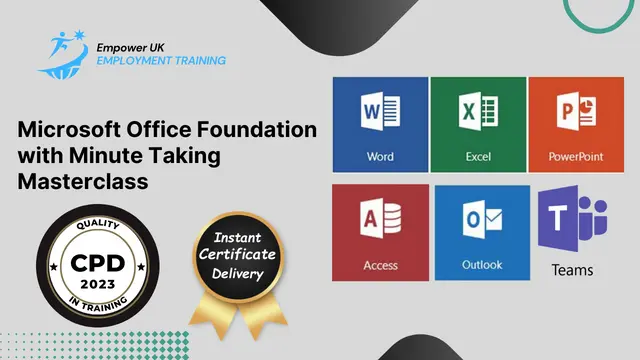

Microsoft Office Foundation with Minute Taking Masterclass
Microsoft Excel Skills | Word Skills | Power Point Skills | Access Skills | Outlook Skills | Microsoft Teams Skills
Empower UK Employment Training
Summary
- Reed Courses Certificate of Completion - Free
- Tutor is available to students
Add to basket or enquire
Overview
Microsoft Office Foundation with Minute Taking Masterclass
Unlock your potential in office management with the Microsoft Office 7 courses bundle Foundation with Minute Taking Masterclass. Sharpen your Microsoft Office skills with this bundle and become a minute-taking pro. Equip yourself with the Microsoft Office expertise every employer values.
Learning Outcomes:
- Navigate the Excel Interface 2023 using Microsoft Office features.
- Apply formatting to modern documents through Microsoft Office tools.
- Develop presentations using Microsoft Office Power Point.
- Operate Microsoft Access & Database proficiently.
- Prepare for minute-taking using Microsoft Office utilities.
- Record meeting decisions and actions effectively.
This Microsoft Office Foundation with Minute Taking Masterclass Includes 7 Following Courses:
- Course 1. Microsoft Excel Skills
- Course 2. Microsoft Word Skills
- Course 3. Microsoft Power Point Skills
- Course 4. Microsoft Access Skills
- Course 5. Microsoft Outlook Skills
- Course 6. Microsoft Teams Skills
- Course 7. Minute Taking Mastery
Key Employment Opportunities:
- Office Administrator: Yearly - £22,816 approx.
- Admin and Business Support Officer: Yearly - £21,575 approx.
- Admin Assistant: Yearly - £21,028 approx.
- Microsoft Office Specialist: Yearly - £28,000 approx.
- Administrative Assistant: Yearly - £20,355 approx.
- Office Manager: Yearly - £27,418 approx.
More Benefits:
- Assignment Feedback on Microsoft Office
- Free Digital Reed Certificate on Microsoft Office Foundation with Minute Taking Masterclass
- Compatible with iPhone & Android Devices
- Moneyback Guarantee
Curriculum
-
Microsoft Office Bundle: Course 01 58:00
-
Microsoft Office Bundle: Course 02 1:41:00
-
Microsoft Office Bundle: Course 03 1:23:00
-
Microsoft Office Bundle: Course 04 1:17:00
-
Microsoft Office Bundle: Course 05 27:00
-
Microsoft Office Bundle: Course 06 27:00
-
Microsoft Office Bundle: Course 07 1:31:51
-
Microsoft Office Foundation with Minute Taking Masterclass: Course Assignment 01:00
Course media






Description
Key Modules from Microsoft Office Foundation with Minute Taking Masterclass:
Excel Interface 2023: Master the intricacies of Excel 2023 to elevate your Microsoft Office proficiency.
Formatting Text of a Modern Document: Learn advanced text formatting techniques using Microsoft Office features.
Setting up and Managing Presentations: Set up and manage compelling presentations leveraging Microsoft Office tools.
Microsoft Access & Database: Gain hands-on experience in Microsoft Access & Database as part of your Microsoft Office skillset.
Preparation for Minute Taking: Prepare for efficient minute-taking through the utilisation of Microsoft Office features.
Minute Meeting, Decision and Action: Execute accurate minute meeting documentation, decision-making, and action-planning.
Other Key Modules of This Microsoft Office Foundation with Minute Taking Masterclass Include:
- Basic Graphics tools in Microsoft Office
- Animations and Effects in Microsoft Powerpoint
- Overview of Microsoft Office Teams
- Integrating Microsoft Office Suite
- And, Many More …
Who is this course for?
This Microsoft Office Foundation with Minute Taking Masterclass Program is designed for anyone keen on mastering Microsoft Office skills. This course is particularly useful for:
- Microsoft Office Specialist (MOS)
- Microsoft Office Specialist (MOS) Expert
- Microsoft Office Specialist (MOS) Master
This Microsoft Office Foundation with Minute Taking Masterclass will also help you if you choose to further progress your career in the following courses:
- Level 3 Certificate in Microsoft Office
- Level 4 Certificate in Microsoft Office
- Level 5 Certificate in Microsoft Office
- Level 3 Diploma in Microsoft Office
- Level 4 Diploma in Microsoft Office
- Level 5 Diploma in Microsoft Office
- Level 3 Certificate in the Use of Microsoft Office Applications
- Level 3 Diploma in Microsoft Office Suite
- BTEC Level 3 Diploma in Microsoft Office Applications
Requirements
This Microsoft Office Foundation with Minute Taking Masterclass is open to all.
Career path
- Office Administrator
- HR Admin
- Receptionist
- Audio Typist
- Office Admin
- Customer service representative
- Administrative assistant
Questions and answers
Currently there are no Q&As for this course. Be the first to ask a question.
Certificates
Reed Courses Certificate of Completion
Digital certificate - Included
Will be downloadable when all lectures have been completed.
Reviews
Add to basket or enquire
Course provided by

Legal information
This course is advertised on reed.co.uk by the Course Provider, whose terms and conditions apply. Purchases are made directly from the Course Provider, and as such, content and materials are supplied by the Course Provider directly. Reed is acting as agent and not reseller in relation to this course. Reed's only responsibility is to facilitate your payment for the course. It is your responsibility to review and agree to the Course Provider's terms and conditions and satisfy yourself as to the suitability of the course you intend to purchase. Reed will not have any responsibility for the content of the course and/or associated materials.