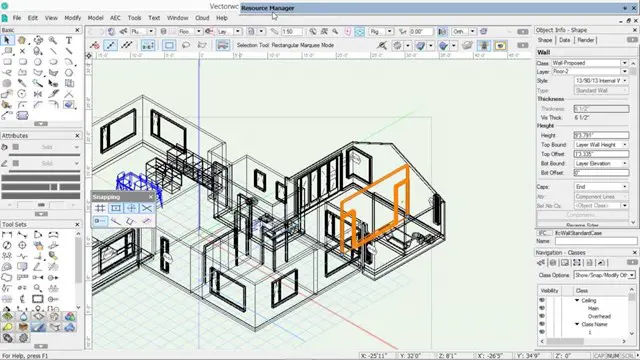
Vectorworks Basic to Intermediate Training Courses 1-2-1
Face to Face training customised and bespoke. One to One Online or Face to Face
Real Animation Works Limited
Summary
- Certificate of completion - Free
- Tutor is available to students
Add to basket or enquire
Location & dates
kennington Business park
South West London
London
SW96DE
United Kingdom
Overview
There are several benefits of Vectorworks Basic to Intermediate Training Courses 1-2-1, including:
-
Personalized learning: 1-2-1 training allows for customized instruction based on the learner's needs, pace, and level of experience.
-
Efficient use of time: Individual training sessions are focused, allowing learners to cover more ground in less time.
-
Mastery of Vectorworks software: Basic to intermediate training courses help learners gain a strong foundation in the software, enabling them to create accurate and efficient designs.
-
Enhanced creativity: As learners become more proficient in Vectorworks, they can unlock new levels of creativity and explore design possibilities.
-
Competitive advantage: Vectorworks training can set learners apart from their peers in the job market, demonstrating a commitment to professional development and advanced skills.
-
Improved job performance: With enhanced Vectorworks skills, learners can complete tasks more quickly and accurately, improving their job performance and contributing to the success of their organization.
-
Continued learning: Basic to intermediate training is just the beginning of the Vectorworks learning journey, setting the stage for ongoing skill development and mastery.
Description
Vectorworks Basic to Intermediate Course
Course Duration: 16 hours
Course Description:
This course is designed for those who have basic knowledge of Vectorworks and want to advance their skills to become proficient users of the software. The course will cover more advanced 2D and 3D techniques, such as advanced 3D modeling, rendering, and visualization. Participants will also learn how to customize Vectorworks to their specific needs and workflows, including creating custom tools and automation using the scripting language.
Course Outline:
I. Review of Basic Concepts (1 hour)
- Interface and navigation
- Creating and editing 2D and 3D geometry
- Layers and classes
- Views and viewports
II. Advanced 2D Drawing Techniques (2 hours)
- Creating complex geometry using advanced drawing tools
- Editing and modifying complex geometry
- Creating and editing custom line types and hatches
- Using advanced annotation tools
III. Advanced 3D Modeling (3 hours)
- Creating 3D forms
- Creating custom 3D objects
- Using advanced 3D tools such as Solid Modeling
- Creating 3D models from 2D plans
IV. Visualization and Rendering (3 hours)
- Setting up cameras and lights for visualization
- Using the Renderworks engine for rendering
- Using the visualization palette
- Creating and editing textures and materials
V. Customizing Vectorworks (3 hours)
- Customizing the interface
- Creating custom tools and automation using the scripting language
- Creating custom object styles and resources
- Creating custom plug-ins and scripts
VI. Collaboration and Sharing (2 hours)
- Importing and exporting data from other software
- Working with other users on the same project
- Using cloud-based collaboration tools
VII. Conclusion and Next Steps (1 hour)
- Review of course content
- Tips for further learning and resources
- Q&A and feedback
Note: The above course outline is just a suggestion, and the course content and duration can be adjusted according to the needs and level of the learners.
Who is this course for?
Architects
interior designers
Engineers
Students
Set/ Event designers
Requirements
Nill
Career path
After completing Vectorworks Training Courses, one can pursue a career as an architect, interior designer, landscape designer, or exhibit designer. One can also work as a freelance designer, a 3D modeling artist, or a visualization specialist. With experience, one can advance to senior design positions, project manager roles, or even start a design firm.
Certificates
Certificate of completion
Digital certificate - Included
Reviews
Currently there are no reviews for this course. Be the first to leave a review.
Add to basket or enquire
Course provided by

Legal information
This course is advertised on reed.co.uk by the Course Provider, whose terms and conditions apply. Purchases are made directly from the Course Provider, and as such, content and materials are supplied by the Course Provider directly. Reed is acting as agent and not reseller in relation to this course. Reed's only responsibility is to facilitate your payment for the course. It is your responsibility to review and agree to the Course Provider's terms and conditions and satisfy yourself as to the suitability of the course you intend to purchase. Reed will not have any responsibility for the content of the course and/or associated materials.