Update to eCommerce terms and conditions
March 12, 2025
As of 12th March, we’re updating our eCommerce terms and conditions to improve efficiency and streamline processes for course providers.
The new terms are as follows:
- Self-billing agreements are now integrated with our T&Cs
This means you will no longer be required to re-sign a self-billing agreement annually.
- Failure to give notice of VAT changes will incur an admin fee
Going forward, you’ll need to immediately notify us of any changes to your VAT registration status. If we’re not updated and invoices require re-issuance, payments may be delayed, and a £10+ VAT fee will be charged.
- Minimum payment threshold for international invoice(s)
If your invoice is less than £150.00 and you don’t have a UK bank account (or PayPal), payment will be withheld until your total invoice amount reaches the £150.00 payment threshold.
What does this mean for eCommerce providers?
- No action is required, and continuing to list your courses means you agree to the new T&Cs.
- You will never need to sign a self-billing agreement again.
- New eCommerce contracts will be issued shortly, with an auto-renewal clause, helping to maintain uninterrupted service.
Find out more
To read the full updated terms and conditions, click here.
For questions, contact the Reed Courses team:
Tel: 0203 510 0109
Email: ca.team@reedonline.co.uk
Updated: Course Certificates
October 14, 2025
We’ve made an important update to how Course Certificates are managed on the platform.
Here’s everything you need to know:
What’s changing?
When you upload a new Course Certificate, you will need to attach an example of the certificate before you can proceed.
Courses that already have certificates attached are not affected unless you attempt to change or upload a new certificate.
If your course includes a certificate but does not yet have an example attached, you’ll see an “updates recommended” notification appear on your course.
What happens next?
At this stage, we won’t be deboosting any courses that don’t have an example certificate uploaded. However, we do plan to introduce this in the future to ensure all course listings meet the same standard.
We’ll provide advance notice before this takes effect, but we strongly recommend uploading your example certificate as soon as possible to avoid any future impact on course visibility.
Find out more
If you have any questions or need support uploading your certificate example, please contact the team on:
Tel: 0203 510 0109
Email: ca.team@reedonline.co.uk
Updated: Minimum Course Price
September 12, 2025
Our Minimum course price will be changing on 27th September 2025 which will affect all providers.
Here’s everything you need to know:
What’s changing?
From 27th September 2025, the minimum course price for consumers will increase from £12 to £19.
Free courses are not impacted.
Please see the examples below to find out more:
Examples
Provider A advertises a course at £12 on eCommerce
- Original price of course: £12
- New Price of course: £19
- Original provider revenue generated (25%): £3
- New provider revenue generated (25%): £4.75
- Provider A will gain £1.75 more per sale after the minimum course cost changes
Provider B advertises a course at £14 on Learning on Demand (LOD)
- Original price of course: £14
- New Price of course: £19
- Original provider revenue generated (25%): £3.50
- New provider revenue generated (25%): £4.75
- Provider B will gain £1.25 more per sale after the minimum course cost changes
What happens next?
- The new minimum Course cost will be automatically applied to all courses on and after 27th September 2025
- Refer to our Advertising Guidelines for more information >
Find out more
If you have any questions or wish to discuss this further, please contact the Reed Courses team on:
Tel: 0203 510 0109
Email: ca.team@reedonline.co.uk
Provider Courses API deprecation notice
April 30, 2025
The Provider Courses API will be retired soon…
As of 25th June 2025, the Provider Courses API – which allows providers to get a list of their courses, post a course and update a course advert – will be deprecated and will no longer be available.
Why is this happening?
Over the past year, usage of the Provider Courses API has been extremely limited. In order to focus on improving the tools that providers use most, we’ve made the decision to retire this API.
But don’t worry – if you currently manage your courses through the provider site, this change won’t affect you. You’ll be able to continue creating and updating course adverts as usual.
What does this mean for you?
From 25th June 2025, the Provider Courses API will no longer be supported or accessible. This means you won’t be able to retrieve, add, or update courses via API.
However, our Provider Leads API and Provider Orders API will remain active, so you can continue accessing your leads and orders as usual.
What are the alternatives?
You can still manage your courses quickly and easily via the Reed.co.uk provider site. If you’d like support with this transition, we’re here to help.
For support, or to find out more, please contact your Account Manager or contact the Courses team on:
Tel: 0203 510 0109
Email: ca.team@reedonline.co.uk
Introducing: Assessments on LOD courses
March 12, 2025
We’re excited to introduce a new lecture type to the LOD platform — Assessments! This update comes directly in response to feedback from our providers, who highlighted the desire for better support in delivering regulated qualifications and professional certification courses that require formal assessments via the LOD platform.
Here’s everything you need to know:
What’s new?
With this new LOD feature, you’ll be able to:
- Create an assessment as a new lecture type.
- Set a dedicated email address for students to submit their assessments to for marking (pre-filled with your enrolment contact email for ease).
- Upload an assessment brief for students to download.
- Add instructions or write the assessment brief directly in the platform.


What are the benefits of the new feature?
- Streamlined assessment management – no more workarounds! Upload assessment briefs and set submission instructions directly within your course.
- Greater flexibility for structured learning, allowing you to use it more effectively to deliver regulated qualifications and professional certification courses.
- You’ll have full control over assessments, enabling you to receive and mark them, as well as share feedback with students.
- Set clear and structured expectations with students, use the instructions field to set expectations on submission guidelines, feedback processes and expected response times, ensuring a smooth experience for yourself and students.
Important notes
- While LOD provides the tools to facilitate assessments, the process of receiving, marking, and providing feedback to students remains with you, the course provider.
- Students will be able to mark a course as ‘complete’ once they have accessed all sections and downloaded the assessment brief. However, it is up to the provider to manage the marking process and award any certificates or qualifications.
Ready to get started? Simply head to your course curriculum and click “Add Assessment” to begin! 🎉
Find out more
For any questions, contact the Reed Courses team:
Tel: 0203 510 0109
Email: ca.team@reedonline.co.uk
Course standards: How we’re raising the bar for course quality in 2025
February 19, 2025
At Reed Courses, we’re dedicated to fostering a thriving learning environment by continually raising the bar for the quality of courses offered on our platform. This year, we’re focusing on promoting content freshness and uniqueness. Our goal is to celebrate and reward excellence – not just compliance – and to empower providers to deliver exceptional learning experiences.
Here’s an overview of what we’re striving to achieve and how it aligns with our vision of excellence:
What we’re encouraging
For Learning On-Demand (LOD) courses
- Diverse content formats: Courses that feature a variety of lecture types, including PDFs, articles, videos, and more.
- Engaging and interactive experiences: Incorporating quizzes, assessments, supplementary resources, and other interactive elements to keep learners actively engaged.
- Thoughtful course structure: Content that is organised into meaningful sections and lectures, making it easier for students to navigate, absorb, and retain knowledge.
- Unique and original content: We’re focusing on identifying and addressing course duplication to maintain a high standard of originality.
For ALL course adverts
- Transparency: Clearly outlining course outcomes and any additional costs, such as assessments, exams, or certificate fees.
- Engaging and concise messaging: Crafting clear, compelling, and to-the-point course adverts.
- Unique and relevant content: Ensuring that all sections of the course advert (e.g., overview, description, career paths) contain fresh and pertinent information, and avoid repetition and keyword stuffing.
What does this mean for you?
We want to make these changes as collaborative and transparent as possible. Here’s what to expect:
- “Updates Recommended” status
Courses may be flagged with an “Updates Recommended” status, indicating areas for improvement. This will provide you with feedback and advice on how to enhance your courses and optimise performance on our platform.
- “Blocked” status
A course may be blocked (and hidden from course seekers) if it breaches our policies or does not meet our quality standards. If your course is blocked, you’ll receive an email outlining the issue and required fixes to reactivate the course. Once you have made the required changes, our team will review your updates to ensure compliance with our guidelines before making it available to course seekers again.
- Gradual implementation
These standards will be rolled out progressively throughout the year, giving providers ample time to adapt and leverage the “Updates Recommended” status as a guide for continuous improvement.
Guidelines we recommend you follow
To ensure your courses align with our quality standards and perform effectively on our platform, consider the following:
- Pay attention to the “Updates Recommended” status and action the suggestions promptly
- Refresh and diversify content regularly
- Prioritise clarity, transparency and originality in course adverts
- Organise and streamline course structure
By following these recommendations, you’ll not only improve your course’s appeal but also contribute to a richer and more rewarding experience for learners.
Introducing: Enhanced dynamic bidding for Self-Service Sponsored Keywords (SSSK)
December 18, 2024
We’ve made an exciting update to the Self-Service Sponsored Keywords tool…
The Self-Service Sponsored Keywords (SSSK) dynamic bidding logic is now more reflective of keyword demand and performance.
Here’s how it works, and what it means for you:
How does it work?
Building on our current dynamic bidding logic, the dynamic minimum bid logic now also considers the recent demand for the keyword in the Reed Courses marketplace.
This update will help to ensure that minimum keyword prices more accurately reflect recent keyword demand and performance in the marketplace.
As demand for the keyword fluctuates, the minimum bid price may change; ensuring a fair and market-driven rate.
How can providers benefit from this update?
- Minimum bids will be market-driven. Minimum bid price will be more reflective of keyword demand and performance in the market; dynamically adapting to course seeker’s search trends.
- The price of a keyword will be more aligned to its popularity amongst course seekers. Bid prices will correspond more closely with the current value of the keyword in the market based on demand and performance.*
*Bid price will also be influenced by competition for the top 10 sponsored positions.
Will this change affect existing bids?
Initially, the update will be applied to new bids. This means that any bids that are already within the top 10 bid positions will retain their slot irrespective of if the current bid price is below the new minimum.
However, we recommend you review all of your sponsored keyword bids as you may lose your position when higher bids are placed.
My current bid is lower than the minimum bid price. Is it still showing in search?
Minimum bid prices are dynamic and may fluctuate based on the recent demand for a keyword. This means that your bid may fall below the minimum price. However, this does not necessarily mean you have lost your sponsored position. If your bid is still within the top 10 positions, your sponsored listing will still be displayed in search.
How will this affect my sponsored keyword billing?
- If your bid is lower than the new minimum bid price: You will be charged your bid price.
- If your bid is higher than the new minimum bid price: There will be no change to billing; sponsored clicks will be charged 1p above the next lowest bid or at the minimum bid if there are less than 10 sponsored positions.
Find out more
If you’re in any doubt, have any questions or wish to discuss this further, please contact your Account Manager or the Reed Courses team on:
Tel: 0203 510 0109
Email: ca.team@reedonline.co.uk
Updated: Lead and referral budget tracking
December 11, 2024
Looking to gain more control of your budget? Now you can…
We are excited to introduce a new ‘Lead and Referral Overview’ tile on the provider homepage. This feature is designed to give you visibility into your lead and referral budget and spend, empowering you with greater control and transparency over your account.
Here’s everything you need to know:
What is it?
The new real-time lead and referral overview tile will provide you with visibility into:
- Your key billing dates (next billing date and current billing period)
- Your spend-to-date*
- Your remaining budget*
- Days remaining in your contract/budget period**
*If you have a budget set or are on a pre-paid payment plan.
**If you are on a pre-paid payment plan.
This comprehensive view will enable you to easily monitor and manage your spend, gain insights into your spending patterns, and plan accordingly.
In addition to this visibility, warning messages will also be displayed when you are nearing the end of your budget or contract, giving you ample time to purchase additional leads or arrange a new contract.
What does it look like?
Example warning messages for pre-paid providers


Example for post-paid providers who have set a budget

What are the benefits of the new feature?
With this new feature, you’ll be able to:
- Track your budget with ease. View up-to-date visibility into your budget and spending without needing to contact your Account Manager. This independent access ensures you can stay informed at any time.
- Plan ahead using smart alerts. Stay informed with warning messages and RAG (Red, Amber, Green) colour coding as you approach the end of your budget or contract. These alerts are designed to help you plan ahead, making it easy to see when you need to take action such as arranging a new contract or purchasing additional leads as needed. By taking timely action, you can avoid temporary suspension of your courses and prevent any interruptions to your account activity.
- Increase your control. With easy access to your real-time spend, you can proactively manage your account and make informed decisions about next steps.
To find out more, please contact your Account Manager or contact the Courses team on:
Tel: 0203 510 0109
Email: ca.team@reedonline.co.uk
Four ways to stand out on Black Friday 2024
November 13, 2024
Want to give your courses a boost over the Black Friday weekend?
There are many different ways providers can take advantage of Black Friday, and maximise sales opportunities. Whether it’s by signposting special deals in advance, or tweaking course titles to help make sure they stand out.
We’ve already covered what we’re doing to promote your courses – but here are some key things providers can do to make the most of Black Friday/Cyber Monday.
1. Discount your courses
To attract discount seekers during the Black Friday period, we recommend that course providers advertise their courses at a reduced sale price.
Remember to set it lower than the average selling price to ensure it appears on our discounted courses page; which will receive higher levels of traffic during the Black Friday period.
Read more about how dynamic discounting works here.
2. Signpost your Black Friday deals in the subtitle
Although we’ll still be driving traffic from our homepage over the Black Friday/Cyber Monday weekend, people can still find your deals all over the courses site – whether it’s within the search results, or via your provider profile.
To stand out, mention Black Friday & Cyber Monday in your courses subtitle – e.g. something along the lines of ‘20% off RRP – Black Friday special’ – ensuring this aligns with the discounted price your course is being advertised at.
This is a great way to draw attention to your exclusive deals, and emphasise how much people are able to save during the sale.
However, remember to avoid mentioning things like this in your main course title; this should outline the title of your course only.
3. Fill out ALL available fields
One way to improve your own course rankings is to ensure you fill out all available fields – meaning you’ve added as much info to your courses as possible.
Sections to fill out include:
- Subject (maximum of 3)
- Overview
- Qualification or Skill
- Course media
- Description
- Who is the course for
- Requirements
- Career Paths
- Course duration
This will help improve your rankings all year round, but with so many courses vying for space on Black Friday/Cyber Monday, the advice becomes even more invaluable.
4. Make the most of additional products
The easiest and most effective way to increase the visibility of your courses is to give them an extra boost.
Sponsoring your listing, for example, will instantly bring your course to the top of the search results page for your chosen term – which will help ensure you maximise views, leads, and potential sales as a result.
You can sponsor any keyword, or any combination of keywords, as long as it hasn’t been booked already.
Find out more
Contact the Courses team on:
Tel: 0203 510 0109
Email: ca.team@reedonline.co.uk
Black Friday 2024: What we’re doing to promote your courses
November 13, 2024
Black Friday is coming…
The Black Friday/Cyber Monday weekend is one of the busiest shopping periods of the year. And it’s one we want our providers to be able to take full advantage of.
Here’s everything we’re doing to promote courses this Black Friday/Cyber Monday – and what your business can do to get involved:
When is Black Friday 2024?
This year, Black Friday falls on the 22nd November.
Cyber Monday is on Monday 2nd December.
Reed Courses will be advertising Black Friday/Cyber Monday themed deals from the 21st November right through to the 2nd December.
What are we doing to promote courses?
- Black Friday themed site
We’ll feature a dynamic sitewide banner which highlights what deals are available and when course seekers will be able to make a saving – directing them straight through to the discounts page.
- Black Friday themed everything
We’ll be using Black Friday specific messaging across all marketing channels throughout the sale period, including email, display advertising, and promoted search results. Course providers can also give their courses extra prominence during this busy time by purchasing add-ons, such as premium email slots, display retargeting, and sponsored keywords.
- Presence across major social channels
We’ll be reaching hundreds of thousands of people across Facebook and Instagram during the course of the weekend – specifically targeting users based on their interests to help drive conversions straight to your courses.
So, whether someone is completely new to the world of online courses, or they’ve been thinking about a new qualification for a while, they’ll be sure to see your courses this Black Friday weekend.
How can course providers get involved?
We’re working on a wide range of products to help you maximise your sales this Black Friday/Cyber Monday.
To find out more about what you can do to promote your course, get in touch with your account manager today.
Find out more
If you’re in any doubt, have any questions or wish to discuss this further, please contact the Reed Courses team on:
Tel: 0203 510 0109
Email: ca.team@reedonline.co.uk
Updated: CPL rate card 2024
October 25, 2024
Our Cost Per Lead (CPL) rates will be changing on Saturday 23rd November 2024, which will affect providers on our CPL model.
Here’s everything you need to know:
What’s changing?
From Saturday 23rd November 2024, the minimum Cost Per Lead (CPL) for consumers (B2C) will increase from £12 to £14.40, and the minimum CPL for businesses (B2B) will increase from £20 to £28.80.
For B2C – Courses advertised at £720 or less will now be paying £14.40 per lead, whilst courses advertised over £720 will continue to pay 2% of the course price.
For B2B – Courses advertised at £720 or less will now be paying £28.80 per lead, whilst courses advertised over £720 will continue to pay 4% of the course price.
Providers on our eCommerce model will not be affected.
Please see the examples below to find out more:
Examples
Provider A advertises a B2C course at £500 on Cost Per Lead (CPL)
Price of course: £500
Cost Per Lead: £14.40
Change in costs: +£2.40
Provider A will pay £2.40 more per lead after the minimum B2C lead cost changes to £14.40.
Note: If the course is £720 or above, the provider will continue to be charged at 2% of the course price.
Provider B advertises a B2B course at £500 on Cost Per Lead (CPL)
Price of course: £500
Cost Per Lead: £28.80
Change in costs: +£8.80
Provider B will pay £8.80 more per lead after the minimum B2B lead cost changes to £28.80.
Note: If the course is £720 or above, the provider will continue to be charged at 4% of the course price.
What happens next?
- All Cost Per Lead (CPL) leads received before Saturday 23rd November 2024 will continue to be invoiced at the existing CPL.
- The new Cost Per Lead will be automatically applied to all CPL enquiries on and after Saturday 23rd November 2024.
- Refer to our Advertising Guidelines for more information >
Find out more
If you have any questions or wish to discuss this further, please contact the Reed Courses team on:
Tel: 0203 510 0109
Email: ca.team@reedonline.co.uk
New: Upload regulated qualifications and professional certifications as Learning On Demand (LOD) courses
October 23, 2024
Looking to get more out of the LOD platform?
To diversify the types of courses providers are able to make available to students on the LOD platform, we’ve introduced a new functionality that allows regulated qualifications and professional certifications to be uploaded as LOD courses.
Here’s everything you need to know:
What does this mean for me?
This new feature enables you to upload and host regulated qualification and professional certification courses on Reed Courses’ Learning On Demand (LOD) platform; giving course seekers instant access to the course online.
Previously, these types of courses could only be posted as non-LOD eCommerce courses, or using our Cost Per Lead (CPL), or Cost Per Click (CPC) advertising models – requiring you to independently manage student’s course access, login details, support and course completion.
Now, you can easily upload your course curriculum (including videos, PDFs and articles), create lectures and quizzes and leave the hosting to us; enabling students to start qualifications immediately, study from anywhere, and track their progress throughout the course.
Additionally, by adding details like the awarding body and qualification number, your course will be formally categorised as a recognised qualification/certification, making it easier for course seekers to filter and find your course.
Got ideas to make LOD even better? Share your thoughts in our quick survey!
Six reasons to advertise your course(s) on the Learning On Demand (LOD) platform
How to use the new feature
When adding a new course, select the ‘On Demand’ option and proceed with uploading the course content (which can be done in bulk).

On the ‘Qualifications’ page, categorise the course as a ‘regulated qualification’ or ‘professional certification’, and add the details of the qualification or certification (i.e. qualification name, regulating body, qualification number).
This will ensure that your course appears in search results when students filter for regulated qualifications or professional certifications; improving visibility among students looking for these types of courses.


Can I transfer my existing course(s) to the LOD platform?
Yes – converting a course is easy! What’s more, it’ll only take a few minutes.
All you need to do is select ‘Convert to On Demand’ on the courses page, upload your curriculum (which can be done in bulk), organise the content into sections, and you’ll be good to go. You can also add quizzes and additional resources to help students to supplement their learning throughout the course.

Worried about losing your search ranking? Don’t panic. If you convert a non-LOD eCommerce or CPL/CPC course to an LOD course, the search ranking you’ve built up on this listing will not be affected.
You will also retain any course reviews you’ve received from students.
Share your thoughts
What features would you like to see on the LOD platform? We’d love to hear from you!
Take the below survey to let us know what features you’d like to see on the platform and how we can better support these types of courses.
It’ll only take a few minutes, and your feedback will be extremely valuable in helping us to improve the LOD platform for you.
Take the survey
Six reasons to advertise your course(s) on the Learning On Demand (LOD) platform
October 22, 2024
Not sure what the Learning On Demand (LOD) platform can offer you?
With instant access for students, centralised hosting, versatile content options, and the ability to upload regulated qualifications and professional certifications on LOD, Reed Courses’ LOD platform makes it easier than ever to reach a wide audience of learners.
Here are six great benefits of using the LOD platform:
1. Instant course access
Say goodbye to the delays of traditional student onboarding. With the LOD platform, students can start studying as soon as they complete their purchase.
There’s no need to manually send out login details or access codes — everything is automated for a seamless experience.
This means your learners can focus on what matters most: diving straight into the course content without any waiting time, making their learning journey more convenient and efficient.
2. Utilise a variety of content formats
The LOD platform allows you to upload your course materials as PDFs, videos, written articles, and interactive quizzes and organise them into lectures to create a learning path for students.
You can also upload resource documents to support students throughout their learning journey, allowing them to download and access these materials independently from the course.
This flexibility means you can cater to different learning preferences and enhance engagement – creating a richer, more dynamic learning experience that keeps students interested and helps them retain information better.
3. Easy assessment
Provide your students with the tools they need to succeed with the built-in quiz and assessment features on the LOD platform.
Use quizzes to create short knowledge checks throughout the course, helping students to assess their understanding of key concepts. Or, for more formal evaluations, utilise the quiz functionality to formally assess students to ensure they meet the required criteria to gain their qualification or certification.
Adapt quizzes to suit your needs and keep learners engaged while giving them confidence that they are on track.
4. Keep students motivated
Help your students stay committed to their learning goals with our user-friendly progress tracking features.
The LOD platform allows learners to monitor their own progress throughout the course, helping them stay on top of their studies. They can pause and resume their learning at any time, making it easy to balance coursework with other commitments.
By providing this flexibility, you enable students to maintain a consistent study routine.
5. Offer regulated qualifications and professional certifications on the LOD platform
Expand your reach to a broader audience by offering regulated qualifications and professional certification courses on the LOD platform.
This new feature enables you to upload and host these specialised courses directly on Reed Courses’ Learning On Demand (LOD) platform, providing students with instant access.
As learners increasingly seek accredited qualifications and certifications, hosting your course on LOD can help improve your reach to these students; particularly those who are looking to start the course immediately.
6. Boost your course visibility
Upload your course to the LOD platform and increase its visibility across a wider pool of prospective students.
By listing your course on the LOD platform you’ll also appear in LOD search results, catering to course seekers who want to start studying straight away.
Additionally, if your course is a regulated qualification or professional certification, it will be visible when students apply specific filters to their search — ensuring your course stands out among the options available.
Ready to give LOD a try, but don’t want to lose your search ranking and reviews?
Good news – transitioning an existing course to the LOD format has never been easier, and it comes with no risk to your current search ranking or reviews.
The conversion process is straightforward: simply select ‘Convert to On Demand’ from your courses page and upload your entire curriculum in bulk. You can then organise your materials into structured lectures, upload additional resources to supplement the course material and create quizzes to create a clear learning pathway for your students.
With this efficient process, you can have your course up and running in minutes, making the switch to LOD a hassle-free experience.
Seven Self-Service Sponsored Keywords (SSSK) improvements that’ll help boost your course visibility
August 14, 2024
In March 2024, we introduced a Self-Service Sponsored Keyword tool, a new bidding model that allows providers to maximise the visibility of their courses.
Following its release, we’ve been monitoring usage and performance data to come up with a range of improvements to boost its efficiency.
Here are four improvements we’ve made to SSSK, and three brand new features that are coming soon…
What’s new?
- Additional performance metrics added to reports (for better visibility into campaign performance)
We want to ensure that your SSSK reports enable you to accurately monitor the value and ROI of your investments, allowing you to make informed decisions on your bidding strategy.
That’s why we’ve introduced three new metrics into your keyword reports: average position, click-through-rate, and cost/click.
Together, these metrics can be used to evaluate keyword effectiveness, maximise visibility and effectively manage your budget to get the most from your keyword spend.

- Extended conversion attribution lookback window
To align with industry standards, we’ve extended the conversion attribution lookback window* to 30 days, consistent with similar advertising models on other platforms. Previously, keyword conversions were only attributed to same session clicks and conversions.
A longer attribution window accounts for the consideration period many course seekers need before making a purchase, ensuring delayed conversions are properly attributed to sponsored listings – resulting in more accurate performance data and a better understanding of your sponsored listing’s effectiveness.
Note: Conversions may take up to one hour to appear on your report.
*A lookback window is the period in which a conversion is attributed to a sponsored click.
- Enhanced report design that allows for in depth insights
To allow more nuanced analysis and informed decision making, we’ve developed a clearer and more interactive report design to manage your bids across courses.
Features include a collapsible/expandable table that allows you to review sponsored ad performance at the aggregated course level AND dive into detail at keyword level.
This format is particularly beneficial for providers who have multiple sponsored keywords across multiple courses, making it easier to gauge the effectiveness of each keyword.
- Additional visibility on our Career Guides
Where relevant, your sponsored course listing may also be displayed as a ‘recommended course’ on one of our Career Guides.
Career Guides can be a great way to expand course visibility and build brand awareness/association with a particular career or industry, targeting different types of users who are interested in getting qualified to pursue a particular career.
Please note: Relevant sponsored course listings will only be displayed on a Career Guide if the Career Guide has not already been sponsored. Interested in sponsoring a specific guide? Reach out to your Account Manager for more information.

What’s coming soon?
- Changes to bidding logic: dynamic minimum bid price and limiting sponsored slots to 10
Our data shows that the majority of clicks occur on the first two pages of search (where there are 10 sponsored slots). This highlights the importance of securing visibility on these pages to ensure high engagement and positive ROI for providers.
So, to increase the value of your bids, reduce overhead, and increase the likelihood of quick results with minimal effort, we’ll be restricting the number of sponsored ad slots in search to 10. This will guarantee that your sponsored listing is visible on the first two pages of search.
We will also be implementing a minimum bid price, which will be dynamic to reflect the price required to secure one of the 10 sponsored slots.

- Onsite tools & messaging to help maximise sponsored ad success
We’ll be including new messaging and tips on site to help you get the most value from your sponsored keywords.
This includes displaying the highest bid value, first page minimum, and minimum bid prices to provide greater market transparency. In doing so, we aim to eliminate the guesswork and give you the information needed to better control your positioning on site.
- Automated bid alert emails
To help you maintain your bid position and on-site visibility, we will also be introducing automated bid alert emails alongside the bidding model changes.
These alerts will notify you every time you are outbid and you lose one of the 10 sponsored slots in search, allowing you to quickly adjust your bids and regain visibility in search.
Note: Your bids will remain in the SSSK bidding page, but will be marked with an alert symbol to advise that they’re not currently live/displaying in search.
Guidelines we recommend you follow
An email alert will be automatically sent for every bid that is below position 10 on the day of release. Therefore, if you have multiple bids, we recommend that you review your sponsored keywords and do one of the following before 21st August 2024.
- If you want to guarantee a sponsored slot on the first two pages of search, you’ll need to ensure any bids you currently have on keywords are within the top 10 bid positions.
- For any bids below the top 10 positions, we recommend you remove them to help minimise the number of email alerts you will receive on the day of release.
Note: Bid positions may fluctuate depending on keyword budget caps and tenancy keyword bookings, so bids below position 10 may be displayed on search if bids in position 1-10 change and new slots become available.
Find out more and let us know what you think
If you have any questions, want more advice on navigating the above changes, or are interested in learning how to maximise your sponsored keyword success, please get in touch with your Account Manager – or reach out using the below details.
Tel: 0203 510 0109
Email: ca.team@reedonline.co.uk
We’ve also introduced a new feedback feature on the reports page, and we’d love to hear from you. Feel free to share your thoughts and suggestions to help us improve your provider reports.
eCommerce payment dates and revenue share breakdown
July 31, 2024
Interested in staying up to date with the latest news in eCommerce courses?
As it’s a new financial year for Reed Courses, we want to update you on the latest news in eCommerce.
Take a look at our terms on the invoice process and payment dates here, and learn everything you need to know about:
- Your payment dates
- The VAT process
- Revenue share and how it works
Feel free to share it with your finance team.
Find out more
Contact the courses team:
Tel: 0203 510 0109
Email: ca.team@reedonline.co.uk
New: PDF upload requirement for provider Terms and Conditions
July 31, 2024
We’re changing the way provider Terms and Conditions are managed on Reed Courses…
Per our guidelines, all eCommerce providers must share their Terms and Conditions in order to advertise on the Reed Courses site. Up-to-date T&Cs that are in alignment with Reed’s Provider Terms and advertising policy must be made available to, and agreed to by the student prior to purchase of an eCommerce course.
While these were previously shared in URL format, we now require all eCommerce providers to instead upload these to their account as a PDF document.
Here’s everything you need to know about the change, along with instructions on how to upload your new T&Cs PDF document:
What’s changing?
We’ve introduced new functionality that allows you to upload a PDF version of your Terms and Conditions within your account.
This format prevents the possibility of a URL breaking, which would make your Terms unavailable to students and put your account at risk of suspension.
In order to remain compliant, all eCommerce providers will be required to upload a PDF version of their T&Cs in their provider account by Wednesday 28th August.
On this date, any providers without PDF versions uploaded will be blocked from posting or editing courses, amending profile details, and viewing reports until the new T&Cs are successfully uploaded. They will also be at risk of account suspension.
Who does this change affect?
All providers advertising courses on our eCommerce model.
How to upload your T&Cs as a PDF document
Uploading your T&Cs as a PDF is quick and easy.
Here’s how to do it:
- Click your name in the top right corner and select ‘Account’
- Scroll down to the ‘Provider Settings’ section
- Upload your Terms and Conditions as a PDF

Guidelines we recommend you follow
- Upload the PDF version of your Terms and Conditions ASAP, and don’t forget to do so before the deadline of Wednesday 28th August to avoid restricted account access and potential suspension.
- Ensure the PDF version of your Terms and Conditions is always accurate and up-to-date, and upload a new document if any changes are made. Remember: it is your responsibility as a provider to ensure these terms are kept current and in alignment with Reed’s Provider Terms and advertising policy.
- If you have any questions or issues with uploading your PDF document, please get in touch with us via the email address below.
Find out more
If you’re in any doubt, have any questions or wish to discuss this further, please contact the Reed Courses team on:
Tel: 0203 510 0109
Email: courseprovider.support@reed.co.uk
Zapier integration: What you need to know
April 16, 2024
Reed Courses now offers a Zapier integration tool which allows you to connect our APIs with a variety of popular third-party tools, including Salesforce and Zoho. This integration facilitates the seamless import of your Reed Courses leads/sales into your own CRM systems without any coding required.
Here’s everything you need to know about Zapier integration:
What is Zapier?
Zapier is an influential tool designed to automate workflows between various apps and services, simplifying complex tasks without the need for coding expertise.
By connecting over 3,000 web applications, Zapier facilitates the creation of automated actions, known as Zaps, which trigger upon specific conditions being met.
For course providers, integrating Zapier can mean seamless synchronisation between course management platforms, email services, customer relationship management (CRM) systems, and more, enabling a more streamlined administrative process.
How does Zapier integration work?
Zapier integration enables course providers to set up ‘Zaps’ through an intuitive, user-friendly interface. Simply choose the apps you wish to connect to, and select the trigger in one app and the action in another.
These ‘Zaps’ use a straightforward ‘If this, then that’ principle to automatically push your leads and/or sales into other systems without manual intervention. Here’s an example of how it works:
- Trigger: A specific event in one app (e.g. a new course enquiry).
- Action: An automated response in another app (e.g. adding the student information to a CRM tool).
What are the benefits of Zapier integration?
Zapier integration is recommended over email scraping techniques providing for better reliability and access to more data.
Here are the key benefits of Zapier integration:
- Efficiency: Automate repetitive tasks, freeing up time for more crucial work.
- Accuracy: Reduce human error in data transfer and management.
- Scalability: Easily manage increased workloads as your course offerings grow.
- Integration: Connect disparate systems for a cohesive workflow.
- Innovation: Leverage automation to offer new and enhanced services to your clients.
Guidelines we recommend you follow
- Begin with simple ‘Zaps’ to gain familiarity with Zapier’s functionality before moving on to more complex automations.
- Always consider the security and privacy implications of the data being shared between apps, and ensure compliance with relevant regulations.
- If you need your leads or sales to match to your own database identifiers, consider filling in the Course Reference field when uploading courses. This is returned in all API and could prove useful in matching courses on our site to ones in your database, or used as a tracking tool to find out where your students came from.

Find out more
If you’re in any doubt, have any questions or wish to discuss this further, please contact the Reed Courses team on:
Tel: 0203 510 0109
Email: ca.team@reedonline.co.uk
New: Self-Service Sponsored Keyword (SSSK) tool
February 12, 2024
On Wednesday 13th March 2024, we’ll be releasing more sponsored keyword slots across the site, as well as a new bidding model for providers to increase their exposure. On page 1 search pages, this will mean 200% more sponsored slots becoming available*. Sponsored slots will also become available from page 2 onwards, meaning significantly more opportunities for providers to sponsor their course listings.
Here’s everything you need to know:
What is it?
From Wednesday 13th March 2024, Reed Courses’ Self-Service Sponsored Keyword tool will be changing to a bidding model.
This means that instead of up to 2 course providers booking a keyword (priced at a tiered rate) for a set amount of time, more than 2 course providers will be able to sponsor a keyword for an unlimited amount of time by placing bids.
The provider’s bid amount is what they’re willing to pay per click, and the higher their bid amount, the higher up their course will appear in relevant search results.
Keywords which were previously only available to book on tenancy will also now be available to book on the new SSSK tool.
How does it work?
The new bidding model will work in a similar way to Google Ads.
The visibility of your courses (and your PPC) will depend on your bid amount, and how it performs in relation to other bidders (i.e. other course providers).
Here’s how the SSSK tool will work:
- The course provider will choose a course they want to add a keyword to
- The course provider will place a bid to sponsor a keyword for their selected course
- Courses will be ordered on search results pages in relation to their bid position
- The course provider will not pay more than their bid amount per click (the amount actually charged will be 1p more than the bidder below their bid position)
- The course provider can set a daily budget to manage their spending
How will the new SSSK tool affect tenancy keyword bookings?
The new SSSK tool only affects self-service keyword bookings, and won’t affect keywords sold on a tenancy basis (existing or future).
Tenancy bookings will also continue to occupy the top two slots on a search results page, with any SSSK appearing below these.
How will the new SSSK tool affect existing SSSK bookings?
On the 13th of March, existing SSSK keyword bookings will automatically convert into bids at the same CPC. For example, if two providers have booked a keyword for 25p per click, they will become two bids for 25p.
The end dates that were previously set will also be removed, meaning your bookings will remain live until you choose to remove your bid(s).
You’ll be able to edit your bid amounts or remove your bids within your account at any time.
How will the new SSSK tool affect SSSK bookings scheduled to start after 13th March?
Only current keyword bookings will be automatically converted into bids on 13th March.
If you currently have sponsored keyword bookings scheduled to start after 13th March, these will not transfer over to the new tool. This means that to keep these bookings, you’ll need to either:
- Place a new bid using the new SSSK tool on or after 13th March*, as your current bookings will not be migrated automatically
- Reschedule any scheduled bookings to start before 13th March, as this will ensure they are automatically migrated and converted into bids
Between now and the 13th March, you should also avoid scheduling SSSK bookings to start after this date.
*You won’t be able to schedule bids to start in the future using the new SSSK tool.
What are the benefits of the new SSSK tool?
Here are a few ways the new SSSK tool can benefit your business:
- There are no restrictions on the number of bids each keyword can have, opening up more slots for providers
- There are no minimum or maximum sponsorship periods, allowing providers to sponsor keywords on an ongoing basis without the need to renew
- Providers can set and amend a daily budget for each course, enabling them to monitor their daily spending
- Providers will gain access to more popular keywords (e,g, accounting, project management), which were previously only available to book on tenancy
Guidelines we recommend you follow from 13th of March 2024
- If you have any current SSSK bookings, they’ll automatically be converted to bids. Check your account to ensure your bid amount is enabling your course(s) to rank, and adjust according to the competition.
- Set daily budgets to monitor and cap how much you spend on keyword sponsorship (this can be different for each individual course).
- If your self-service sponsored keyword bookings aren’t enabling your courses to occupy the top two slots due to tenancy bookings, consider checking for availability and booking certain keywords directly through your Account Manager.
- Monitor your bid amounts on a regular basis, and make changes to beat the competition; your course visibility may change as other course providers place bids.
Find out more
If you’re in any doubt, have any questions or wish to discuss this further, please contact the Reed Courses team on:
Tel: 0203 510 0109
Email: ca.team@reedonline.co.uk
*Based on the default page setting of 25 visible course listings.
New rate card for Learning On Demand (LOD) courses
January 10, 2024
From Saturday 17th February 2024, the rate card for courses hosted on our Learning On Demand (LOD) platform will change.
What’s changing?
Beginning 17th February, learning providers advertising courses on our Learning On Demand platform will see their revenue share change to match the rates on our eCommerce non-LOD platform.
This means that provider revenue share for:
- Courses priced between £12 and £20.99 will change from 43% to 25%
- Courses priced between £21.00 and £99.99 will change from 43% to 33%.
LOD courses priced at £100.00 and above will see no change to revenue share.
Please see the table below for more information:
Updated rates for Learning On Demand courses
| Price of course | Provider share was | Provider share now |
| £12.00 – £20.99 | 43% | 25% |
| £21.00 – £99.99 | 43% | 33% |
| £100.00 – £149.99 | 48% | No change |
| £150.00 – £199.99 | 53% | No change |
| £200.00 – £299.99 | 62% | No change |
| £300.00 – £499.99 | 67% | No change |
| £500+ | 71% | No change |
How will this affect providers on eCommerce?
These revenue share changes will affect providers on our eCommerce Learning On Demand model who are advertising courses priced below £100.00.
eCommerce Learning On Demand providers with courses above this price and those on our standard eCommerce and classroom rates will not be affected.
Please refer to the examples below to find out how this might affect your business (not including VAT):
Provider A sells a course hosted on LOD at £12
Price of course: £12.00
Revenue share: 25%
Revenue from sale: £3.00
Change in revenue: -£2.16
Provider A will receive £2.16 less after the revenue share change to 25% (was 43%) for every sale of their LOD course sold at £12.
Provider B sells a course hosted on LOD at £21
Price of course: £21.00
Revenue share: 33%
Revenue from sale: £6.93
Change in revenue: -£2.10
Provider B will receive £2.10 less after the revenue share change to 33% (was 43%) for every sale of their LOD course sold at £21.
Provider C sells a course hosted on LOD at £100
Price of course: £100.00
Revenue share: 48%
Revenue from sale: £48.00
Change in revenue: No change
Provider C will be unaffected by the revenue share change as they advertise an LOD course over £99.99.
Guidelines we recommend you follow:
- Ensure you read the new revenue share rates carefully, and understand how this might affect your business after 17th February 2024. Generally, this will only impact providers selling LOD courses under £99.99 on Reed Courses.
- Review the prices of your existing courses already live on our marketplace and optimise them accordingly.
- For providers already advertising courses on our cost-per-lead (CPL) model: talk to your account manager about how moving to multiple-enquiry-points (MEP) might benefit your business, and help automate your sales process.
- For providers not already advertising all their courses on our marketplace: consider taking advantage of our tiered rate card.
What happens next?
- All LOD eCommerce sales received before Saturday 17th February 2024 will continue to be invoiced at the existing (Was) revenue share rates.
- The new revenue share rates (Now) will be automatically applied to all LOD eCommerce sales on and after Saturday 17th February 2024.
- Refer to our Advertising Guidelines for more information >
Find out more
If you’re in any doubt, have any questions or wish to discuss this further, please contact the Reed Courses team on:
Tel: 0203 510 0109
Email: ca.team@reedonline.co.uk
New: eCommerce course limit
July 5, 2023
On 5th August, we’ll be introducing a cap on the amount of eCommerce course listings providers can have live on the site. From this date, providers who want to advertise more than 500 courses will need to pay an annual tenancy fee of £20 per listing.
Here’s everything you need to know about the new eCommerce course limit:
What is it?
On 5th August, we will be introducing an annual tenancy fee for course providers advertising over 500 eCommerce courses on the site (including those which are listed with Multiple Enquiry Points (MEP).
Who does this change affect?
All providers advertising courses on our eCommerce model (or using MEPs).
This fee does not apply to courses hosted on our Learning On Demand platform.
How does it work?
All providers will get 500 eCommerce listings for free.
In order to advertise more than 500 courses, providers will need to pay a tenancy fee. This will be charged as follows:
- £20 per listing per year, paid annually.
- Additional course listings to be bought in multiples of 10.
- Minimum course listings package value of £200.
Can I reduce or add to my course listings package mid-contract?
You can add to your existing course listings package at any point.
Any additions you make will apply immediately, and last for the remainder of your existing contract. For example, if you added 10x course listings in month 8 of your contract, this would cost £200, and last till the end of the contract (4-months).
However, you cannot reduce your course listings package mid-way through your existing contract.
What happens next?
If you have equal to or fewer than 500 eCommerce courses advertised, you won’t need to do anything, and this change won’t affect you. However, if you want to advertise more than 500 eCommerce courses in the future, these new guidelines will need to be followed.
- For providers with 501 or more eCommerce courses already listed on the site: As of 5th August, you will be required to have 500 listings or pay extra. If no action is taken, on the 5th August we will automatically reduce the number of live eCommerce course listings to 500, by archiving the most recently created first.
- If you want to pay to keep more than 500 course listings live (or post new courses above the 500 cap) beyond 5th August: Please contact the Reed Courses team on the contact details below.
Guidelines we recommend you follow
- Check how many eCommerce course listings you have live on the site.
- If you have over 500 eCommerce courses on the site, we’ll also contact you directly – so keep an eye on your inbox.
- Review your eCommerce course listings, archiving the ones you want to keep before the 5th August.
- Reach out to your Reed Courses account manager if you want to pay for more than 500 eCommerce course listings.
Find out more
If you’re in any doubt, have any questions or wish to discuss this further, please contact the Reed Courses team on:
Tel: 0203 510 0109
Email: ca.team@reedonline.co.uk
New: Unique cover images
June 6, 2023
To improve course seeker experience on our marketplace, we’re enforcing a unique cover image rule that applies to all course providers with cover images uploaded to their courses.
Here’s everything you need to know:
How does it work?
As of 12th April, course listings with a duplicate cover image will move to a ‘blocked’ status on the site, and will no longer be live. This status is temporary, and the course will go live again automatically once you’ve uploaded a unique cover image.
To be approved, all cover images will need to be at least 10% unique from one another.
To find out which of your courses need replacement cover images, please check the ‘needs review’ section in your provider profile.
How are images checked for uniqueness?
In order to check the uniqueness of cover images, we use an algorithm commonly used to detect similarities across images and scores them.
This process includes the following steps:
- The image is simplified, shrunk to a smaller size, and the level of detail is reduced.
- The image is converted to grayscale and colour is removed.
- The difference between each pair of adjacent pixels is calculated and images are scored based on the level of similarity between them.
After this process has been completed, each image is scored. Unique images are given their own fingerprint ID, whilst duplicate images will be flagged and a replacement will be required.
Who does this change affect?
This change affects all course providers (new and existing) on all business models who have cover images uploaded to their courses.
What happens next?
If all of your courses already have unique cover images, you won’t need to do anything and this change won’t affect you.
As of 8th March, the unique cover image rule will apply when:
- Posting new courses: a unique cover image will be required.
- Editing existing courses: attempting to save changes without replacing a duplicate cover image will result in an error message. To save changes as normal, a unique cover image will need to be uploaded first.
Guidelines we recommend you follow
- Upload replacement cover images to the courses which are flagged as ‘duplicates’ on your provider profile
- Ensure you’re uploading unique cover images to any new course you publish on the site going forward
- Follow the below tips to ensure your images pass duplication checks
- Avoid subtle colour changes (or only changing colour), as this might not be recognised by the algorithm which converts cover images to grayscale.
- Avoid overlaying text (or only changing text), as this will make it more difficult to appear unique after the algorithm has simplified the image.
- Focus on making the visual aspects as well as the composition of images in each cover image different from one another. These factors are most likely to have the greatest impact in making your cover images appear unique.
Cover image dos and don’ts
To help your course stand out in the best way possible, here are a few course cover image dos and don’ts that you should always adhere to:
Do
- Ensure all of your course cover images are unique from each other
- Select an image which accurately represents the content of your course. Ensure the image is relevant and engaging
- Keep your image clear and simple. Remember, the image has to look good on a small scale, e.g. on a mobile device
- Keep to the file formats: .jpg, .jpeg, .gif, .bmp, or .png
- Ensure that you have the legal right to use the image
Don’t
- Select an image smaller than our minimum required dimensions: 640×360
- Add text to your cover image
- Use poor stock images. Ensure your image feels authentic, relevant and approachable
- Use your provider logo, or the logo of a third party (ie awarding body, professional body, certification etc)
- Choose blurry or pixelated images, or images that are stretched or poorly cropped
Find out more
If you’re in any doubt, have any questions or wish to discuss this further, please contact the Reed Courses team on:
Tel: 0203 510 0109
Email: ca.team@reedonline.co.uk
New: Discount codes usage rules
May 4, 2023
Are you advertising a Reed Courses discount code in your course listing? You should read this…
To ensure we can control, run, and maintain our promotional periods and campaigns effectively, we’re now restricting the advertisement of Reed Courses discount codes in course listings.
Here’s everything you need to know:
What’s changed?
From the 3rd May 2023, you’ll no longer be able to include Reed Courses discount codes in your course listing(s).
This rule applies to all course providers and Reed Courses discount codes (both current and expired).
What happens next?
If none of your course listings feature Reed Courses discount codes, you won’t need to do anything and this change won’t affect you.
From 3rd May 2023, the Reed Courses discount code rule will apply when:
- Posting new courses: If you try to add a Reed Courses discount code to a new course listing, you’ll receive an error message and will be required to remove the code before you’re able to save your changes.
- Editing existing courses: Attempting to save changes on a course listing which already includes a Reed Courses discount code will result in an error message. To save changes as normal, the discount code must be removed.
Find out more
If you’re in any doubt, have any questions or wish to discuss this further, please contact the Reed Courses team on:
Tel: 0203 510 0109
Email: ca.team@reedonline.co.uk
LOD course subtitles: What you need to know
May 4, 2023
Do you have video content in your LOD courses?
If so, you’ll notice that they include automatically generated subtitles once uploaded to the Learning on Demand (LOD) platform.
Here’s a quick rundown of what that means, and what you need to do:
What are LOD course subtitles?
English subtitles are automatically added to any video lectures (that have spoken dialogue) within a Learning on Demand (LOD) course.
While subtitles are automatically generated, you can amend them by downloading the file, or create and upload your own. You can also add multiple subtitle files in different languages.
The student has the choice to switch subtitles on or off depending on their needs.
Why are subtitles important?
Subtitles make your audio/visual course content more accessible and easy to consume, opening it up to those who are hearing impaired, or simply those who learn better from reading content rather than hearing it.
What do I need to do?
As subtitles are generated automatically, it’s a good idea to check through your videos to ensure they’re accurately matching the spoken dialogue.
If any changes are needed, you can simply download the subtitle file from the video in question, make edits, and reupload when you’re happy with it. Any subtitles you upload must be in WebVTT format.
Here’s how you can download and amend your subtitle files:
- When logged into your provider portal, go to the ‘Edit an On Demand course’ page, then go to the ‘Curriculum upload’ section
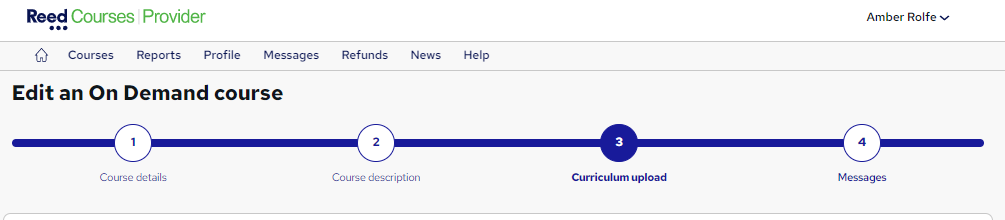
- Find the module that includes the video you want to edit, then select the ‘Manage subtitles’ button on your chosen video

- Download the subtitle file, make changes, and reupload when you’re ready. You can also choose to add additional subtitle file(s) in multiple languages

Find out more
If you’re in any doubt, have any questions or wish to discuss this further, please contact the Reed Courses team on:
Tel: 0203 510 0109
Email: ca.team@reedonline.co.uk
New: Unique course titles
April 12, 2023
As part of our ongoing efforts to improve the course seeker experience on our courses marketplace, we’re introducing a new unique course title rule that applies to all courses across each provider’s account.
Here’s everything you need to know:
How does it work?
From 17th May, all existing and new course titles within a provider’s courses must be unique from each other.
This means that a provider cannot have more than one live course with the exact same title, e.g. two courses called “Teaching Assistant”.
Who does this change affect?
This change affects all course providers (new and existing) on all business models.
What happens next?
If all of your courses already have unique titles, you won’t need to do anything and this change won’t affect you.
From today (12th April), the unique course title rule will apply when:
- Posting new courses: a unique course title will be required.
- Editing existing courses: attempting to save changes without updating a duplicate course title will result in an error message. To save changes as normal, a unique course title (that doesn’t exactly match any of your other live courses) will need to be added first.
Guidelines we recommend you follow
- Update the course titles which are in the ‘Updates Recommended’ status on your provider profile
- Ensure you’re adding unique course titles to any new course you publish on the site going forward
- Ensure all of your courses meet the new course title requirements by 17th May 2023
Course title dos and don’ts
In addition to creating unique course titles for each of your course listings, you should also ensure your course title accurately describes the course you’re advertising.
Here are a few course title dos and don’ts that you should always adhere to:
Do ✅
- Include the most important information in the course title
- Aim for a course title that is 20-65 characters long
- Indicate if your course is intended to prepare a course seeker to take an exam by using phrases such as “preparatory” or “study pack”
- Use your subtitle to personalise and add extra information to your listing
Don’t ❌
- Stuff your subtitle with keywords, as this field does not affect your course’s search ranking
- Use ALL CAPITAL letters or characters such as * or ! repeatedly
- Remove key information from the course title
- Include promotional phrases, prices or discounts in your course title as this will negatively affect your course’s search ranking
- Repeat the same information from your course title in your subtitle
Find out more
If you’re in any doubt, have any questions or wish to discuss this further, please contact the Reed Courses team on:
Tel: 0203 510 0109
Email: ca.team@reedonline.co.uk
Learning On Demand: New unique content rules
March 22, 2023
We’ve introduced a new rule which requires all Learning On Demand (LOD) courses to have a unique combination of content in order to be posted on the site.
Here’s everything you need to know about the new rules:
How does it work?
From today, your LOD courses must be over 50% different from each other in terms of the combination of content you upload.
These checks apply to PDFs, videos and articles, but exclude quizzes.
Now, when you publish a new LOD course or edit an existing Live one, your content will be checked against the LOD courses that are already live on your provider account.
‘Bundles’ of courses will remain unaffected, as long as they are over 50% different from other LOD courses you already have live on the site.
Who does this change affect?
This change affects all course providers (new and existing) who advertise their courses on our Learning On Demand platform.
What happens next?
If all of your LOD courses already have unique content combinations, you won’t need to do anything and this change won’t affect you.
From today (22nd March), the unique content rule will apply when:
- Posting new courses: course content will need to be over 50% unique in comparison to any other LOD courses you currently have live.
- Editing existing courses: attempting to save changes to a course which has less than 50% unique content will result in the course moving to a ‘blocked’ status (i.e. it will no longer be live). To save changes as normal, you’ll need to ensure your course is made up of over 50% unique content (i.e. it’s not too similar to any other course you currently have live on the site).
Guidelines we recommend you follow
- Ensure any new LOD course you upload has a unique content combination that doesn’t duplicate any of your current LOD courses
- Check your ‘blocked’ courses to see a list of your LOD courses with duplicate content. If your course is unapproved due to duplicate content, you’ll be informed that ‘This course is too similar to other courses’ in the ‘Required changes’ dropdown

- In order to put these courses live, you’ll need to create a content combination that is at least 50% unique to your other LOD courses
Find out more
If you’re in any doubt, have any questions or wish to discuss this further, please contact the Reed Courses team on:
Tel: 0203 510 0109
Email: ca.team@reedonline.co.uk
New: Minimum course title length
March 15, 2023
As part of our ongoing efforts to improve the course seeker experience on our courses marketplace, we’re introducing a new minimum character limit that applies to all courses on the site.
Here’s everything you need to know:
How does it work?
On 12th April, course listings with titles of less than 20 characters will move to a ‘blocked’ status on the site, and will no longer be live.
This status is temporary, and the course will go live again automatically once you’ve added a course title that adheres to the minimum character length.
Whilst the maximum course title length remains at 90 characters, we recommend that your course titles are 20-65 characters long.
Who does this change affect?
This change affects all course providers (new and existing) on all business models.
It’ll also affect course providers who are using the API to post a course.
What happens next?
If all of your courses already have titles of 20 characters or more, you won’t need to do anything and this change won’t affect you.
From today (15th March), the course title character limit rule will apply when:
- Posting new courses: a course title of 20 characters or more will be required.
- Editing existing courses: attempting to save changes without updating a course title that doesn’t meet the minimum character length requirements will result in an error message. To save changes as normal, a new course title of 20 characters or more will need to be added first.
Guidelines we recommend you follow
- Update the course titles which are in the ‘Update’ status on your provider profile
- Ensure you’re adding course titles of at least 20 characters to any new course you publish on the site going forward
- Ensure all of your courses meet the new course title requirements by 12th April 2023
Course title examples
Examples of good course titles ✅
PRINCE2® Foundation and Practitioner (Including Both Official Exams)
Level 5 Diploma in Health & Social Care – QLS Endorsed
CIMSPA Level 3 Gym Instructor and Personal Trainer Diploma
Paediatric First Aid Diploma
Examples of bad course titles ❌
PRINCE2®
Health & Care
Personal Trainer
First Aid
Course title dos and don’ts
In addition to adhering to the minimum course title length, you should also ensure your course title accurately describes the course you’re advertising.
Here are a few course title dos and don’ts that you should always adhere to:
Do ✅
- Include the most important information in the course title
- Aim for a course title that is 20-65 characters long
- Indicate if your course is intended to prepare a course seeker to take an exam by using phrases such as “preparatory” or “study pack”
- Use your subtitle to personalise and add extra information to your listing
Don’t ❌
- Stuff your subtitle with keywords, as this field does not affect your course’s search ranking
- Use ALL CAPITAL letters or characters such as * or ! repeatedly
- Remove key information from the course title
- Include promotional phrases, prices or discounts in your course title as this will negatively affect your course’s search ranking
- Repeat the same information from your course title in your subtitle
Find out more
If you’re in any doubt, have any questions or wish to discuss this further, please contact the Reed Courses team on:
Tel: 0203 510 0109
Email: ca.team@reedonline.co.uk
Updated: eCommerce rate card and transaction fee
February 24, 2023
From Saturday 18th March 2023, we’ll be introducing some changes to our provider revenue share for all eCommerce sales.
Here’s everything you need to know:
What’s changing?
1. New 3% transaction fee for all eCommerce sales
We will be introducing a non-refundable 3% transaction fee to all eCommerce sales. This applies to all price tiers, on eCommerce and On Demand, and excludes Free On Demand.
The 3% fee is calculated on the gross price of the course (including VAT).
For example:
Advertised course price = £25 including VAT
New 3% transaction fee = £0.75
Note: If a course is refunded, the 3% transaction fee still applies. If you’ve made other sales within that period, the amount will automatically be deducted from your next payment. If you haven’t made any sales that period, you’ll be sent a self-billing invoice with the 3% transaction fee amount attached. Payment terms can be found on your invoice.
2. Updated eCommerce rate card
We will be changing our eCommerce rate card. This applies to eCommerce and On Demand.
To find out how the new eCommerce rate card and transaction fee will impact your courses’ revenue share, please see the table below:
| Course price | eCommerce | On Demand | Classroom |
| £0 – £20.99 | 25% | 43% | 53% |
| £21 – £99.99 | 33% | 43% | 53% |
| £100 – £149.99 | 48% | 48% | 58% |
| £150 – £199.99 | 53% | 53% | 63% |
| £200 – £299.99 | 62% | 62% | 67% |
| £300 – £499.99 | 67% | 67% | 67% |
| £500 – £1499.99 | 71% | 71% | 71% |
| £1500+ | 71% | 71% | 81% |
Note: The provider’s revenue share is calculated from the “Net course price”. The Net course price is the gross course price minus VAT and a 3% non-refundable payment transaction fee. Please see examples below.
How will this change affect me?
The effect of this change will depend on your course prices, and whether they’re on eCommerce, On Demand, or classroom.
This change will not impact sales from eCommerce courses at £20.99 and under.
Examples
Provider A sells an online eCommerce course at £25
| Was | Now | Difference | |
| Price Inc VAT | £25.00 | £25.00 | – |
| Price Ex VAT | £20.83 | £20.83 | – |
| 3% Gross transaction fee | – | £0.75 | 3% |
| Provider share % | 40% | 33% | -7% |
| Provider share £ | £8.33 | £6.63 | -£1.71 |
Provider A will receive £1.71 less after the revenue share change to 33% (was 40%), including the 3% gross transaction fee, for every sale of their online eCommerce course sold at £25.00.
Provider B sells an On Demand course at £25
| Was | Now | Difference | |
| Price Inc VAT | £25.00 | £25.00 | – |
| Price Ex VAT | £20.83 | £20.83 | – |
| 3% Gross transaction fee | – | £0.75 | 3% |
| Provider share % | 50% | 43% | -7% |
| Provider share £ | £10.42 | £8.64 | -£1.78 |
Provider B will receive £1.78 less after the revenue share change to 43% (was 50%), including the 3% gross transaction fee, for every sale of their On Demand course sold at £25.00.
Provider C sells an online eCommerce course at £12
| Was | Now | Difference | |
| Price Inc VAT | £12.00 | £12.00 | – |
| Price Ex VAT | £10.00 | £10.00 | – |
| 3% Gross transaction fee | – | £0.36 | 3% |
| Provider share % | 25% | 25% | 0% |
| Provider share £ | £2.50 | £2.41 | -£0.09 |
Provider C will receive £0.09p less, after the 3% gross transaction fee, for every sale of their online eCommerce course sold at £12.00.
Provider D sells a classroom course at £250
| Was | Now | Difference | |
| Price Inc VAT | £250.00 | £250.00 | – |
| Price Ex VAT | £208.33 | £208.33 | – |
| 3% Gross transaction fee | – | £7.50 | 3% |
| Provider share % | 75% | 67% | -8% |
| Provider share £ | £156.25 | £136.57 | -£21.69 |
Provider D will receive £21.69 less after the revenue share change to 67% (was 75%), including the 3% gross transaction fee, for every sale of their classroom course sold at £250.00.
Guidelines we recommend you follow:
- Ensure you read the new revenue share rates carefully, and understand how this might affect your business on and after Saturday 18th March 2023.
- Review the prices of your existing courses already live on our marketplace and optimise them accordingly.
- For providers already advertising courses on our eCommerce model: talk to your account manager about how uploading your courses onto our learning platform (On Demand) might benefit your business.
- For providers already advertising courses on our cost-per-lead (CPL) model: talk to your account manager about how moving to multiple-enquiry-points (MEP) might benefit your business, and help automate your sales process.
- For providers not already advertising all their courses on our marketplace: consider taking advantage of our tiered rate card and lower rates for On Demand.
What happens next?
- All eCommerce sales received before Saturday 18th March 2023 will continue to be invoiced at the existing revenue share rates.
- The new revenue share rates will be automatically applied to all eCommerce sales on and after Saturday 18th March 2023.
- You can see the new costs broken down in the Transactions Report, available in the Reports page of the provider site.
- Refer to our Advertising Guidelines for more information >
Find out more
If you’re in any doubt, have any questions or wish to discuss this further, please contact the Reed Courses team on:
Tel: 0203 510 0109
Email: ca.team@reedonline.co.uk
Reed.co.uk enters 2023 with a new, nationwide brand campaign
January 19, 2023
In 2023, we want everyone to get back on course…
For the first time since 2019, Reed.co.uk is back on your television screens, showcasing our new look and brand messaging for the year – to help people find a job (and/or course) they’ll truly love.
The concept behind our new brand campaign
We want to help the UK Love Mondays – so we’ve launched a new national brand campaign focused on what it feels like to love your job.
This motivational, all-singing, all-dancing ad complete with catchy (and just a little bit cheesy) jingle inspires people to finally ‘be the person they want to be’, whether that involves upskilling with a course, progressing in your career, or both.
We’ve got dancers, builders, work-from-home multi-taskers, plus dog groomers – to highlight that Reed.co.uk is a jobs and courses site for all – no matter where you are in the UK or what opportunity you’re looking for.
Where can I see the campaign?
The new creative will be making its way across the UK, through a range of different channels – including both online and offline advertising. You’ll get a chance to catch a glimpse of our new ads everywhere (we’re not kidding).
In addition to TV, you’ll also see (and hear) the Reed.co.uk ad across radio, podcasts, and Spotify, as well as on billboards, trains, and buses in key locations and cities across the UK.
But it’s not just jobs we’re advertising. When it comes to our digital assets, we’re aligning all of our Reed Courses creative with the new brand campaign, ensuring that the ‘Love Mondays’ feeling permeates throughout all aspects of Reed.
You can find the famous pomeranian and dog groomer that star in the TV ad on the Reed Courses homepage, and on key social channels such as Facebook and Instagram. The loveable duo also feature in paid search and digital display advertising, encouraging people to ‘get back on course’ in 2023.
New year, new you? Advertise your courses on Reed.co.uk
January is always buzzing with new goals, resolutions, and big plans for the year ahead.
It’s a time when many people decide that they want to learn something new – whether it’s to gain the skills and qualifications needed to progress or change their career, or for their own personal development.
This means that there’s never been a better time to capitalise on your course offering on Reed Courses. Reach over 10 million potential students, boost your visibility, and build trust by advertising your courses with us today.
Learn more here, or contact the Courses team on:
Tel: 0203 510 0109
Email: ca.team@reedonline.co.uk
How to: Write the perfect course description
December 9, 2022
Want to make your courses stand out from the crowd?
Whilst there’s no perfect formula for putting together a great advert for your course, there are a few best-practices you can follow to increase conversion rates. From considering keywords (but not keyword stuffing) to grabbing a user’s attention with compelling content.
To help yours stand out, here are six ways to write the perfect course description.
1. Consider keywords (but don’t overdo it)
Whilst adding relevant keywords can help your listing rank in the search results, overdoing it can actually hinder your course listing’s visibility.
In fact, the more you keyword stuff, the more your course advert will be down weighted in Reed Courses’ search algorithm. This applies to all elements of the course listing including titles and lecture titles for LOD courses.
We recommend attracting users through clear, concise descriptions of the course materials, without going too keyword-heavy. In addition to affecting your ranking, this approach could also make your course description difficult to follow.
Using free tools, such as Google Trends, is a great way to help you identify which words to rank for. Although these tools are often based on Google’s own data, they’ll also give an excellent indication of what ranks well when it comes to user demand.
2. Grab their attention with a short but relevant title
In addition to adhering to the above keyword guidelines for your course title, you should also choose something clear and compelling.
Aim to keep it specific, referencing relevant keyword(s), but avoiding hyperbole, jargon, repeated words and phrases. When it comes to adhering to SEO guidelines, a course title comprising around 20-65 characters is ideal.
Overly long or repetitive titles are only likely to put potential course seekers off, not to mention bring you down in the search results.
Examples of compelling course titles include:
- AAT Level 2 Foundation Certificate
- CV Writing Masterclass
- Wedding Planner Diploma
3. Put time into your overview
Your title isn’t the only thing that needs to stand out.
So, instead of launching into the technical details in your opening, including a few short, enticing sentences about the qualification is a good way to grab their attention – and, ultimately, ensure they keep reading.
Examples of good openings include:
- Looking to become a fully-qualified Accountant? This is the course for you…
- PRINCE2® is the world’s biggest and most respected project management qualification.
- This short Foundation course is perfect for entry-level learners, and will provide you with all the fundamentals needed to become a fully-qualified Project Manager.
- Behind every successful wedding is a great wedding planner. And with this comprehensive wedding planning course, you’ll learn everything you need to take the stress out of a happy couple’s big day – and help give them the wedding of their dreams. You’ll also earn CPD points upon completion.
Other good openings include using quotations, open ended questions, or any other way of getting your brand’s personality across.
When it comes to further details on the modules and lectures your course includes, the Description field is the best place to put these. However, if your course is LOD, remember that these sections are automatically displayed on the course details page.
4. Keep it short and to the point
No matter what qualification you have on offer, size matters.
The most effective course listings are compelling enough to enable a human to make an informed decision. Remember: you’re writing a short advertisement for the subject, not including every single detail.
Outlining the syllabus within the course Description section is fine – but copy and pasting in depth descriptions for every single module is definitely overdoing it.
A few hundred words should be more than enough to get your point across, and give your prospective student enough to work with. To provide further context and improve engagement, you can also add relevant Media (such as images and videos, or previews if your course is LOD) to your listing.
Let’s face it, if they only make it half-way through your description before getting bored, it isn’t a great indication of how the course is going to be delivered.
5. Make accreditations obvious
Ultimately, what the student really wants to know about is the end result.
If your course offers accreditation, make it clear. State what qualification or certification they’re going to gain from completing the course and, ideally, how their career could progress as a result of gaining it.
It could be the job titles they will be eligible to apply for once they’re qualified. Or it could be a potential salary bracket, or subsequent qualification they might qualify for.
Whatever it is, make sure it stands out – even if they’re just skimming the details.
6. Shout about the benefits
Aside from gaining a qualification, what else is someone likely to get by studying with you?
What makes your teaching stand out? What additional support do you offer them? And what do your current students say about learning with you?
Some benefits to shout about could include one-to-one interactions with tutors, free learning materials, a student discount card or payment plans to suit a student’s needs. These can be included in the subheader, as well as the body copy.
You should also take the opportunity to expand on these in your provider profile, so interested course seekers can learn more about your organisation.
And if your course doesn’t lead to a qualification – be upfront about it. If it focuses on invaluable skills over qualifications, for example, it may result in the learner being job-ready once they’ve passed. So make sure this benefit is clear from the description.
Additionally, if you have stats for course completions or pass rates, always ensure these are clearly signposted throughout your ad.
Find out more
If you’re in any doubt, have any questions or wish to discuss this further, please contact the Reed Courses team on:
Tel: 0203 510 0109
Email: ca.team@reedonline.co.uk
Reed Learning goes live
December 1, 2022
You may have noticed we now have courses from Reed Learning on the site…
Reed Learning is part of the Reed group, and they specialise in developing professionals through a range of learning products and services including qualifications, apprenticeships and online learning courses.
Find out more about them below:
Who is Reed Learning?
Reed Learning is a provider of learning products and services for businesses, organisations, and individuals.
They provide curated learning packages, digital and in-person learning products, and tailored advice to help businesses find the best solution for them.
What does Reed Learning do?
Reed Learning simplifies employee learning and makes it easier for businesses to support their people with tailor-made courses and learning programmes.
When working with them, they’ll:
- Consult – to understand your goals, context, and requirements
- Create – an outcome-focused learning plan that suits your budget
- Deliver – learning programmes that empower your people
You can find out more about their training solutions by visiting their brand new website.
What kind of training does Reed Learning offer?
Reed Learning offers a variety of training courses, qualifications, and learning solutions, including:
- Professional qualifications
They help employees become experts in their field through a range of professional qualification programmes.
- HR qualifications
Reed Learning offers a portfolio of Foundation, Associate and Advanced CIPD courses in both HR and L&D.
- Accountancy qualifications
Reed Learning offers a range of leading accountancy qualifications, including CIMA, ICAEW and ACCA.
- Management qualifications
Reed Learning’s management courses include CMI for senior leaders, CIM for marketing professionals, teaching assistant qualifications and PRINCE2 training for project managers.
- In-company training
These short programmes are designed to upskill several employees from the same organisation, with training areas in every aspect of professional life.
- Apprenticeships
Reed Learning is an RoATP provider, supporting apprentices in completing their CIPD or accounting qualification while they learn new practical skills.
- Graduate programmes
Working alongside large organisations, Reed Learning implements graduate schemes in both HR and Accountancy.
- Other learning solutions
In addition to the above, Reed Learning also simplifies employee learning with a breadth of online and in-person products.
These include:
- eLearning for business
- Executive coaching
- Bespoke packages
- Managed learning services
Find out more
If you’re in any doubt, have any questions or wish to discuss this further, please contact the Reed Learning team on:
Tel: 020 7932 2760
Email: hello@reedlearning.com
New: Pay by invoice feature
October 26, 2022
Why have we introduced a pay by invoice feature?
Following demand from our business customers, we have launched a new feature whereby businesses can purchase one or more courses through our pay by invoice feature.
This new payment method gives business customers a better way to pay for their courses, enabling them to track their sales and manage their finances more effectively.
What is pay by invoice?
This feature allows users to generate an invoice for their order which they can send to the payee of their organisation.
The payee will then get sent a unique link where they can pay for the invoice.
How do business customers use pay by invoice?
In order to access the pay by invoice feature, the user will need to select ‘I’m a business customer’ on the billing details step at checkout.

On the payment step, the user will then need to select the ‘Invoice’ option and select ‘Generate invoice’

Users will be able to share the invoice with their payee of the course, where the payee will be able to pay via a debit or credit card.
Note: This feature is only available on eCommerce courses.
Find out more
If you’re in any doubt, have any questions or wish to discuss this further, please contact the Reed Courses team on:
Tel: 0203 510 0109
Email: ca.team@reedonline.co.uk
Updated: CPL rate card
October 12, 2022
Reed Courses will be changing their Cost Per Lead rates which will affect providers on our CPL model, effective Saturday 29th October 2022.
What’s changing?
From Saturday 29th October 2022, the minimum Cost Per Lead from consumers (B2C) will increase from £10 to £12.
This will effectively mean that courses advertised at £600 or less will now be paying £12 per lead, whilst courses advertised over £600 will continue to pay 2% of the course price. The cost of business leads (B2B) will remain unchanged.
Providers on our eCommerce model will not be affected.
Please see the examples below to find out more:
Examples
Provider A advertises a course at £500 on CPL
Price of course: £500
Cost Per Lead: £12.00
Change in costs: +£2.00
Provider A will pay £2.00 more per lead after the minimum lead cost changes to £12.
Provider B advertises a course at £600 on CPL
Price of course: £600
Cost Per Lead: £12.00
Change in costs: £0.00
Provider B will not be impacted by the minimum lead cost change to £12.
Provider C advertises a course at £900 on CPL
Price of course: £900
Cost Per Lead: £18.00 (2% of £900)
Change in costs: £0.00
Provider C will not be impacted by the minimum lead cost change to £12.
What happens next?
- All CPL leads received before 29th October 2022 will continue to be invoiced at the existing Cost Per Lead.
- The new Cost Per Lead will be automatically applied to all CPL enquiries on and after 29th October 2022.
- Refer to our Advertising Guidelines for more information >
Find out more
If you’re in any doubt, have any questions or wish to discuss this further, please contact the Reed Courses team on:
Tel: 0203 510 0109
Email: ca.team@reedonline.co.uk
New: Course cover images
July 27, 2022
What’s changed?
We’ve introduced the ability for providers to upload a cover image to their course.
The cover image should be relevant to the course (for example, a subject specific image with a course title), and should not be a provider logo.
Where will the cover image appear?
Currently, your course cover image will appear in the search results page of the site alongside your course title and details, as shown below.
The cover image will also appear in other placements in the future, such as the homepage carousels and course details page.
Why have we introduced this change?
Course cover images are a great way to catch a prospective student’s eye, and ultimately make your course listing more engaging.
It also gives you the opportunity to represent your brand identity, and provide visual insights into what the course entails.
How can I add a cover image to my course listing?
On the first step of the course upload, providers will now be given the option to ‘add a cover image’ to their course.

Simply upload your preferred cover image here, and it will appear on your course listing.
Find out more
If you’re in any doubt, have any questions or wish to discuss this further, please contact the Reed Courses team on:
Tel: 0203 510 0109
Email: ca.team@reedonline.co.uk
New: Dynamic discounts
June 24, 2022
What’s changing?
From 6th July, we will be changing the way in which discounts are advertised on Reed Courses.
Instead of course providers controlling their discounts, we’ll be moving towards a data-led approach which more accurately advertises a legitimate deal a customer could benefit from.
This means a ‘discounted price’ will only appear if the discounted price is lower than the price it is most regularly sold at.
Why are we introducing this change?
We’re creating a more honest and transparent discount policy to build a better experience for our users.
The change will ensure our discounting practices are in line with ASA guidelines, as well as our own advertising guidelines.
By displaying genuine discounts, our users will gain more transparency on legitimate deals, and be able to make an informed decision on the course that’s right for them.
Which courses will be affected?
This change will apply to all courses on our eCommerce model (including Learning On Demand courses).
How does it work?
Before: Course providers are able to set their discounts within the provider portal.
After: Course providers are able to set their discounts within the provider portal, however, if the specified Discount price is higher than the median selling price of the course, the course will not be advertised as being discounted.
When will the change take effect?
6th July.
Find out more
If you’re in any doubt, have any questions or wish to discuss this further, please contact the Reed Courses team on:
Tel: 0203 510 0109
Email: ca.team@reedonline.co.uk
New: Advertised minimum course price
June 15, 2022
What’s changed?
We’ve changed the minimum advertised price of courses on our eCommerce model from £10 to £12.
Who does this affect?
This update only affects courses on our eCommerce and Learning On Demand models that were previously priced between £10 and £11.99.
Courses on our Cost Per Lead (CPL) are unaffected by this change.
It also won’t affect providers who are already advertising courses priced above £12 or courses advertised as free.
Will the minimum course price ever change back to £10?
During promotional periods, we may decide to drop our minimum selling price for eCommerce/LOD courses temporarily back to £10.
For your course(s) to be sold at this reduced price during these times, enter the lowest amount you’re prepared to advertise your course at (min £10) in the Price or Discount price field.
The advertised course price will then automatically change to the reduced amount during our sale periods.
Why have we introduced this change?
We regularly review our pricing structure on the site in order to keep up with inflation and competitor course prices.
We’ve upped the minimum course price in order to maximise the potential value for our providers.
How does it work?
As of 15th June 2022, all courses currently advertised below £12 will automatically update to £12. And, any new courses you upload must be priced at £12 or more.
Your revenue share will also reflect the new price of courses sold at £12.
Find out more
If you’re in any doubt, have any questions or wish to discuss this further, please contact the Reed Courses team on:
Tel: 0203 510 0109
Email: ca.team@reedonline.co.uk
New: CPD accrediting bodies
May 9, 2022
What’s changed for course providers?
We’ve made some updates to the way in which course providers can list their courses as CPD accredited.
When uploading your course(s), you’ll now only be able to select from the five CPD accrediting bodies that Reed Courses recognises. These are:
- The CPD Certification Service
- CPD Quality Standards
- The CPD Standards Office
- The CPD Group
- Centre of CPD Excellence
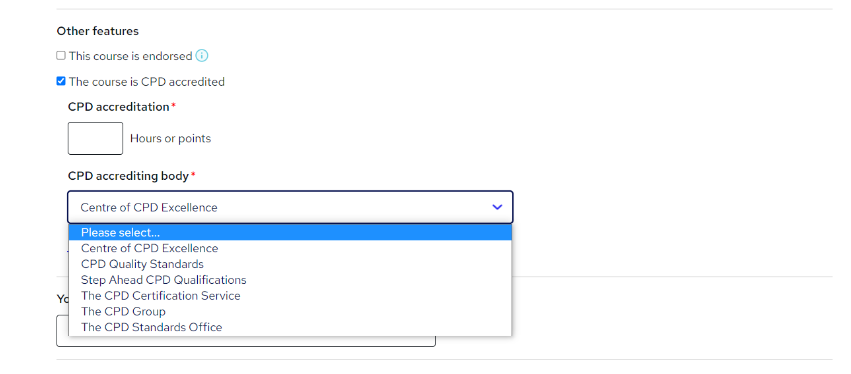
What’s changed for course seekers?
We’ve also made some updates to the course seeker site, which better showcase the CPD accrediting bodies on the course details page.

Why have we introduced this change?
This change enables students to better identify CPD accredited courses.
It also ensures that every course that is listed as CPD accredited can be authorised and linked back to the appropriate body.
Can’t find your CPD accrediting body?
We research and verify all information relating to CPD accrediting bodies to ensure the information on our website is accurate.
If you can’t find yours in the list provided, please email courseprovider.support@reed.co.uk with the information you believe is missing, and we’ll review your request.
Find out more
If you’re in any doubt, have any questions or wish to discuss this further, please contact the Reed Courses team on:
Tel: 0203 510 0109
Email: ca.team@reedonline.co.uk
New: Add certificate information to your course listing(s)
March 30, 2022
What’s changing?
We’ve introduced a new feature that makes it possible to add certificate information to your course listings.
This feature will enable providers to add any certificates a student can receive on completion of their course to an ‘Optional extras’ section within their course listing.
Here, you’ll be able to specify whether there is a certificate included in the course price, or if there is one available at an additional cost. You’ll also be able to list the format of the certificate (e.g. digital or hard copy), and how it would be delivered to them (e.g. via email or post).
Once added, students will be able to view this information when viewing a course – both in the ‘Summary’ section at the top of a course, and in a new ‘Optional extras’ section at the bottom of the course listing.


Why are we introducing this change?
Students often enquire about the certificate they’ll receive after completing a course, as they’re unable to find this information within the course listing.
We’ve recently seen an increase in these types of queries, and have introduced this feature to make this information more accessible to students.
Which types of courses can utilise this feature?
This feature is available for all courses, no matter what business model the course is on.
However, if your course is on our Learning On Demand (LOD) platform, a certificate is already automatically provided to students on completion of their course.
How to add certificate information to your course listing(s)
Adding certificate information to your course listing(s) is quick and easy.
Here’s how to do it:
- When uploading or editing a course, go to the ‘Pricing’ section.

- Here, you’ll see a new section called ‘Optional extras’ has been added. Simply click ‘Add certificate’ to add new certificate information, or click ‘Edit’ to amend details of any current certificates you have attached to your course listing.

- When adding a certificate, you’ll be required to provide the ‘Certificate name’, whether it’s a ‘Digital certificate’ or a ‘Hard copy certificate’, and whether it’s ‘Included in the course price’ or available at an ‘Additional cost’.

Once a certificate has been added, it can be edited at any time. Providers can also upload more than one certificate if there are a variety of certificate options available.
Find out more
If you’re in any doubt, have any questions or wish to discuss this further, please contact the Reed Courses team on:
Tel: 0203 510 0109
Email: ca.team@reedonline.co.uk
New: Save a course draft when migrating to LOD
March 17, 2022
What’s changing?
We’ve introduced the ability for course providers to save a draft of a course that is already live.
This is particularly useful for providers seeking to convert existing courses to our Learning On Demand (LOD) platform.
Previously, when converting a course to LOD, all course content had to be uploaded in one go – and there was no ability to save and come back during the conversion process.
Why have we introduced this change?
We understand that uploading a course to Learning On Demand (LOD) can be time consuming, especially if you have a lot of content.
We introduced this change to streamline the course uploading process, giving course providers the option to upload their course content and description in stages instead of all at once.
Once your incomplete draft is saved, you can simply pick up where you left off and complete your course upload whenever you’re ready.
Which courses can I save drafts for?
Though we expect this functionality to be especially useful to providers wanting to convert a course to LOD, you can use this function for any course, if you want to save a draft version of it.
However, it’s important to note that if you’re editing a live course, it can only have one draft linked to it. This means that if a new draft is created for a course that already has a draft, the existing draft will be overwritten.
And, when a draft of a live course is published, it will overwrite the live course and the draft will be deleted.
Find out more
If you’re in any doubt, have any questions or wish to discuss this further, please contact the Reed Courses team on:
Tel: 0203 510 0109
Email: ca.team@reedonline.co.uk
New: Course formats featured in course listings
March 9, 2022
Courses come in all shapes and sizes…
To make the course selection process easier for students, our course listings will now feature the format a course is primarily delivered in.
Here’s everything you need to know:
What’s changed?
We’ve introduced a new ‘course format’ feature to be included within course listings.
This will enable providers to specify how their course is primarily delivered, whether it’s through videos, audio, or reading materials.
Why have we introduced this change?
We have recently seen an influx of students querying the format of a course.
To make this clearer going forward, we need to better capture this data and communicate it effectively to students.
This information is not only important for students who want to select courses based on their learning style, but also for accessibility reasons.
What changes will there be on the provider site?
When filling out your course details, you’ll see a new ‘course formats’ section.

We recommend using this section to select the primary format the course is delivered in; i.e. Video, Audio or Reading Material.
Within each of these options, you can then add any additional offerings you may have.
Please note: you can only select one primary format. If your course is delivered via multiple mediums, select the format that is used most.

If you can’t find the primary format your course is delivered in, please click the ‘Can’t find what you’re looking for?’ link to contact us.
What changes will there be on the course-seeker site?
Once a course provider has added the primary course format to their listing(s), it’ll be displayed within the summary section of the course details page.

Find out more
If you’re in any doubt, have any questions or wish to discuss this further, please contact the Reed Courses team on:
Tel: 0203 510 0109
Email: ca.team@reedonline.co.uk
New: Add lecture descriptions to your Learning On Demand (LOD) courses
March 7, 2022
What’s changed?
We’ve introduced the ability for course providers to add descriptions to their LOD course lectures.
The description should be a short summary of what a student will learn in each individual lecture, outlining the topics it covers and its key takeaways.
Why have we introduced this feature?
We’ve introduced this feature to provide students with a clearer understanding of what they’ll gain from each lecture.
Not only is a lecture description a great way for students to prepare for what they’re about to learn, it also allows them to revisit completed lectures to remind themselves of previous elements of the course.
What’s more, a course with lecture descriptions creates a clear learning structure, providing a better experience for students.
How to add descriptions to your LOD course lectures
Adding descriptions to your lectures is quick and easy. Here’s how to do it:
- Go to the ‘Curriculum upload’ section of the ‘Edit an On Demand course’ page.

- Tap the dropdown arrow to view the lectures within each of your modules, then click ‘edit’ on the lecture you want to add a description to.

- Type your description in the ‘Lecture description’ box, and click ‘Save lecture’.

- Click ‘Publish changes’ on the main curriculum page to put your changes live.

Find out more
If you’re in any doubt, have any questions or wish to discuss this further, please contact the Reed Courses team on:
Tel: 0203 510 0109
Email: ca.team@reedonline.co.uk
Profile referral: What you need to know
March 2, 2022
We’re making it even easier for course seekers to engage with your brand…
Did you know that more than 23,000 users visit a reed.co.uk provider profile page every month, seeking to learn more about you and your courses?
If you’re looking to grow your audience, and convert researchers on reed.co.uk into buyers on your website, Profile Referral could be the perfect product for you.
Here’s everything you need to know:
What is Profile referral?
Profile referral is a referral link located in the ‘Contact provider’ section of your provider profile page. It’s a great way of engaging highly relevant course seekers, already researching your brand and courses on reed.co.uk.
How does it work?
When a course seeker clicks on your brand logo (either on a course listing or search result list), they are directed to your provider profile page. Here, they can learn more about you, why they should study with you, as well as the courses you offer.
Profile referral is a referral link that appears on your provider profile page. When a course seeker clicks on the button, they are redirected to your website or web page of choice.
To get tips on optimising your provider profile page, click here.
How is this priced?
We operate on a cost per click (CPC) model, meaning you only pay when someone clicks your referral link. And at £1 per click, acquiring highly relevant traffic to your website has never been this easy or cost effective.
How will provider referral benefit my business?
Profile referral is a great way of increasing brand engagement and teaching active course seekers who are already researching your company, about your products and services.
On your website, you’ll have the opportunity to turn leads into direct conversions on your website, capture their details, and remarket to them.
Referrals from our website will also help improve your SEO ranking, leveraging the power of the reed.co.uk brand.
IMPORTANT
If you’ve signed up for profile referrals (referral link and telephone leads), you will continue to be charged for this product even if all of your courses have been archived.
This is because your provider profile is still live.
If you actively archive live courses within your account, please ensure you tell your Account Manager.
Ready to give profile referral a try?
To start getting referrals to your website, simply contact your reed.co.uk account manager or the Courses team using the details below:
Tel: 0203 510 0109
Email: ca.team@reedonline.co.uk
Update to Learning On Demand (LOD) terms and conditions
January 12, 2022
What’s changing?
We’re changing our LOD terms to prohibit course providers from offering additional course components that can only be accessed off-site.
This means that any bonus content or extras you wish to offer – such as free courses or gifts – must be made available to students only via the LOD platform.
The additional term is as follows:
i. not offer, promote or market any additional Course components which are not made available to the Customer via the LOD course on the Website – for example, additional Course modules which can only be redeemed via the provider’s site
Why are we introducing this change?
Our LOD platform is designed to provide students with a fully immersive and integrated experience, allowing them to study and learn in one place.
To ensure our users are getting the best possible experience, all content included in an LOD course must be made available to students on the LOD platform.
By directing students elsewhere or asking them to log into other platforms, not only are we unable to fulfil our goals as a learning platform, the student’s experience is also compromised.
When will this change take effect?
This change will take effect from the 12th January 2022.
Find out more
To read the full LOD terms and conditions, click here.
If you’re in any doubt, have any questions or wish to discuss this further, please contact the Reed Courses team on:
Tel: 0203 510 0109
Email: ca.team@reedonline.co.uk
New: Automatic refunds
October 29, 2021
In order to improve our customers’ experience on Reed Courses, and to speed up the refund process, we’re changing the way we issue refunds.
Here’s everything you need to know about automatic refunds:
What are automatic refunds?
We want to ensure students are receiving the best possible customer experience when buying a course on Reed Courses.
That’s why we’re introducing an automated refund process that applies to any refund request that hasn’t been responded to within 48 working hours.
This means that students who have requested a refund within 14 days of purchase will automatically receive their money back if the course provider doesn’t respond to their request within this time frame.
Why are we introducing automatic refunds?
The new automated refund system will enable a better experience for our customers, who were dissatisfied about how long they had to wait for replies regarding refund requests.
It will also reduce the need for manual processes, which will save time and effort – both for us and our course providers.
What do you need to do?
To ensure you’re able to dispute or approve refund requests on your own terms, and before the automated refund is applied, we recommend:
- Checking your refund requests regularly
- Looking into refund requests early on
- Replying to all refund requests within 48 hours
Doing the above will also help to improve your review score, and reduce any negative effects on your brand’s reputation.
When will this start?
This will take into effect from the 3rd November 2021.
Find out more
If you’re in any doubt, have any questions or wish to discuss this further, please contact the Reed Courses team on:
Tel: 0203 510 0109
Email: ca.team@reedonline.co.uk
‘ONLINE10’ discount code to expire
October 29, 2021
Discount codes such as ‘ONLINE10‘ are occasionally made available to buyers and used at checkout to get an extra (%) discount off purchases on Reed Courses.
Please be advised that the ‘ONLINE10’ discount code will expire on Sunday 31st October 2021. For any providers that are currently featuring or promoting this code, it will stop working from the week commencing 1st November 2021.
Find out more
If you’re in any doubt, have any questions or wish to discuss this further, please contact the Reed Courses team on:
Tel: 0203 510 0109
Email: ca.team@reedonline.co.uk
Unscheduled API downtime
October 7, 2021
If you are using the Courses API – more particularly, if you poll our Leads or Orders API – you may have been affected by a technical error causing our provider API to stop working between 4:50pm and 9.15pm on 06/10/2021.
Here’s what it means, and how you can retrieve any missing leads or orders:
What happened?
Due to technical issues, our provider API stopped working between 4.50pm and 9.15pm on 06/10/2021.
As a result of this outage, any providers polling our Leads or Orders API may have not yet received leads and orders that were submitted between these times.
Who is affected?
This issue will affect course providers using any Courses API. You can find a list of our Courses APIs here.
Most notably, those polling our Leads or Orders API will not have received enquiries or orders within the time of outage.
Therefore, students who purchased a course from a provider using the Orders API during the down time may not have received their login details automatically (depending on the provider’s own integration with the API).
What can I do?
If you received leads or orders during the time of the API outage, they’re not lost.
To access them, you can do one of the following:
- See if you can refresh your API to retrieve missing leads and orders
- Go to the provider reporting dashboard to download all leads and orders
You can then reach out to any enquirers as you would normally. You may need to manually issue access to students who purchased during the time of the outage.
Find out more
If you’re in any doubt, have any questions or wish to discuss this further, please contact the Reed Courses team on:
Tel: 0203 510 0109
Email: ca.team@reedonline.co.uk
Qualifications taxonomy: Further changes coming
June 10, 2021
We’re making some (more) changes to our qualifications taxonomy.
To ensure Reed Courses is aligned with the latest qualification frameworks, we’re removing QCF qualifications from the site on the 7th July 2021.
Here’s everything you need to know, and what you need to do:
What’s changing?
From 7th July 2021, course providers who have a QCF qualification selected on any of their regulated course listings will be asked to update their course.
Providers will then have until the 1st September to update their course – either to a relevant RQF qualification, or to a new category that matches their qualification type.
If a course is still listed as a QCF qualification after the 1st September 2021, the course will automatically be moved to our ‘Skill or knowledge-based (no-formal qualification)’ category.
Why can courses no longer be uploaded as QCF?
In 2015, the Qualifications and Credit Framework (QCF) was replaced by the Regulated Qualifications Framework (RQF).
The RQF framework is used by OFQUAL, and is a simpler way to compare and understand qualifications.
To ensure that Reed Courses stays aligned with these changes, QCF qualifications will be retired from our site, ensuring we can continue to help students better select and identify qualifications on our site.
How do I know if I have a QCF course listed?
Course providers with QCF course listings will be notified when logged into the provider site – via a yellow banner at the top of the homepage.
Simply click the link to find out which of your courses need updating, and to change the qualification type(s) accordingly.
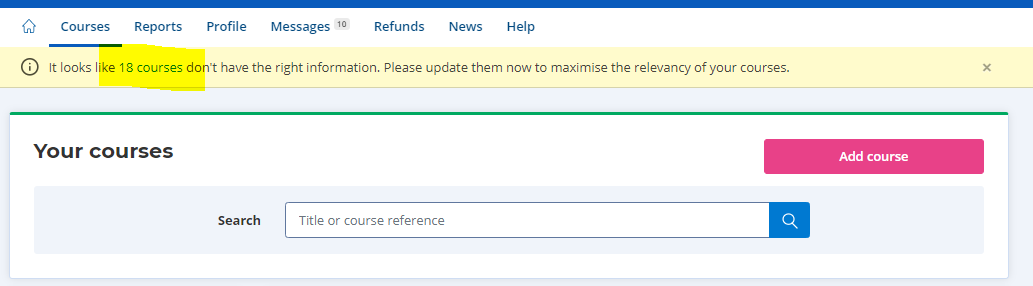
Alternatively, you can view the courses that require changes by refining with the course status feature.
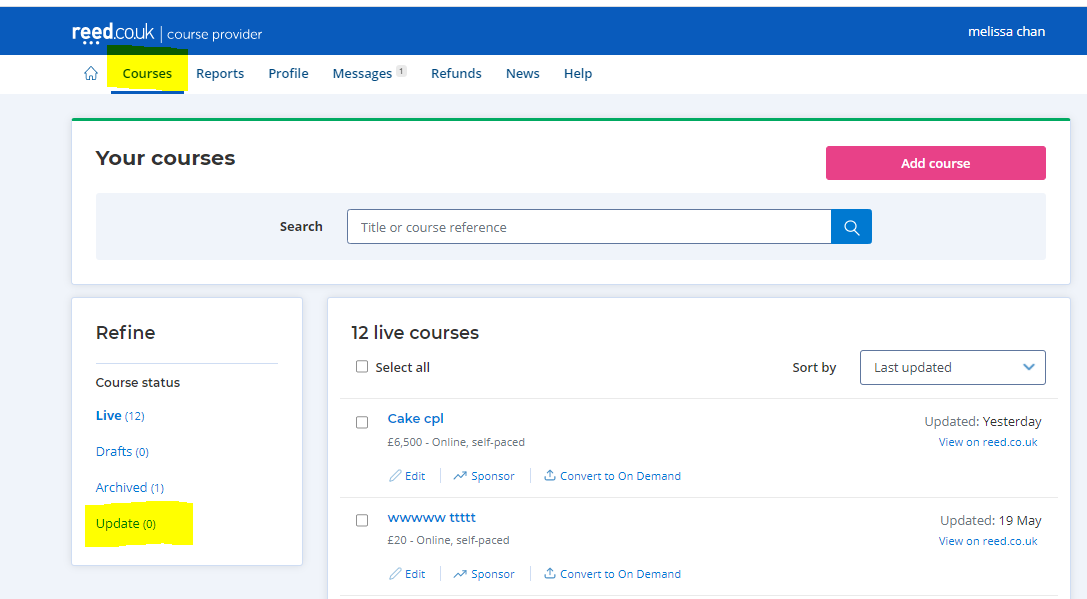
What happens if I don’t update my course?
Courses that are classed as a QCF qualification after the 1st September will automatically be moved from the ‘Regulated qualification’ course type to the ‘Skill or knowledge based (no-formal qualification)’ category.

So if you want your course to remain in the correct category, make sure you update it by the 1st September deadline.
What else has changed?
We previously made some changes to our regulated qualifications taxonomy, replacing the ‘Formal academic and work related qualifications’ category with a ‘regulated qualifications’ category.
If your course falls within the retired category, and you haven’t updated it yet, remember to do so before 1st September. If you don’t change the qualification type before then, courses in this category will also be automatically moved to the ‘Skill or knowledge based (no-formal qualification)’ category.
If you have/had a course in this category, you would have received a notification to update your course already.
Find out more
Contact the courses team:
Tel: 0203 510 0109
Email: ca.team@reedonline.co.uk
New: Regulated qualifications category
April 22, 2021
We’ve made (more) changes to our qualifications taxonomy…
To ensure your courses are categorised correctly, and to improve the journeys of our users, we’ve added a new ‘regulated qualifications’ category.
Here’s everything you need to know about the changes:
What’s changed?
As part of our ongoing changes to our qualification taxonomy, we’ve added another new category – specifically for regulated qualifications.
This has replaced the previous ‘formal and work related qualifications’ category.
Here’s how our taxonomy looked before the most recent change:
- Skills or knowledge based
- Professional certification courses
- University higher education courses
- Formal academic and work related qualifications
And here’s how it looks now:
- Skills or knowledge based
- Professional certification courses
- University higher education courses
- Regulated qualifications

All other categories remain unchanged.
How does the new category work?
A new dropdown called ‘regulated qualifications’ has been created to replace the ‘formal and work related qualifications’ dropdown. You’ll be able to choose this category when you’re uploading or editing a course.
In order to add a ‘regulated qualification’, you’ll need to specify the below:
- An ‘awarding body’ (must be recognised by OFQUAL, SQA, CCEA or QQI)
- A ‘regulating body’
- A qualification number


Who is affected by the changes?
You’ll only be affected by the changes if:
- You’re a provider with a course/courses that currently sit within the ‘formal and work related qualifications’ category
- You’re a provider who doesn’t have a ‘regulating body’ selected for their course(s)
If you’re unsure of which of your courses are affected, don’t worry. We’ll communicate this to each provider via the update feature on the provider site.

For all other providers, the change simply means that you’ll need to choose from the updated category list when uploading or editing your courses.
What do I need to do?
If you have courses in the now removed category, or you don’t have a ‘regulating body’ selected for your courses, you’ll need to update them to fit within the new taxonomy.
These courses need to be updated by 1st September 2021.
What happens if I don’t update my course(s)?
If you don’t update your course(s) before the specified date, they’ll automatically be moved to the ‘skills and knowledge based’ category.
To change the category after this date, simply edit your course accordingly.
Find out more
Contact the courses team:
Tel: 0203 510 0109
Email: ca.team@reedonline.co.uk
Updated transactions report for e-commerce providers
March 2, 2021
Looking for a better way to view your transactions?
You’re in luck. We’ve recently updated the way you view your transactions report, helping you to see your revenue and refunds more clearly.
Here’s what’s new:
What changes have been made to transactions reports?
Here’s a list of the changes that have been made to transactions reports:
- New transaction type field added. This will state whether the course was a sale or a refund.
- Refunds clearly highlighted. Refunds in the selected time period will now have a negative amount.
- Provider revenue summed up. When you sum up the ‘Provider revenue (ex.VAT)’ that will reflect the total amount you’ll be paid.
- New itemised transaction. You’ll now be able to see an itemised transaction which will match the self-billing invoice.

Why have we made changes to transactions reports?
Because self-billing invoices weren’t previously itemised, providers were having issues understanding what they were being paid each quarter.
That’s why we’ve introduced an itemised breakdown of the self-billing invoice, alongside other helpful updates on transaction type fields and refunds.
How does it benefit providers?
The recent updates to transactions reports allow providers to better assess and evaluate their revenue.
How to view the transactions report
You can download the transactions report via the ‘reports’ section of your provider account. Here’s how it’ll look, with the changes outlined in red:

Find out more
Contact the courses team:
Tel: 0203 510 0109
Email: ca.team@reedonline.co.uk
New: Make job guarantee programmes visible on your courses
February 3, 2021
We’re always looking for new ways to improve the courses platform…
That’s why we’ve made an update that allows you to showcase one of the key benefits of taking a selected course – a job guarantee programme. It’s quick and easy to add via the course description, and could improve your courses’ popularity.
Here’s everything you need to know about the new feature:
How does it work?
A number of providers on Reed Courses now include job guarantee programmes in their courses – whether it’s a scheme to guide students into work, work experience, an internship, or a full-time position at an organisation.
To make this benefit more visible to course seekers, we’ve introduced a new feature that allows you to specify whether your course comes with a job guarantee programme.
Simply select ‘yes’ to ‘Does this course offer a job guarantee programme?’ when editing your course listing, to advertise those which include job guarantee programmes.

Once saved, course seekers will see that the course has a job guarantee programme within both the search results page, and in the course description when they click through to the listing.


Who can add job guarantee programmes to their course listings?
This feature is available for providers on all business models, providing your course includes a job guarantee programme.
How does it benefit providers?
By making one of the key benefits of taking your course immediately clear to course seekers, they’ll be more likely to pursue your course.
Not only will they be able to see the job guarantee programme in the search results (increasing their likelihood of clicking through), they’ll also be able to read about it within your course description.
Find out more
Contact the courses team:
Tel: 0203 510 0109
Email: ca.team@reedonline.co.uk
New: Add live class dates to your course listings
December 3, 2020
You asked. We listened.
This year, live classes have become an increasingly popular choice for course providers and students alike. That’s why we’ve made it easier for you to specify the dates of your courses, with the inclusion of a ‘date’ section within your course description.
Here’s everything you need to know about our brand new date feature:
How does it work?
When adding or editing your ‘online with live classes’ or ‘distance learning with live classes’ courses, you’ll now be able to specify the dates in which the course is scheduled to start and finish.
This section can be found within the ‘study method’ section on the course details page.

You can add one or more dates to your courses, with any ‘additional info’ (i.e. timings and days of the week) to be specified alongside it.

Once your dates have been added to your course listing(s), students will be able to view their options within the course description. They can then select their preferred date when they checkout.

Who can add live class dates to their course listings?
This feature is only available for course providers using our e-Commerce model.
What if I don’t add my course dates?
If you don’t add course dates and times to your courses with live classes and a student checks out, you’ll need to liaise with the student to arrange and agree upon a suitable start date.
It’s also important to ensure your course dates are accurate and up-to-date at all times.
If the dates or times of your live classes change, you want to add more times, or you made a mistake, simply press ‘add or remove dates’ whilst editing your course to adapt the dates whenever needed.
How does it benefit providers?
The ability to add dates to your courses listings that include live classes is beneficial because:
- You won’t have to communicate your live class dates after a course has been purchased
- You can remove, change, or update your live class dates whenever you need to
- It makes it easier for course seekers to find a course that suits their schedule
- If you have multiple classes available, you’ll be able to cater to more students
- Students will have full transparency on what they’re buying
Find out more
Contact the courses team:
Tel: 0203 510 0109
Email: ca.team@reedonline.co.uk
Four key insights from jobseekers (that learning providers should know about)
August 4, 2020
According to a recent survey carried out by reed.co.uk, many UK workers are considering a course to boost their employability during COVID-19.
With a number of people out of work as a result of coronavirus, we wanted to find out how jobseekers are adapting their approach in order to stand out from the crowd. How many are seeking retraining opportunities? And which study route is most popular?
Based on a survey of 2,509 jobseekers – here’s what we found out:
Professional courses largely believed to increase employability
According to the people we surveyed, professional courses are considered a vital part of the journey to finding the right job. Especially during the pandemic.
In fact, 50% have taken a course in order to improve their career prospects, learn industry-specific skills, and ultimately stand out more in their search for work.
And, even those who admitted to not having studied are looking to do so in the future – with just under a quarter of respondents considering taking a course to further their career. This makes up roughly half of the audience who have not already studied.
Higher education remains the favoured route to work
Higher education has always been the most popular route into work for UK workers we’ve surveyed, and this hasn’t changed during the pandemic.
But whilst 40% of those surveyed are studying or have studied for a university degree, 1 in 5 chose the option to study a higher education qualification – such as a diploma or a foundation course.
This proves that whilst higher education is favoured, it’s not always in the form of a traditional university degree – making the opportunities for higher education providers to promote their courses vast.
It’s also important to draw attention to alternative study options, and prove that uni isn’t the only way into work.
Lack of study could be stunting career progression
With many looking for work and others looking to move into a different industry, some UK workers are questioning their decision to not go to university.
Around 1 in 5 of the people we surveyed said they regret not going, with a further 17% feeling like their opportunities for a new career have been limited due to their lack of university education.
But it’s never too late to start studying.
12% of people would consider returning to the world of learning in order to gain a university degree and improve their career prospects, whether it’s right now or later in life.
But university isn’t everyone’s choice
Although a number of people view university as the only route into work – others disagree.
Almost half of respondents feel a lack of university education hasn’t affected their job prospects, proving that whilst it may be broadly popularised, that doesn’t mean it’s the only way you can get far in your career.
In fact, 28% would prefer to go straight into work, whilst 8% believe an apprenticeship is the best option.
Find out more
Contact the courses team:
Tel: 0203 510 0109
Email: ca.team@reedonline.co.uk
Changes to our qualifications taxonomy: explained
May 27, 2020
We want to make the value of your courses clearer to course seekers…
That’s why we’re making some changes to our qualifications taxonomy – to ensure each qualification type is accurately represented across the courses site. This will not only create a better experience for users, but it will also ensure that what your courses have to offer is as clear as possible.
Here’s everything you need to know about our new qualification taxonomy:
What are the new categories?
We’ve made some changes to our qualifications taxonomy, to help improve how different types of courses are categorised on the site. This will make the qualifications that each course awards clearer, more accurate, and easier for course seekers to understand.
Here are our new qualification categories, and what they mean:
- Skills-based courses. A skills-based course allows students to learn something new, or develop their existing skills in a particular area.
- Endorsed courses. An endorsed course is a skills-based course that has been endorsed by an awarding body.
- Professional certifications. A professional certification represents the industry standard when it comes to carrying out a task or job.
- University higher education courses. Higher education courses are academic courses that can be taken after secondary education through a university or college. On our website, these courses are now split into: foundation, undergraduate, or postgraduate, according to the qualification they award.
- Regulated courses. Regulated courses are regulated by a government regulating body, such as Ofqual (in England). The type of qualification (apprenticeship, vocational, academic) and level of study is derived from a framework (called the RQF in England) which shows how different levels of different skills compare to each other.
What’s changed?
| Before | Now |
|---|---|
| No formal qualification | Skills-based |
| CPD | Skills-based with CPD Skills-based with endorsement |
| Higher education | Foundation, Undergraduate, or Postgraduate Regulated |
| Formal or work related | Regulated Professional certifications |
Why are we doing it?
The new qualifications taxonomy is designed to better communicate the individual value of taking a particular type of course.
With clearer labelling and categorisation, course seekers will be able to see exactly what they’re getting out of a course – which will ultimately help them make an informed decision on which one is right for them.
They’ll also be able to accurately compare the differences between each course based on the certification it awards, with a filter by qualification type coming soon.
When is it happening?
The current qualifications taxonomy was updated on 27th May, with more changes to other qualification types coming soon.
What’s the benefit to course providers?
Here are the key ways you can benefit from our updated qualifications taxonomy:
Better differentiation from courses on the site. With clear and consistent qualification types that are shown in both the search results and the course descriptions, students will find it easier to decide which one suits them. If your course is classified as a ‘professional certification’, you’ll also benefit from a brand new badge that specifies this.


Lower returns and refunds. Because the qualification a student will receive is clearly specified, there’ll be less chance of them buying something that isn’t right for them by mistake.
Course seekers can quickly understand what they’re buying. Clearer qualification types assures students that the course they’re purchasing will deliver what they’re looking for. This could mean sales at an increased rate for course providers, as students can find their perfect opportunity much faster.
How does it work?
Your course types have been updated to reflect the new taxonomy automatically.*
This means you won’t need to do anything, and you’ll start benefiting from the adaptations straight away.
If you don’t agree with your new classification, let us know by sending the details of the affected course to courseprovider.support@reed.co.uk.
Find out more
Contact the courses team:
Tel: 0203 510 0109
Email: ca.team@reedonline.co.uk
*We will make independent judgments on the classification of courses to ensure the quality of our new taxonomy remains strong within our marketplace.
Update: How new course subjects could increase your exposure
April 24, 2020
Demand is always evolving, so we are too…
We’re always looking for new ways to ensure the courses on reed.co.uk are getting the exposure they deserve. That’s why we regularly review and update our subject taxonomy, based on search demand.
Here are the new subjects and certifications we’ve added recently, and our advice on how updating yours could help boost your courses’ visibility:
Why do we regularly update our taxonomy?
Regularly reviewing our subject taxonomy allows us to figure out what prospective learners are searching for right now.
With knowledge of popular keywords, we can include the subjects that are most in demand – which will ultimately improve our page ranking on search engines, and ensure we’re driving a high number of course seekers to the site.
Our new subjects
We’ve added almost 100 subjects to our taxonomy this quarter.
Here’s what’s new:
| New Subject | Parent subject |
| academic and personal development | Personal development |
| accounting and finance | |
| acrylic | Art |
| aet | Teaching |
| aml | Accountancy |
| assessor training | Teaching & Child care |
| autism | Health & Care |
| aviation | Travel & Tourism |
| cabin crew | Travel & Tourism |
| cfa | Finance |
| cooking classes | Hospitality & Catering |
| cscs | Construction |
| cupping | Alternative Medicine |
| day trading | Accounting and finance |
| detective | Social Science |
| diy | Recreational |
| dog behaviour | Animal Care |
| dog care | Animal Care |
| dog nutrition | Animal Care |
| dog walking | Animal care |
| dyslexia | Health & Care |
| eft | Alternative Medicine |
| english grammar | English |
| facial | Fashion & Beauty |
| facial massage | Massage |
| financial advisor | Finance |
| football | Sports |
| football agent | Sports |
| forensic accounting | Accountancy |
| forex | Finance |
| furniture restoration | Construction |
| gaming | Recreational |
| gluten free cooking | Cooking |
| guide dog trainer | Animal care |
| haccp | Food science |
| hair | Fashion & Beauty |
| healthcare assistant | Health & Care |
| herbalist | Alternative Medicine |
| hr and marketing | HR / Marketing |
| kyc | Finance / Business |
| learn assembly | IT |
| learn bash | IT |
| learn bengali | Language |
| learn dart | IT |
| learn elixir | IT |
| learn erlang | IT |
| learn go | IT |
| learn haskell | IT |
| learn hindi | Language |
| learn kotlin | IT |
| learn mandarin | Language |
| learn objective-c | IT |
| learn perl | IT |
| learn powershell | IT |
| learn ruby | IT |
| learn rust | IT |
| learn scala | IT |
| learn scheme | IT |
| learn shell | IT |
| learn swift | IT |
| learn typescript | IT |
| mac | IT |
| massage therapy | Fitness / Health & Care |
| media and arts | Media studies & Art |
| medication | Health & Care |
| meditation | Recreational |
| microsoft project | Office Skills |
| nail art | Fashion & Beauty |
| nlp | Health & Care |
| nursery teacher | Teaching |
| painting | Art |
| paralegal | Law |
| personal finance | Finance / Personal Development |
| phonics | Teaching / English |
| power bi | Business |
| private investigator | Social Science |
| procurement | Manufacturing |
| project finance | Finance |
| real estate | Surveying / Construction |
| reiki | Health & Care |
| sewing | Fashion & Beauty |
| skincare | Fashion & Beauty |
| software and web development | IT |
| sports and fitness | Sports / Fitness |
| tarot | Recreational / Religious Studies |
| tattoo | Fashion & Beauty |
| tattoo artist | Fashion & Beauty |
| teaching and child care | Teaching / Health & Care |
| trading | Finance |
| transport and logistics | Manufacturing |
| travel agent | Travel & Tourism |
| vet | Animal care |
| veterinary assistant | Animal care |
| watercolour | Art |
Our new certifications
We’ve added 11 certifications to our taxonomy this quarter.
Here’s what’s new:
| New Certifications |
| care certificate |
| cipd hr practice |
| cmi |
| gcse maths |
| gcse maths |
| ielts |
| ielts |
| lean six sigma |
| nebosh general certificate |
| quickbooks |
| xero |
What’s the benefit to providers?
By including the most searched terms within your courses, you’ll benefit from an increased level of traffic – not to mention better brand exposure and the potential for more enquiries and leads.
Next steps
Ready to make your courses more visible? Here’s how:
- Review the above lists and identify the subjects/certifications relevant to your course(s)
- Ensure each course features up to three relevant subjects. You can add these within the ‘course details’ section.
- Review the keywords you use in the copy for each course listing. This will help us rank your courses in relevant search results.
It’s as easy as that.
Find out more
Contact the courses team:
Tel: 0203 510 0109
Email: ca.team@reedonline.co.uk
Introducing: Pay by instalments
April 24, 2020
We want to make learning available for everyone, no matter what their budget…
That’s why we introduced a brand new way to pay on Reed Courses. By teaming up with DivideBuy, we’re allowing course seekers to benefit from a range of flexible payment plans – with absolutely no hidden fees or interest.
Here’s everything you need to know about paying by instalments:
What is pay by instalments?
Pay by instalments is a flexible payment option that allows consumers to spread the cost of their purchase over a number of months.
By providing an alternative way to pay and reducing the need for up-front payments, it makes a vast range of products more affordable for those looking to pay flexibly.
Who is DivideBuy?
DivideBuy works with a number of retail partners to provide interest-free credit options that allow customers to spread the cost of their purchases.
We contacted several finance companies that offered flexible payment options and chose DivideBuy based on their competitive rates and good API integration.
They have a high acceptance rate, a quick application process, and an instant credit decision – with a range of payment options available.
Additionally, there are no hidden fees and no restrictions on when or how often customers would like to pay their balance off.
How does it work?
Pay by instalments is a new payment option available for transactions over £50.
It gives students the ability to apply for interest-free credit for up to 12 months, and using it is quick and simple.
Customers who want to pay by instalments can simply select the ‘DivideBuy’ payment option at the checkout on Reed Courses. From there, they’ll complete a quick application process which could enable them to be accepted in just 60 seconds.
What’s more, it comes at no extra cost to course seekers or providers – and even if your customers choose to pay by instalments, you’ll still receive the full amount for your course up front.
Why did we launch a pay by instalments option?
Our users are always looking for flexible payment options in order to afford learning opportunities that are of higher cost and value.
Introducing DivideBuy as a way to pay on Reed Courses allows prospective students to spread the cost of their course – without having to pay any additional fees, delay their studies, or sacrifice the quality of their learning.
Whilst course seekers previously only had the option of paying up front, they can now spread their payments out into easy-to-manage chunks.
These new payment options make higher priced, higher quality courses more affordable; and will ultimately work to boost sales and help more people get qualified.
How does it benefit providers?
By making higher-cost courses more affordable for course seekers, providers will benefit from an increase in sales – not only from single courses, but also through the incentivisation of multiple purchases.
In fact, since DivideBuy was launched on 8th April, and shown to just half of our users as part of user experience testing, 67 transactions have been made, with 178 courses priced between £51 and £2,000 sold.
How can I get involved?
If you’re on our eCommerce model (‘Buy now’)
If you already have courses on the site, you’ll automatically benefit from this new payment method.*
If not, now’s your chance to add them in order to take advantage of our new pay by instalments feature – which makes it more accessible than ever for more students to afford higher priced transactions.
If you’re on our CPL model (‘Enquire now’)
By trying our eCommerce model, you’ll give students the opportunity to pay by instalments – at no extra cost.
You could also increase your overall conversion rates by adding a ‘Buy now’ button.
Find out more
Contact the courses team:
Tel: 0203 510 0109
Email: ca.team@reedonline.co.uk
*Please note that we are still only showing this payment method to 50% of users on our site, with the intention to do a full release across the site shortly.
Transition face-to-face courses to live online with Arlo
April 8, 2020
To survive in these unprecedented times, training providers must transition their face-to-face courses to live online. To help you make the move, we’ve teamed up with Arlo – the #1 software for commercial training providers.
Software to sell live online training
Arlo is a software to sell and deliver online and classroom-based courses. Their solution for running live online courses over webinar technology is market-leading. In fact, many of Arlo’s UK customers have been able to transition quickly and are thriving in these challenging times.
Book in a session with one of their team to find out more.

How do I make the transition to online delivery?
Step 1: Get Arlo setup
Your dedicated Customer Success Manager at Arlo will take you through the setup process. In just a few hours, you can be live with an Arlo-powered website to capture registrations and payments, and a webinar platform to deliver them live on.
Step 2: Start selling
Publish a selection of courses on Arlo – ready to sell. Start small, then add others as the registrations start to roll in. Use your existing marketing channels (including reed.co.uk) to tell the world about your live online courses, or try out some of Arlo’s built-in marketing tools.
Step 3: Deliver engaging online learning
Classroom-based courses can translate well into live online courses, but you need to keep your learners engaged. Arlo’s live online resource library is packed with information to help you learn these new skills.
Why Arlo and reed.co.uk?
We’re working with Arlo for three reasons:
- Easy to get up and running – Speed and simplicity are important in times like these. The Arlo team can have you up and running in just a few days.
- Purpose-built for training providers – Arlo has been developed just for commercial training operations, meaning their software has everything you need and nothing you don’t.
- They’re ready to help – with a UK-based support team and over 40,000 courses currently scheduled on their software, Arlo is well placed to support your business.
What’s the cost?
Arlo currently has a Covid-19 special offer where their solution is free until June 30. Just pay for usage and implementation. No long-term contract.
Arlo’s normal pricing starts at £65 per month plus usage. You will also need at least one Zoom Pro licence (£12 per month).
Next steps
To see if Arlo’s software is right for your training operation, schedule a demo.
Alternatively, you can explore Arlo’s live online solution yourself and sign up to a free trial.

Three charts that explain our breakout performance in March
April 3, 2020
What has lockdown in the UK done to our site performance? Three charts help to explain what’s going on, and how it can benefit your business…
This is the second in a series of updates sharing insights on how reed.co.uk/courses is performing during the spread of coronavirus in the UK.
If you haven’t already, read our previous update (Our response to coronavirus) to understand how the early outbreak impacted us, and to provide a wider context to this follow-up article.
As mentioned in the previous article, we were poised to take advantage of any upside to the outbreak, focusing our attention on online courses and national payday. Now with the UK in lockdown, and many learners getting used to staying at home, we explore exactly how this has impacted Reed Courses:
Queries for online courses up +300%

Source: Google Trends
Key takeaways
- Google Trends suggests that queries on Google have already doubled, projecting this to continue to over 300% up this week.
- This matches the growth areas we are seeing on our site, with both free courses and online eCommerce courses growing significantly YoY and above January.
Visits have grown +64% YoY

Key takeaways
- In my previous update analysing performance from the 12th to 22nd March you can see in the chart above the transition from visits trending behind previous year during market uncertainty, and then confidence returning around 17th March where sessions again trend above previous year.
- Since then, visits have grown significantly, with 31st March up +85% YoY.
- During this time we have also seen many more Desktop users (+6% versus January), matching a fall in Mobile users (-6%).
eCommerce transactions have increased +157%

Key takeaways
- Our site conversion rate in March was up +57% YoY and reached its highest levels since 2014.
- We generated +89% more conversions in March than last year, with eCommerce transactions up +96% YoY.
- Our 10% off discount code, launched on 19th March, was applied to over 7,000 eCommerce transactions in March.
- Similar to site visits, eCommerce transactions started trending significantly above previous year from 17th March onwards, breaking out on the 23rd March.
- At the same time we saw eCommerce transactions eclipse January levels. On the last day of March transactions were up +116% against the last day in January this year.
Your lockdown checklist
Here are some quick guidelines for setting your courses up for success:
DO’s:
- Try advertising your courses on eCommerce: if you’re already advertising your courses on cost-per-lead, talk to your account manager about how multiple conversion buttons on your listings can boost your student enrolments.
- Optimise your listings: follow our five step guide to optimising your course listings here.
- Post more courses: if you’re not already advertising all your courses with Reed, now could be an excellent time to boost your student enrolments especially for online courses.
- Speak to your account manager: your account manager will be able to help you maximise this unique opportunity to advertise your courses in front of more active course seekers than ever before on Reed Courses. Reach out to them using the contact details below.
DON’T:
- Lower your normal levels of service: with a huge volume of transactions now being generated on the site, it is now imperative that both reed.co.uk and our learning providers serve our students with the highest service levels. Help us to help you by ensuring you remain compliant to our SLAs here.
Find out more
Contact the courses team:
Tel: 0203 510 0109
Email:ca.team@reedonline.co.uk
Our response to coronavirus (COVID-19)
March 24, 2020
The spread of coronavirus (COVID-19) is one of the most serious global health threats in decades.
As the outbreak intensifies in the UK, no doubt many of you reading this will already feel anxious about you and your loved ones. Given we are facing an unprecedented situation, we wanted to provide an insight into what’s happening on reed.co.uk/courses so that you can make the right decisions for your business during this evolving situation.
How has coronavirus impacted demand for courses?

The nation is gripped by this crisis as illustrated above, with queries for ‘courses’ paling into insignificance against those for ‘coronavirus’ on Google (Source: Google Trends). As the government continues to release unprecedented measures to limit the spread, this attention is unlikely to change in the short term.
What does this mean for courses?

Drilling down into what is happening within ‘courses’ shows that queries are -55% down last week against the same week last year, with a clear dip visible in the last 2-weeks. This coincides with the timeline of events in the UK surrounding the virus outbreak accelerating in the UK.
What types of courses are performing well?

It isn’t bad news for all courses, with queries for ‘online courses’ and ‘online learning’ in particular holding strong. Last week, in particular, Google Trends suggests both queries are breaking an all-time high.
What about higher education?

‘Online college courses’ and ‘online university courses’ similarly are at competitive levels to last year, however, whereas college courses have slumped last week, university courses have broken an all-time high.
Key takeaways
- Overall it does appear that the outbreak of coronavirus in the UK is driving an overall fall in queries for courses.
- However, queries for online courses are holding strong and most cases reaching all-time highs.
How has coronavirus impacted Reed Courses?
To review our own site performance firstly it’s worth recapping the events so far and how they have unfolded.
Timeline of events so far:
- UK coronavirus cases start accelerating in March.
- 11th March WHO declares outbreak a pandemic.
- 12th March government advises anyone with a new continuous cough or fever to self-isolate.
- 15th March everyone over 70 years old recommended to self-isolate.
- 16th March Johnson advises people against non-essential travel, avoiding pubs, clubs and theatres and to work from home if possible.
- 17th March Chancellor Sunak announces £330bn made available in loan guarantees.
- 20th March Johnson announces schools across the UK to shut down from 23rd March.
Source: Wikipedia
On the Reed courses site, we started to see the impact of non-seasonal fluctuations start around the 12th March, coinciding with the first major government announcement.
For the data provided below, I have analysed from the 12th March to the 22nd March to show a snapshot closely aligned with the outbreak.
Site performance since 12th March:

- Over the same period last year, Sessions fell -3% which means we can assume that this should account for regular seasonality.
- Therefore, we can estimate that the coronavirus outbreak has accounted for a -8% drop in site visitors since 12th March.
- Despite the number of visitors falling, engagement from users on site has improved +3.6%.
- Conversion rates have significantly improved (+15%) suggesting users are still commercially intent when they get to site.
- Drilling down further into conversion rates reveals that whereas eCommerce rates improved +3.5%, Enquiries fell -11%.
Site performance in March:

- A strong start to March has now been cancelled out as visitor numbers fell just below where they were at this point last year.
- The majority of the decline was driven in the 7-days following the 12 March. In the past 3-days, Sessions appear much stronger, rising above the levels achieved last year again.
- Despite engagement rates falling slightly against the same period last year, this has not impacted our site conversion rate, significantly up against last year.
Key takeaways
- Despite a drop in Sessions following the government announcement on the 12th March and the 7 days thereafter, visitors to the site have started to recover in the last few days.
- Engagement and conversion rates remain largely unaffected with eCommerce performance, in particular, leading overall growth.
- Courses on discount and at generally lower prices are seeing particularly strong growth against last year.
How are we responding?
Our response to coronavirus has been twofold: (1) reacting by featuring the most relevant courses at this unprecedented time and (2) ensuring our performance marketing remains strong.
Some of the initiatives we have already started to implement include:
- Identifying key breakout subjects
- Increased email campaigns to active users helping to drive visitors to the site
- Continued investment in our key sectors, and reallocation of spend to key growth areas in our paid search channels
- Release of a site-wide discount code for Online & Distance Learning courses (eCommerce) at no expense to providers
- Writing additional content around key coronavirus questions on Career Advice in the next few weeks
In particular, national pay week will be a time of increased importance, an opportunity to drive enrolments at a time when those already working from home will be getting used to their new online working environment.
We’re confident that these initiatives will help our site see continued performance for our learning providers. Just yesterday (23rd March) we saw an all-time record number of courses conversions in a single day recorded.
What can learning providers do?
- Focus on your most relevant courses: it shouldn’t come as any surprise that whilst people are forced to distance themselves and for some, isolate themselves, that online and distance learning courses you can take at home have become most relevant to most course seekers.
- Advertise your courses on eCommerce: we have recently reviewed and lowered our eCommerce rates to make it fairer for providers advertising higher priced courses. This means providers benefit from only paying for enrolled students, paying less than before for higher-priced courses sold, and, being included in our discount codes activity (when a discount code is applied to a course at checkout, the additional cost of that discount is not passed onto providers, meaning more enrolments without getting paid less for them). If you are already setup on eCommerce with Reed, simply select “eCommerce” when posting a course. If you are not setup, this option will not be available, please speak with your account manager for more details.
- National payday: a unique opportunity to target prospective students forced to stay at home. National payday enables you to target them just as they get paid. Contact your account manager about our payday emails and our April top courses article to drive quality users to your courses.
The team at Reed Courses wish you the very best at this incredibly difficult time. We’re in unprecedented times and we’re here to support you in any way that we can.
Our services remain as normal and we’ll continue to ensure providers and students are cared for. Please do not hesitate to contact us if you have any questions.
Find out more
Contact the courses team:
Tel: 0203 510 0109
Email: ca.team@reedonline.co.uk
Our 2019 Black Friday campaign goes live
November 15, 2019
Here’s what you can do to stand out and give your courses a boost this Black Friday…
Black Friday is on Friday 29th November this year, however, we have already started our campaign on site. Launched on the 13th November and ending on 6th December, our 2019 Black Friday campaign is not just one weekend, but an extended campaign which makes it easy for course seekers to find great savings on courses.
Here are some best practice guidelines we recommend providers follow, to maximise their student enrolments this Black Friday…
If you do nothing else, just do this…
This might sound obvious, but course seekers are looking for great deals during Black Friday. So, make sure you advertise a discount price for your courses.
Here’s why…
During our Summer Sale earlier this year, we tracked the performance of featured courses running with and without a discount. Courses showing a discount had a +24% better click-thru-rate (CTR) and +66% higher click to conversion rate during the campaign.
Discount 80% off
We’ve tested advertising our own campaigns in the last year at different discount levels, from 60% to 90% off. The results of which have been very revealing:
Our tests have suggested a discount between 70% to 80% performs best for both CTR and click to conversion rate. Advertising 90% off, despite being a higher discount level, drove both the lowest CTR and worst click to conversion rate of all discount levels tested.
Ultimately we’d recommend you run your own tests to find the sweet spot for advertising your courses. As always, please ensure you follow our advertising guidelines.
Get the price drop tag
The price drop tag is a free feature applied to all courses who drop their price by 5% or more during a campaign period. It automatically applies a tag to a course’s search card and course listing, themed to the campaign period, to help stand out in search results pages. This means that course seekers can clearly see those courses that have dropped their price during the campaign period.

To find out more, click here >
Try self-service sponsored keywords
Appearing top of relevant search results is a great way of boosting the visibility of your courses in front of course seekers actively searching on our marketplace. We have thousands of keywords available from just 10p, and with our performance-based model, you only pay per click with reporting available for you to track performance.

To find out more, click here >
Your campaign checklist
Here are some quick guidelines for setting your courses up for success this Black Friday:
DO’S:
- Make sure you fill out all the available fields inside the course provider portal so that we have all the available information to rank your courses on key search result pages.
- Use the course subtitle field to mention any special promotional deals or discounts you’re running for your courses.
- Offer your course at a discounted price.
- Review our price drop tag details to ensure your courses benefit from the extra visibility on search results pages from acceptable discounts.
- Use the self-service sponsored keywords tool to find great value keywords available to sponsor with your courses so that you appear top of relevant search results pages.
DON’TS:
- Change your title in any way to reference a campaign period.
- Apply discounts in a manner which is not compliant with our advertising guidelines.
- Lower your normal levels of service.
Find out more
Contact the courses team:
Tel: 0203 510 0109
Email: ca.team@reedonline.co.uk
Important: Our eCommerce revenue share costs are changing
November 4, 2019
Please be advised that Reed Courses will be changing their revenue share rates which will affect all providers on our eCommerce model, effective Saturday 16th November, 2019. In most instances, these changes will lower costs for providers.
Why are we changing our costs?
To better serve the growing number of providers selling courses on our marketplace, we will be introducing tiered revenue share rates for providers on our eCommerce model. This is designed to better serve providers selling courses above £100, as well as making it more accessible for all providers to consider advertising all their courses on our eCommerce model.
New revenue share rates
Beginning 16th November we will be changing the way in which we charge providers for eCommerce sales made on our website. The revenue a provider receives for a sale on our marketplace will depend on the price it is sold at. Please see the table below:
Standard Online Rate
Includes all: Online (self-paced and with live classes), Distance learning (self-paced and with live classes)
| Price of course | Provider share was | Provider share now |
| £10.00 – £99.99 | 40% | 40% |
| £100.00 – £149.99 | 40% | 55% |
| £150.00 – £199.99 | 40% | 60% |
| £200.00 – £299.99 | 40% | 70% |
| £300.00 – £499.99 | 40% | 75% |
| £500+ | 40% | 80% |
Special Classroom Rate
Includes all: Onsite, Classroom, Blended (classroom and online)
| Price of course | Provider share was | Provider share now |
| £10.00 – £99.99 | 60% | 60% |
| £100.00 – £149.99 | 60% | 65% |
| £150.00 – £199.99 | 60% | 70% |
| £200.00 – £499.99 | 60% | 75% |
| £500.00 – £1,499.99 | 60% | 80% |
| £1,500+ | 60% | 90% |
How will this affect providers on eCommerce?
These revenue share changes will affect providers on our eCommerce, Classroom and Multiple Enquiry Point (MEP) models. Please refer to the examples below to find out how this might affect your business:
Provider A sells an online course at £20
Price of course: £20.00
Revenue share: Was 40% / Now 40%
Revenue from sale: £8.00
Change in revenue: £0.00
Courses sold for £99 or less will not be affected by the change in revenue share.
Provider B sells an online course at £250
Price of course: £250.00
Revenue share: Was 40% / Now 70%
Revenue from sale: £175.00
Change in revenue: +£75.00
Provider B will be £75 better off after the revenue share change to 70% (from 40%) for every sale of their online course sold at £250.
Provider C sells a classroom course at £500
Price of course: £500.00
Revenue share: Was 60% / Now 80%
Revenue from sale: £400.00
Change in revenue: +£100.00
Provider C will be £100 better off after the revenue share change to 80% (from 60%) for every sale of their classroom-based course sold at £500.
Guidelines we advise you to follow
- Ensure you read carefully the new revenue share rates and understand how this might affect your business after 15th November. Generally, this should lower costs for providers selling courses on reed.co.uk.
- Review the prices of your existing courses already live on our marketplace and optimise them accordingly.
- For providers already advertising courses on our cost-per-lead (CPL) model: talk to your account manager about how moving to multiple-enquiry-points (MEP) might benefit your business, and help automate your sales process.
- For providers not already advertising all their courses on our marketplace: consider adding them to our eCommerce model, taking advantage of our new lower rates.
What happens next?
- All eCommerce sales received before Saturday 16th November will continue to be invoiced at the existing (Was) revenue share rates.
- The new revenue share rates (Now) will be automatically applied to all eCommerce sales on and after Saturday 16th November, 2019.
- Refer to our Advertising Guidelines for more information >
- If you have any questions or wish to discuss how to best take advantage of our new lower rates for your business, talk to your Reed account manager using the details below.
Find out more
If you’re in any doubt, please contact the courses team:
Tel: 0203 510 0109
Email: ca.team@reedonline.co.uk
Sponsored keywords from 10p per click
October 31, 2019
We’ve updated the cost of our self-service sponsored keywords to make them even better value…
What are sponsored keywords?
If you’re looking to get maximum exposure for your courses, sponsored keywords could be the perfect product for you. This guide covers the pricing of our self-service tool, however, if you’d like an overview about how self-service sponsored keywords work, read more here>
Why are we changing our costs?
Our aim is to give all providers the chance to advertise their course(s) to the top of relevant search results in an affordable way. Our new pricing structure will make sponsoring keywords accessible to more providers with lower cost-per-sale requirements.
How does our pricing work?
Self-service sponsored keywords operate on a cost-per-click (CPC) model, meaning you only pay when someone clicks through to your course description. The price of a keyword on the self-service tool is determined by its popularity in the last Reed period. Keywords are reserved on a first-come-first-served basis.

In general, a popular keyword with a high % of slots booked in the last period will be more premium to sponsor. The price of a sponsored keyword is fixed for the duration of the booking.
For example, a keyword that costs £1.00 per click to sponsor will have been booked for 76% or more of its total available slots in the last period. It is therefore very popular and priced accordingly. Whereas, a keyword that costs 25p per click to sponsor was booked between 21% and 45% of the total available slots in the last period. It is therefore less popular and priced accordingly.
How is it dynamic?
The cost per click of a keyword can move up or down the pricing structure according to its popularity. At the end of each period, the % of slots booked for each keyword is recorded. The keywords that were booked more or less times than their current price level logic will change the price in the new period. The price of a keyword can only move one level of the pricing structure per period.
Example:
In period 1, keyword ‘best courses’ cost £0.10 and was booked for 80% of the available slots. It, therefore, became extremely popular at this low price. Despite being booked for 80% of the available slots, in the next period the price will only move one price level higher and cost £0.25 per click.
In period 2, keyword ‘best courses’ now costs £0.25-per-click and is booked for 60% of the available slots. It, therefore, remained popular at this price, and more popular than its current price level logic. Therefore, in the next period, it will move one price level higher and cost £0.50 per click.
In period 3, keyword ‘best courses’ costs £0.50 per-click and is booked for 15% of the available slots. It, therefore, became much less popular at this price. Despite being booked only 15% of the available slots, in the next period the price will only move one price level lower and cost £0.25 per click again.
How does this benefit providers?
- Thousands of self-service keywords available to sponsor.
- Advertise your courses at the top of relevant search results for as little as 10p per click.
- Target the most relevant and engaged course seekers whilst they’re searching for courses on our site.
- Providers can see the cost-per-click of a keyword before sponsoring it.
- Book keywords at any time for up to 14 days.
- Sponsor an unlimited number of available keywords per course.
- Cancel your keyword bookings anytime.
- Only pay the market rate for each keyword according to their popularity.
- Monitor your spend and performance via the Reports tab.
- Receive email notifications when your keyword is near expiry.
What’s not included?
We reserve our most popular 120 keywords to book on a tenancy model. They are not available to book on the self-service tool and do not share the same pricing structure. Despite this, we do offer them at competitive rates and it enables providers to book keywords for much longer than 14 days.
To find out more about our top keywords, please contact your account manager.
Ready to give self-service sponsored keywords a try?
- Sign in to your provider profile >
- On the homepage, select the Courses tab.
- Choose a live course you want to advertise, and click Sponsor on the right.
- Sponsor from the list of ‘Suggested keywords’ or enter your own by clicking ‘Sponsor a different keyword’
- View your past sponsored keywords via the Historical keywords section and review their performance by going to the ‘Reports’ tab and selecting Sponsored.
Find out more
Contact the courses team:
Tel: 0203 510 0109
Email: ca.team@reedonline.co.uk
Everything you need to know about our new price drop tag
October 29, 2019
We’ve improved the way students can find courses on exclusive discount…
Our price drop tag is a new feature available to all providers, designed to help course seekers quickly identify those courses that have recently dropped their price. This will also improve your course visibility and click-thru-rate on search results pages during our promotional campaigns.
What is the price drop tag?
The price drop tag is a clear signpost that appears above a courses title on its search card and listing page to make it stand out, as shown below:

The price drop tag is applied automatically to a listing which drops its price by a minimum of 5% between a predefined promotional date range.
How does it work?
Before an upcoming promotion, we will announce the start and end dates in which the price drop tag can appear on a courses search card and listing page.
On or after the start date, any course which drops its price by 5% or more, will have the tag automatically applied.
The end date is the last day the tag will appear before it is removed across the site.
Examples:
Provider A advertises a course with a price of £25 on the site. On the start date, they apply a discount price at £23 (-5% off original selling price). In this instance, the tag will be applied until the price is raised or after the end date.
Provider B advertises a course with a discount price of £10 on the site. £10 is the minimum price a course can be advertised on our marketplace, and therefore the provider will be unable to drop the price further. In this instance, the tag will not be applied despite the course appearing on discount.
Provider C advertises a course with a discount price of £12 on the site. They do not change their price on or after the start date. In this instance, the tag will not be applied despite the course appearing on discount. The course price would need to be lowered by -5% or more for the tag to be applied.
Provider D advertises a course with a discount price of £29 on the site. On the day before the start date, they lower their discount price to £27. In this instance, the tag will not be applied on the start date. The provider would need to lower their course price a further -5% (£25) on or after the start date for the tag to be applied.
Provider E advertises a course with a discount price of £50 on the site. After the start date, they lower their discount price to £40 (-20% off original selling price) and the tag is applied. A few days later, they raise their discount price to £47 (-5% off original selling price). In this instance, the tag will remain as the course is still priced lower than before the start date. Finally, before the end date, they raise their discount price to £55 (+10% original selling price). In this instance, the tag will be removed as the price is now higher than before the start date. However, they would have the tag applied again if they lowered their price -5% lower than £50, before the end date.
What’s the benefit for providers?
- It’s available to all providers advertising a course that isn’t free on our marketplace.
- Providers featuring exclusive discounts aligned with our promotional campaigns will appear more prominently in search results.
- Courses with the tag will benefit from increased visibility and click-thru-rate on search results pages.
- For major campaigns such as Black Friday, the tag will be used as a filter to populate a price drop carousel on our deals page. This could result in your course being featured for free and getting more impressions as a result.
Upcoming dates to get the tag

Find out more
Contact the courses team:
Tel: 0203 510 0109
Email: ca.team@reedonline.co.uk
Introducing Arlo software
October 16, 2019
We are excited to announce a new partnership with Arlo Training Management Software, the #1 platform for commercial training providers.
Who is Arlo?
Arlo manages your training business end-to-end. It’s a complete training management solution to promote, sell, and deliver courses and events. Popular features include course management, website, online registration,, finance & invoicing, CRM and more…

Why do you need a training management system?
If your team is bogged down with manual tasks, such as sending emails to courses registrants, booking presenters and rooms, updating your website, collecting and reconciling payments, and analysing course feedback, then you probably need a training management system like Arlo. These systems save you time by automating manual processes and simplifying everyday tasks.
Arlo goes beyond that though – it’s stacked with e-commerce and marketing tools to help you grow course registrations.
Learn more by downloading their Ultimate Guide to Training Management Software ebook >
Why Arlo and reed.co.uk?
We’re promoting Arlo for three reasons:
- We’re better together – use reed.co.uk to generate leads for your courses, get Arlo to turn those leads into customers. Arlo also reduces manual administration, freeing up your team to focus on business growth – which we know is important to you.
- Purpose-built for training providers – Arlo has been developed for commercial training operations meaning their software has everything you need and nothing you don’t.
- They’re ready to help – with a UK-based support team and over 40,000 courses currently scheduled on their software, we’re confident Arlo is best placed to support your business.
Our exclusive offer with Arlo
Arlo has kindly offered an exclusive discount for providers advertising on reed.co.uk:
Get 25% off your first 12 months or free implementation.
For small training providers, this means pricing starts at £60 per month and for larger providers, you could save thousands.
How to claim this offer
To see if Arlo’s software is right for your training operation, schedule a demo or start a 14-day free trial >
Say that you’re a reed.co.uk customer to unlock the special offer mentioned above.
Are your discounts compliant?
August 7, 2019
This is an important message to all providers: please read and ensure you take the necessary steps to ensure your ongoing compliance with both our Courses Advertising Guidelines and the UK’s Advertising Standard Agency (ASA/CAP) code.
With over 50% of courses currently advertised on discount, it is important all providers take the necessary steps to remain compliant in order to avoid the risk of fines, reputational damage and suspension from the site.
Common non-compliant discounting practices
- Continually extending the close date of your discounts in order to create an inauthentic sense of urgency to buy or enquire amongst course seekers.
- Not advertising a course at its full price for a reasonable length of time before discounting prices.
Guidelines you need to follow
- The ASA code stipulates “the circumstances where it may be considered acceptable to change a closing date are extremely limited.” Typically closing dates may only be changed if (1) unavoidable circumstances beyond the control of the promoter make it necessary, or (2) not to change the date would be unfair. For more information please read more here >
- The ASA code stipulates that “Advertisers must ensure that any reference prices (RRP), such as ‘was’ prices used to advertise the savings a consumer can make represent a genuine established usual selling price and will not mislead.” For more information, please read more here >
- The ASA code stipulates “Generally, the higher reference point (RRP) should have been charged for a longer period of time than the promotional price.”
Action you need to take now
We, as well as all our advertisers, have to adhere to the UK’s Advertising Standard Agency code. Please read and action these next steps carefully to avoid further action being taken against your Reed account:
- Ensure your courses are not advertised on discount prices for longer than the product is on sale at the reference price.
- Providers should avoid extending the closing date of a discount with immediate effect.
Find out more
If you’re in any doubt, please contact the courses team:
Tel: 0203 510 0109
Email: ca.team@reedonline.co.uk
Our plan to launch reviews on courses in 2019
May 22, 2019
We’re making it easier for course seekers to choose the right course…
For the past 12-months, we have been collecting reviews on our courses marketplace. This guide is designed to give an overview of our plan to launch reviews to students in 2019.
Why are we introducing reviews?
There are two main reasons for introducing reviews on our marketplace. Firstly, a recent market research study highlighted the importance of trust in a course seekers decision to purchase or inquire for a course. A review system on the courses marketplace will help prospective students make better decisions choosing between courses and learning providers. Secondly, being fair, open and honest are important values to reed.co.uk. A review system on the courses marketplace will enable us to align much closer to these values.
Are reviews already live on the site?
No. All reviews are currently hidden to students and only visible to providers.
Where will reviews appear?
We are working on a plan to launch this feature to students in the Summer of 2019.
Right now we are focusing on provider level reviews, a summary of each provider’s feedback across all their courses. However, for the best possible user experience, we eventually plan to launch reviews on individual courses which will appear on search cards and course listings. However, the exact date of this launch is not yet confirmed.
How does it work?
Course seekers are invited to review their course by star ratings (out of 5) for three different metrics:

Text can be added to a review, however, this field is optional. Each metric is added together and averaged to generate the course’s review rating.
Course seekers will need to create an account to leave a review.
How can providers monitor reviews?
Providers can monitor their reviews from the courses provider portal. View each individual review on all your courses via the Messages tab. Track your overall rating inside the top panel (the mean average of all the reviews on all your live courses), as well as the overall average split by metric (in the ‘Average review rating’ panel). For more information please read more here.
What can providers do with reviews?
- View all reviews: Providers can view all their reviews inside the courses provider portal under the Messages tab.
- Reply to a review: From here providers can reply to a review, which will send an email to the reviewer. When the feature goes live to course seekers, it will leave the response alongside the review.
- Flag a review: Currently, providers have a 72-hour window to flag or challenge a review – and when the feature goes live to course seekers, reviews will be shown on site once the 72 hour period has ended. By flagging a review, it brings it to the attention of Reed. A member of the reed.co.uk team will be in contact with the provider after a review has been flagged. Important: Flagging a review does not delete it or alert the reviewer who left it.
- Resolving a poor review: As much as possible, we encourage providers who are concerned over a review to contact the student directly, solve the problem, and then ask the student to update the review. Students can easily update a review via the Purchase History page, accessible to signed in users from the dropdown menu in the top right-hand corner of the courses site. Reed does not share the contact details of the reviewer in order to protect their contact details. Important: Providers cannot delete their own reviews.
How can providers improve their reviews?
- Provide the best levels of service to Reed users: such as sending course login details promptly to avoid poor reviews.
- Constantly update your course material: ensure students learn from up to date course material.
- Request students to write a review on our site: ask your students who purchased or enquired for a course via reed.co.uk to leave a review.
What’s Reed doing to generate reviews?
- If a user enquires for a course they are sent a review email after 3 and 7 days.
- If a user purchases a course they are sent a review email after 7, 14 and 30 days.
- If a user is registered, they are able to write a review from their list of ‘Course purchase history.’
What’s next?
As we get ready to launch the reviews system, we’ll report back on what providers can do to optimise their account ready for the change – and how reviews will translate to more enquiries and sales.
Find out more
Contact the courses team:
Tel: 0203 510 0109
Email: ca.team@reedonline.co.uk
Introducing the new courses provider homepage
May 22, 2019
We’ve made it easier for you to track your account health…
We’ve introduced a brand new homepage for the course provider portal, allowing you to track everything from your average review rating to your Q&A response time on reed.co.uk. Here’s a quick guide on everything you’ll need to know:
So, what’s new?
When you login to the Course Provider portal, you’ll notice there’s now a new homepage that looks like this:
It’s an excellent way to stay on top of your account health, here’s an overview of what you can do:
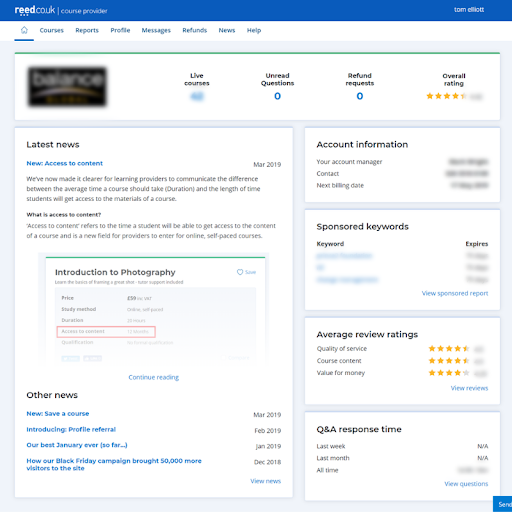
- Track the performance of your reviews: clearly see your overall review rating on the right side of the top panel. The overall review rating is the mean average of all the reviews on all your live courses on reed.co.uk. View each review in more detail by clicking on the ‘View reviews’ link in the ‘Average review ratings’ panel. For more information about reviews, please read here.
- Reply to questions on your courses: as well as being able to quickly see unread questions at a glance from the top panel, providers can monitor their response time and reply to questions via the ‘Q&A response time’ panel.
- Monitor your sponsored keywords: keep on top of soon to expire keywords at a glance from the ‘Sponsored keywords’ panel.
- View new refund requests: if you sell courses on our site, on the top panel view new ‘Refund requests’, click on the number to link directly to the Refunds tab for more details.
- Catch the latest provider news: stay up to date with the most recent provider news and events from the ‘Latest news’ panel.
- Get in touch with us: check who your Reed account manager is, as well as their contact information and your next billing date from the ‘Account information’ panel.
Click the home icon located in the menu bar from wherever you are on the provider site, to return to the homepage.
Find out more
If you have any question, contact the courses team:
Tel: 0203 510 0109
Email: ca.team@reedonline.co.uk
New: Access to content
March 15, 2019
We’ve now made it clearer for learning providers to communicate the difference between the average time a course should take (Duration) and the length of time students will get access to the materials of a course.
What is access to content?
‘Access to content’ refers to the time a student will be able to get access to the content of a course and is a new field for providers to enter for online, self-paced courses.

Access to content appears in the course summary of a listings page, underneath the duration field.
How does it work?
Providers need to enter the ‘Access to content’ data on each online, self-paced course they have on the site. To enter this information, please follow the steps below:
1. Login to the provider interface: www.reed.co.uk/courses/providers/

2. From the list of live courses, select a course to edit (only applicable to courses with the study method ‘Online, self-paced courses’).

3. From the edit course window, scroll down to ‘Access type’ (this will be ticked ‘Not applicable’ by default).
4. Tick a relevant access type from the selection, or make a custom entry in the ‘Access course for’ field. If you’re making a custom entry, don’t forget to use the Select Format dropdown to select if it’s weeks, months etc.
5. Scroll down and click Update course.
How will access to content benefit my business?
Enter ‘access to content’ data to all your online, self-paced courses to improve their messaging and reduce the number of associated questions being raised in the Q&A section.
Find out more
Contact the courses team:
Tel: 0203 510 0109
Email: ca.team@reedonline.co.uk
New: Save a course
March 11, 2019
We’ve improved the way students shortlist courses
Having conducted several user tests, studying closely how prospective course seekers use our site, it was clear that a save course feature was needed to enhance our search experience.
On Wednesday 27th February, our new ‘Save a course’ feature went live, and its popularity became immediately clear when over 600 courses were saved on the first day. Within two weeks, over 6,000 users have used the feature, saving on average 4.5x courses per user.
What is save a course?
‘Save a course’ is simply a way for course seekers on our site to save the courses they’re interested in so that they can revisit them later, create a list to compare and contrast and help make a purchasing decision.
How does it work?
To save a course, all a course seeker needs to do is click on the ‘Save’ icon located in the top right-hand side of either a courses search card or listings page.

By doing so the icon will turn pink and turn ‘Saved’.

To view all saved courses go to the sub nav bar (top) and look for the heart symbol. The number in the icon indicates the number of courses a user has saved.

Click on the Saved courses icon to see a list of all the saved courses, click on them to go direct to the course listings page, easily compare them or enquire or buy a course.
How are we communicating with course seekers?
When a user saves a course, it triggers an email send reminding them of their most recently added course, as well as any others they’ve saved (up to a maximum of five).

Since launching this feature, the email has received promising engagement levels, with an average 63% open rate and 12% click-thru-rate.
Find out more
Contact the courses team:
Tel: 0203 510 0109
Email: ca.team@reedonline.co.uk
Step-by-step guide to posting courses
January 25, 2019
At reed.co.uk, we believe that writing course listings shouldn’t be hard work…
We want to ensure all our providers get the most out of using us – whether you’re completely new to posting courses, or you’re just looking to improve the number of quality leads that come through.
To help make your courses even more effective, here’s a quick step-by-step guide on how to write the perfect course listing:
Step one: Course details
Course title
The first thing candidates see is the title of your course – which means choosing something clear and compelling is vital if you want to stand out.
Include keywords that course seekers will be searching for, which relate specifically to the course. Good things to add to your title are qualifications gained, accrediting bodies, or a mention of future prospects once the course is completed.
Top tip: Add a benefit to help attract candidatesclearly and set your company apart, such as ‘99% pass rate’ or ‘ACA accredited’.
Subject
Adding a subject will help candidates to find your course when searching by sector.
You can choose up to 3 subject areas, so think about your target audience and what sectors your course is relevant to.
Top tip: The more subjects you choose, the more visibility you have when a candidate is searching.
Study method/mode
For some candidates, finding the right study method for them is key to finding their perfect course.
After all, learners come in many different forms: from those with lots of time available, to those that are juggling family commitments or a full-time career; and from those who study well at their own pace, to those that require dedicated support and face-to-face attention.
So, to help ensure you’re ticking all the right boxes, use the options available to select whether your course is online, distance learning, classroom-based or on-site.
You can also select whether it’s part-time or full-time, and what level it is – which is a great way to help students gauge their eligibility.
Additionally, although the ‘duration’ field is optional, adding the length of your course will really help to paint a picture of just how quickly they could get qualified.
Top tip: Not all study methods will work for everyone. So if you have multiple options, post separate course listings to help cover all the bases (remember: it’s free to post your courses).
Step two: Qualifications
Qualifications
If your course results in a qualification, this is the section to shout about it.
Not only will it help you stand out from your competitors, it will also be abundantly clear to course seekers what they get out of studying with you – which could be vital in helping them make their decision.
You should state the full name of your qualification, as well as the awarding body.
To help you choose, we’ve provided a dropdown with all of the qualifications we currently recognise. We highly recommend you select values available in the dropdown, as this will result in your qualifications matching more searches.
What if my qualifications/awarding or accrediting body is not listed?
If you can’t find what you are looking for, select ‘other’ in the dropdown menu, and type the official name of qualification/awarding body etc you want to include.
Once submitted, we’ll review your information and, if it’s something we’ve missed out, we’ll update the dropdown list to include it.
We’ll also aim to advise you if we feel that there is a better way to list your course.
Regulated courses
There’s also the option to select whether your course is regulated – which will result in a ‘regulated’ logo appearing on your course to help distinguish it from similar certifications.
However, only click ‘Yes’ if it’s been regulated by Ofqual, Qualification Wales, CCEA or SQA.
To find out if your course qualifies, you can check using one of the following links:
- England: Office of Qualifications and Examinations Regulation (Ofqual)
- Scotland: Scottish Qualifications Authority (SQA)
- Wales: Qualifications Wales (Cymwysterau Cymru)
- Northern Ireland: Council of the Curriculum, Examinations and Assessment (CCEA)
- Ireland: Quality and Qualifications Ireland (QQI)
Remember: your course doesn’t need to be regulated or result in a formal qualification to be listed on reed.co.uk. So feel free to skip this section if it doesn’t apply (just make sure you shout about the benefits of studying with you throughout your course description).
Top tip: Make your qualification as clear and easy-to-understand as possible. It’ll help entry-level candidates cut through the jargon, not to mention make your course more likely to appear throughout our search rankings.
Step three: Pricing
Price
There’s no getting away from it: price is one of the top concerns students have when it comes to studying.
Generally, we find that students expect that longer, accredited and classroom-based courses will cost more than shorter, unaccredited or online courses. But that doesn’t mean that higher prices will always be unwarranted.
Instead, if your course is more expensive, make sure you demonstrate why. Whether it’s because the exam’s included in the price, or for reasons expanded on throughout your description.
You could also choose to hide the price – although it is worth bearing in mind that keeping the costs visible will usually result in more quality leads coming through.
Top tip: If you’re not sure of how much your course should cost, take a look your competition for a benchmark. And if they’re hidden, you’ll also ensure your own certifications stand out above theirs.
Discounts
Adding discounts is another great way to overcome any pricing objections.
Simply add a start and end date, as well as the amount of money off you want to offer.
They can be edited or removed at any time, making it the perfect place to highlight any sales or specific offers you have available.
Top tip: Your courses can be edited and discounted at any time, and for any period of time, meaning you can test different pricing packages to see which one works best for you.
Payment options
If you offer alternative means for students to pay for their courses, make them as clear as possible.
Examples could include government funding, split payments, grants, bursaries and loans.
So even if price is a concern, course seekers can easily see that there are flexible payment options out there – making it easier to pick something that actually suits their budget.
Top tip: Your courses can be edited and discounted at any time, and for any period of time, meaning you can test different pricing packages to see which one works best for you.
Step four: Content
Overview
The key to making your course listings more effective is writing a really engaging description.
Aim to provide students with a quick summary of all the information they need to make a decision to enquire or purchase – rather than overload them with information.
Outline your key USPs, as well as what they will get from studying the course – whether it’s a new certification, the first step on a new career path, or even a certain skill.
Sentences such as ‘[Skill] is about…’ or ‘after completing this course, you will gain X’, are great ways to grab attention and get potential students to keep reading.
Top tip: Just because there’s a 4000 character limit, don’t feel obligated to fill it. Keep your overview clear and concise – you can cover the specifics in the next section. Remember: it’s a summary and a sales tool. It’s not an essay…
Description
This section gives students all the info they need to make a decision to enquire or purchase.
Include details of the syllabus, tutor, and available support functions is a great place to start. But make sure you add as much context as you can to help explain exactly what your course entails.
Treating the reader as a relative beginner is a good tactic to adopt. Even if they know about the course already, they don’t know exactly what yours offers them – and how your structure might differ from your competitors.
Top tip: Pay close attention to formatting. Using clear headings and utilising the rich text editor (e.g. bold, italics, bullet points etc.) will help ensure what you write is as clear and user friendly as possible.
Who is this for/Requirements
If your course has any prerequisites, such as experience, technical knowledge or qualifications, include details in these sections.
Not only will it help potential students asses their suitability, it’ll also have a positive impact on the quality of your leads.
Top tip: These sections aren’t mandatory – but are definitely recommended. They could be key to selling your course to the right audience once they are already engaged.
Career path
For some course seekers, finding the right course could be key to them pursuing their perfect career.
Clearly outline any positions they could apply for upon completion, as well as the potential career path they could follow after starting in this role.
Again, use formatting such as bullet points and bold text to make the positions stand out, and easy to scan.
Top tip: Including an example salary along with each job title is a good way to peak interest, as well as demonstrate to students their potential return on investment for purchasing your course. If you’re struggling for industry benchmarks, try using our salary checker to see what your competitors are paying.
Step five: Extras
Resources/Course reference
Finally, you have the ability to upload a series of optional extras to help provide more information around your course.
Good examples of engaging extras include video or image testimonials, supporting documents around your course, or even just details about the location and format of your course.
All you need to do is enter the title, and a URL to upload. Alternatively, you could send these assets to your Account Manager who will be able to help you get them added to the site.
And if you want to easily distinguish leads associated with the course, simply add in your product code to the ‘course reference’ field.
Top tip: Video content is a perfect way to get all of your core details across quickly. So if you have the collateral, use it. Even if it’s just to tell students a little more about your business.
Your provider profile
Your provider profile is your brand page on reed.co.uk, allowing you to include more information about your courses and the benefits of studying with you.
It’s completely free to set up, and will be visible to anyone searching for courses on reed.co.uk. So making the most of this section could be a vital step in standing out from the competition.
As well as your company logo, which will appear on all of your adverts, you can add a cover image to your profile, videos such as student testimonials and images to help you get your personality across.
Top tip: Include as much relevant content as you can in this section. This will also increase your natural ranking on the site as the more content you have, the more visible you are.
Want to make your courses even more effective? Read our guide on how to write the perfect course listing now.
Our best January ever (so far…)
January 17, 2019
January is our busiest time of the year – and one that we’d love you to take full advantage of to ensure you gain maximum visibility to your course listings.
In January, we’re excited to announce some impressive performance results to date, and multiple records broken:
- Visits in January are up +29% YoY.
- Transactions in January are up +27% YoY.
- Week commencing 7th January smashed our previous best week ever for Visits and Transactions.
- On Monday 14th we hit a record number of Visits to our site.
What are we doing to promote courses?
This January, we’ve implemented a similar approach to Black Friday, creating a dedicated landing page signposting relevant courses and deals for New Year course seekers.
Supporting this, we have a heavy promotional schedule ramping up throughout January, including emails, paid search, display retargeting, and social activity.
Furthermore, the launch of our annual company-wide campaign on 7th January is helping drive brand awareness for reed.co.uk.
As a result, the courses site is benefiting from awareness driven by TV, Youtube and social media advertising.
How can courses providers take advantage?
Historically, the final weeks in January have seen some of our best performing days of the year. And it’s not too late to maximise your sales opportunities.
Here are three ways to maximise your sales opportunities:
- Our research suggests the best discount level for engagement is 80% off RRP.
- Signpost your deals in search results by mentioning January Sale in your courses titles and subtitles.
- Improve your course rankings by ensuring you’ve optimised your listings copy, filling out all available fields.
Want to find out more about additional products that can help optimise your listings throughout the year?
Contact the Courses team on:
Tel: 0203 510 0109
Email: ca.team@reedonline.co.uk
How our Black Friday campaign brought 50,000 more visitors to the site
December 10, 2018
Britain’s biggest shopping event has come and gone…
With a number of great deals live on the courses site over the Black Friday period, we built an integrated multi-channel campaign to ensure providers got as much exposure as possible. As a result, your courses benefited from an increased number of views, clicks, and leads over the Black Friday/Cyber Monday weekend.
Here’s a quick recap of what happened:
What were the results?
As a result of our Black Friday and Cyber Monday campaign, we received:
- 50,000 more visitors YoY
- 2,207 leads (+40% YoY)
- 4,186 e-commerce transactions (+20% YoY)
- 9,295 clicks on our Black Friday landing page
So not only did your courses get more visibility, but leads were also on the up – right across the board.
What did we do?
We wanted to make sure your discounted courses got the exposure they deserved during the busiest shopping day(s) of the year.
That’s why we created a dedicated campaign running from Monday 19th, right the way through to Cyber Monday, to encourage increased clicks and leads.
This included:
- A dedicated Black Friday landing page (featuring a countdown timer and featured deals)
- A new ‘Sale’ badge on the navigation bar, visible across the whole site
- A new homepage panel linking visitors directly to our landing page
- Static and dynamic Black Friday banners shown throughout the courses site
- On-site and off-site retargeting ads
- A packed programme of email sends
- Integrated content and social media activity
Black Friday landing page (generated 9,295 clicks)

Site Navigation Bar

Homepage Panel

Black Friday banner (generated 3,696 clicks)

Black Friday emails (we sent over 21 million emails)

What’s next?
But we’re not stopping here.
With a dedicated campaign set for January, we plan to make our busiest time of the year work even harder for our providers, bringing a record number of course seekers to the site.
Not only are we offering excellent sponsorship opportunities for providers in top performing subject areas, but we’ll also be driving more visitors to a brand new ‘New Year Shopfront’ from search, display, email, social, and more.
Ready to promote your courses?
Get in touch with your account manager to discuss how you can promote your courses with reed.co.uk in the New Year.
Black Friday/Cyber Monday – What providers can do to stand out
November 14, 2018
Looking to give your courses a boost over the Black Friday weekend?
There are many different ways providers can take advantage of Black Friday, and maximise sales opportunities. Whether it’s by signposting special deals in advance, or tweaking course titles to help make sure they stand out.
We’ve already covered what we’re doing to promote your courses – but here are some key things providers can do to make the most of Black Friday/Cyber Monday.
Discount by 80%
For your discounts to really have an impact over the whole weekend, we recommend discounting by 80% off RRP.
Why? Because our research has shown that discounting by around this amount performs best when it comes to engagement from course seekers.
What’s more, you’ll easily highlight that your deals are part of the promotion – not to mention stand out to people who have had their eye on one of your courses for a while.
Signpost your Black Friday deals in the subtitle
Although we’ll have a dedicated landing page driving traffic over the Black Friday/Cyber Monday weekend, people can still find your deals all over the courses site.
To stand out in the search results, mention Black Friday & Cyber Monday in your courses subtitle – e.g. something along the lines of ‘80% off RRP – Black Friday/Cyber Monday special’.
Fill out ALL available fields
One way to improve your own course rankings is to ensure you fill out all available fields – meaning you’ve added as much info to your courses as possible.
Sections to fill out include:
- Overview
- Qualification or Skill
- Course media
- Description
- Who is the course for
- Requirements
- Career Paths
This will help improve your rankings all year round, but with so many courses vying for space on Black Friday/Cyber Monday, the advice becomes even more invaluable.
Make the most of additional products
The easiest and most effective way to increase the visibility of your courses is to give them an extra boost.
Sponsoring your listing, for example, will instantly bring your course to the top of the search results page for your chosen term – which will help ensure you maximise views, leads, and potential sales as a result.
Providers also have the option to theme their emails for Black Friday/Cyber Monday, to help highlight the best deals. Talk to your Account Manager today to find out more.
Want to find out more about how to optimise your listings over the Black Friday weekend?
Contact the Courses team on:
Tel: 0203 510 0109
Email: ca.team@reedonline.co.uk
Black Friday: What we’re doing to promote your courses
November 6, 2018
Black Friday is coming…
The Black Friday/Cyber Monday weekend is one of the busiest shopping periods of the year. And it’s one we want our providers to be able to take full advantage of.
Here’s everything we’re doing to promote courses this Black Friday/Cyber Monday – and what your business can do to get involved:
When is Black Friday 2018?
Black Friday falls on the third Friday of November – which means this year it’s 23rd November.
Cyber Monday is on Monday 26th November.
What are we doing to promote courses?
- Dedicated landing page
We’re creating a brand-new landing page specifically for Black Friday/Cyber Monday, signposting some of the top courses deals we have running over the weekend. It’ll also feature a prominent countdown timer, showing how long left there is to access the exclusive discounts.
- reed.co.uk homepage takeover
We’re not just owning Black Monday on the courses part of the site. We’re also increasing presence right across the reed.co.uk homepage, implementing a full-site takeover including banners, display ads and panel ads to help get our jobseekers engaged.
- Biggest ever push on CRM
We’ll be sending emails to over 7.8 million people across our courses and jobseeker databases, engaging them using a Black Friday/Cyber Monday specific message. There will also be the opportunity for providers to buy their own branded emails as part of our communications, as well as slots in dynamic emails, dedicated SMS campaigns, and more.
- Paid search and display
Our Black Friday promotions are even bigger off-site this year too. We’ll be building campaigns on Google Search/Bing including countdown timers and dedicated offers. Alongside this, we’ll be running a huge retargeting campaign across our display ad network, to help re-engage users who have already been browsing for courses on the site.
- Presence across all the major social channels
We’ll be hitting more than 200,000 people across Facebook, Instagram and Snapchat during the course of the weekend – specifically targeting users based on their interests to help drive conversions straight to your courses.
So, whether someone is completely new to the world of online courses, or they’ve been thinking about a new qualification for a while, they’ll be sure to see your courses this Black Friday weekend.
How can courses providers get involved?
We’re working on a wide range of products to help you maximise your sales this Black Friday/Cyber Monday.
To find out more about what you can do to promote your course, get in touch with your account manager today.
New: Courses subtitles
August 2, 2018
Introducing: courses subtitles…
We’re always looking for new ways to improve the popularity of your courses – which is why we’re giving you the opportunity to add subtitles to your course listings.
Here’s everything you need to know about courses subtitles:
What are courses subtitles?
Courses subtitles are a new addition to your course listing.
Subtitles can be up 120 characters long, and will appear underneath your course title on the search results page and on your course listing.
Additionally, your course title character limit will be reduced to 90, in order to ensure it’s clear, to-the-point, and optimised for SEO.
Why have we introduced them?
This feature is designed to not only streamline course search results, but also to improve the relevancy of your course titles.
Long course titles with an excessive amount of details or unnecessary special characters can negatively affect SEO, making them less likely to appear on Google. Cramming too many characters in is also unlikely to appeal aesthetically, or grab the eye of course seekers.
Courses subtitles solves this problem, optimising the design on mobile and allowing you to keep your heading short and succinct – without sacrificing the integrity of your course title.
How can I benefit from courses subtitles?
Not only will this brand new feature allow you to show off the key selling points of your course in one short sentence, it’ll also mean your title is as optimised as possible.
In addition to better visibility via Google, your course will also look more appealing on the courses search results page, making prospective students more likely to enquire.
How to write a courses subtitle
We recommend starting by reviewing your course title, which should include only the most important aspects of your course, such as the subject, any included qualifications and the awarding body. If your course is skills based, make sure it broadly represents the course content. This gives your course the best start at achieving good SEO results.
Once you have your short and concise course title, you can use your subtitle to promote key characteristics of your course in particular. Your subtitle allows more space for personalisation, enabling you to make your course stand out using promo phrases, discounts, tutor support info or anything else that makes it different from the competition.
It’s really important to note that what you include in your title will contribute to SEO, but the contents of your subtitle have no effect on search visibility – so make sure you write your subtitle with your courseseeker in mind.
Use subtitles in the right way – avoiding repetition from your title, and steering clear of any unnecessary keyword stuffing.

Example of a good title and subtitle:
Title: AAT Level 3 Advanced Diploma
Subtitle: Classroom based course with study materials, tutor support and final exam included
Example of a bad title and subtitle:
Title: *** CIPD LEVEL 3 CERTIFICATE IN HR PRACTICE – 25% OFF TODAY! NUS CARD ELIGIBLE ***
Subtitle: *** 25% OFF – DON’T MISS OUT!!! *** Make money fast with this class! This CIPD Level 3 Certificate in HR Practice is on offer RIGHT NOW
How do I add courses subtitles?
You’ll need to be using the latest version of the API in order to take advantage of courses subtitles. See documentation here.
Once you are, it’s quick and easy to add them to your courses.
Simply log into the course provider site, tap edit on any course to add a subtitle, and edit the length of your title to adhere to the new 90 character limit.
Want to find out more?
Contact your Account Manager on 020 3510 0109 for more information.
E-commerce invoice process and payment dates
July 19, 2018
Are you an E-commerce customer?
We’ve just entered a new financial year on reed.co.uk, meaning we have new payment dates for the next twelve months.
Here are the dates for the next twelve months, and a quick guide to how our invoicing works:

Download the PDF.
Want to find out more?
Contact your Account Manager on 020 3510 0109 for more information.
All-new course descriptions
July 6, 2018
We’ve improved the way we display courses on reed.co.uk.
It’s now easier for course seekers to find exactly what they want – whether it’s a CPD course, or a professional qualification. We’re also working on the ability to add subtitles to your courses, giving providers even more opportunities to stand out on search results pages.
Here’s a quick guide on what the new features mean – and how they can help your business:
What’s changed?
We’ve completely revamped the design of our course details pages – making them cleaner, and more eye-catching.
And that’s not all.
We’ve also added new qualification tags across all of our courses, to help course seekers differentiate what type of course it is.
The three options are: Professional, Regulated, and CPD.

How do you add qualifications?
You can choose your qualification type when adding your courses to the site.
Simply use the ‘What type of course is this?’ dropdown, and select the one that best matches the course you’re uploading.

How will it benefit your business?
By seeing exactly how your course is categorised, users can now make a much more informed decision over their enquiry.
All three tags include a short explanation about what each one is, so it’s easy to see the difference. Even if you’ve never searched for a course before.
Additionally, course details pages also now include a Qualification section, which allows interested students to get a better understanding of the qualification they want to pursue.
So that means more quality leads for your business – and, potentially more revenue as a result.
What’s coming next?
In the next few weeks we’ll be releasing our latest update, which will give providers the ability to add subtitles under their course title.
This will be a great new opportunity for you to further highlight info about your listings – and ultimately boost their click through numbers.
As soon as the new feature is live, we’ll let you know.
Want to find out more?
Contact your Account Manager on 020 3510 0109 for more information.
New: Improved courses functionality
June 8, 2018
We’re committed to ensuring you’re getting the best possible experience…
That’s why we’re constantly working on improving the courses site, whether it’s to save you time or to improve the popularity of your courses.
To make sure you’re up-to-date with our latest features, here’s a quick rundown of our new and improved courses functionality:
Adding more than one qualification to your course(s)
Good news; we’ve made it quick and easy for you to add multiple qualifications and awarding bodies to your listings.
As long as your course is labelled as a ‘higher education’ or a ‘formal or academic work-related qualification’, this feature will be fully available – with no limit to the amount of qualifications you can add.
Simply add the corresponding qualifications one-by-one when adding or editing a course.

Bulk updating course discounts
Want to add, edit, and update discounts on multiple courses?
Now you can. Just select the courses you want to edit (or ‘select all’), click ‘bulk update’, and scroll down to find ‘update discount’.
From there, you’ll be able to enter the discounted prices, along with the start and end date for the offer.

Ready to get started?
Advertise a course now or contact your Account Manager on 020 3510 0109 for more information.
Introducing: Self-service sponsored keywords
June 8, 2018
We’re changing the way sponsored keywords work on reed.co.uk…
If you’re looking to get maximum exposure for your courses, sponsored keywords could be the perfect product for you. And to make them even easier for you to use, we’ve now introduced a self-service option – so you can get your courses in front of the right people, wherever you are.
Here’s everything you need to know about our new self-service sponsored keywords:
What are sponsored keywords?
Sponsored keywords allow you to feature your courses at the top of the search results page by selecting and sponsoring a key search term associated with your course.
They’re a great way to stand out to potential course seekers and set yourself apart from the competition – not to mention gain maximum exposure for your certifications.

What’s changing?
Although you can still sponsor our most popular keywords through your Account Manager, you now have the ability to sponsor keywords yourself – directly from your own device.
This self-service option makes it even easier for you to sponsor terms that directly relate to your course, with all changes automatically being made as soon as you hit “Sponsor”.
How does it work?
To start sponsoring keywords, simply sign in to your provider profile, and view your current courses.
Once you’ve found the course you’re looking to promote, simply click on the “Sponsor” link.
You’ll then be able to type in the most relevant keyword, and see if sponsorship is available.

If the time period you want is available, simply select the number of days you want to choose, and hit the ‘Sponsor’ button.
The calendar will automatically deselect any days which aren’t currently available.
And it’s as simple as that – your courses will now appear at the top of the listing for that term.
How long can I sponsor keywords for?
You can sponsor keywords for anywhere up to three months, on a first come, first served basis.
Please note: only two courses can sponsor the same keyword.
How many keywords are available?
You can sponsor any keyword, or any combination of keywords, as long as it hasn’t been booked already, meaning you’re sure to be able to find one that best suits your subject.
How is this priced (or some such)?
We operate on a cost per click (CPC) model, meaning you only pay when someone clicks through to your course description. And at £1 per click, getting your courses infront of course seekers actively searching for your products has never been this easy or cost effective.
How will sponsored keywords benefit my business?
Sponsoring keywords is a great way to get your courses in front of a relevant and engaged audience. Your course will be shown first in the list of search results, whether course seekers use your keywords or browse through categories.
Your course will also benefit from extra exposure on the reed.co.uk Jobseekers site, as your sponsored keyword works there too. Your listing will appear in the list of potential courses if the user enters your keyword, putting your listing in front of a fresh audience.

You’ll also be able to raise brand awareness, stand out amongst the competition and, ultimately, drive more leads and sales directly for your business.
Four reasons to start using sponsored keywords
Ready to give sponsored keywords a try? Get started now.
Career Guides now on all-new CPC model
April 3, 2018
Want to get even more clicks on your courses? Try Career Guides…
This popular type of article, which sits within our Career Advice section, is now available to sponsor on a simple CPC basis – meaning payment is based solely on performance.
Here’s a quick guide to the new model, and how you can use Career Guides to reach even more people with your courses:
What are Career Guides?
Almost a million people visit our Career Advice section every single month – looking for guidance on everything from writing their CV, through to what job to look for.
One of the most popular areas of Career Advice is our Career Guide section, which is made up of 250 separate articles on how to get started in a range of positions, covering topics ranging from how to become an Analyst or Accountant, through to guides on estate agency and project management.
We also offer course providers the opportunity to sponsor individual Career Guides, positioning themselves as experts in their field, and promoting their courses.
What’s changing?
Previously, this sponsorship was offered on a fixed fee basis – with a set amount, regardless of the Career Guide you were sponsoring, or how it performed.
However, we’ve now changed to offer the product on a cost-per-click basis. So how much you pay will change based on how well you perform.
How will it benefit your business?
With our new CPC model, you only pay for performance.
So if your Career Guide has slightly less traffic than others on the site, it won’t affect your bottom line.
You also have the option to cap the number of clicks you pay for, so you never have to worry about going over budget.
And, as the majority of traffic to Career Guides comes via search engines, the audience is more researched and further down the funnel – meaning the leads should be of a much higher quality.
No upfront costs, and no hidden fees. Just a risk-free way of driving clicks directly to your courses.
How can I get started?
Bookings for our most popular Career Guides are filling up fast.
To ensure you don’t miss out on a highly active pool of potential course seekers, and to get up-to-date stats within your industry, get in touch with your Account Manager today to ask about availability.
Want to find out more? Contact your Account Manager today on 020 3510 0109 or email the team at ca.team@reedonline.co.uk.
New refund process for your courses
March 20, 2018
We’re improving the way that refunds are processed on reed.co.uk.
In the past, we’ve had to refer customers straight to the provider when they request a refund – often resulting in delays, and a poor customer experience.
So we’ve changed the way we process refunds. Here’s everything you need to know…
What’s different?
In future, when a customer requests a refund from us we’ll collect the relevant information from them in advance – and then send it to the enrolment email address we have for your brand on their behalf.
That way we can ensure the correct information is passed to you, and reduce the wait time for the customer.
What do you need to do?
- Ensure that ‘no-reply@e.reed.co.uk’ is marked as trusted, as you’ll be receiving refund requests via email
- Once a request has come through, you must action it as soon as possible. Remember: all refund requests must be actioned within 48 hours from when they were requested
- Once you receive the email, you have two options – you can either approve the refund request, or dispute it
- Approved refunds will be handled by reed.co.uk and processed as usual
- Disputed refund requests will require further investigation on our behalf, and when you dispute a refund, you will be asked to provide further information which will help us resolve the case as quickly as possible
- Ensure we have the correct enrolment email address, as this will be used to send the refund requests to you. If you’re not sure, get in touch with your account manager to confirm.
When does the change take place?
This change is expected to go live in the first few weeks of April.
Did you know…
One of the most common reasons for refund request is providers taking too long to dispatch course material access instructions or LMS login details.
If you feel that this applies to you, you can automate this process by utilising our APIs.
Find out more about our APIs and how they can help you improve your processes, save money and most importantly improve customer satisfaction https://www.reed.co.uk/courses/docs/api/v3
Any questions? Contact your Account Manager today on 020 3510 0109.
Introducing: Courses for businesses
March 13, 2018
We want to help you expand your reach…
So we’ve introduced a brand new way to sell your courses. With the reed.co.uk Courses B2B marketplace, you’ll be able to take advantage of a whole new audience, providing courses to a wide range of business customers.
Here’s everything you need to know:
What is reed.co.uk’s courses B2B Marketplace?
reed.co.uk Courses’ B2B marketplace is a platform dedicated to attracting, engaging and enrolling qualified business customers.
If you have courses that you want to sell en masse to businesses nationwide, you’ll now be able to list them on reed.co.uk Courses.
And to support you reaching the maximum number of business customers, we’re launching a raft of features and benefits exclusive to business listings.
Who can I sell to?
In short, any business that is seeking out training and development on reed.co.uk Courses.
We have a highly-engaged audience of individuals that buy courses for their business, including HR Managers, Training Co-ordinators, Project Managers, Directors, and Training Managers.
Not only that, but our audience comprises of a wide variety of company sizes, from SMEs to multinationals, with top companies including everything from GAP to EDF Energy.
With all that in mind, you can be sure that we have access to the businesses you want to sell your courses to.
Why should I use the B2B marketplace?
- You’ll be able to boost your visibility and reach among business customers
- Your courses will be visible when users select the “Business courses” filter
- You have the potential to sell your courses in bulk
- You can take advantage of businesses looking to utilise their apprenticeship levy
- You’ll be able to attract more customers by providing on-site training options
- The introduction of a ‘pay by invoice’ option gives businesses the chance select their preferred payment method
- You’ll receive business-specific data about your leads, including customer’s job title, company name and size, and number of delegates to enrol on the course
Why have we introduced it?
Before the Courses B2B marketplace, businesses were only able to browse courses targeted at individual customers, making it harder for them to find the right courses and providers.
Course providers such as yourselves also couldn’t identify and prioritise business leads against consumer ones.
The new marketplace resolves these issues and allows course providers to save the time they previously had to spend qualifying leads.
Through the introduction of a B2B marketplace, businesses now have a tailored marketplace to purchase training for them and their employees – and that’s where you come in.
How do I get started?
Contact the Courses team on:
Phone: 020 3510 0109
Email: ca.team@reedonline.co.uk
APIs: How to get started
January 18, 2018
We want to take the hard work out of posting and managing courses…
That’s why we’re proud to offer our providers the ability to use our API – allowing you to seamlessly integrate your systems with ours. But what is an API, and how can it actually benefit your business?
Here’s a quick introduction to APIs, and how you can start using them on reed.co.uk:
What is an API?
API stands for Application Programming Interface.
Essentially, they allow us to deliver data between systems, helping them directly communicate with each other.
They’re an absolutely vital way for different sites to integrate with each other, allowing information to be passed back and forth automatically – and they often work without the user even being aware.
From price comparison sites giving you the latest retail offers and ordering taxis from Google maps, through to logging into apps using your social media profiles, none of this integration would be possible without APIs.
How does the API work with courses?
The reed.co.uk Courses REST API allows you to integrate your own internal systems with ours.
Once it’s up-and-running, you’ll be able to do everything from automatically retrieving your enquiries and adding them directly into your own programs and marketing platforms, through to getting course seeker’s details uploaded straight into your CRM systems.
What are the benefits of using an API?
Using our API could have a huge number of benefits for your business.
Save time – Instead of manually copying information over to your own systems, everything is added automatically. So you can keep all laborious data entry tasks to a minimum.
Save (and make) money – APIs allow you to automate laborious, time consuming tasks, and minimise human error. This frees up your time to focus on what’s important, like talking to your customers or producing new course content.
More secure – With the new GDPR legislation about to be introduced, keeping customer data secure has become more important than ever. As APIs pass information directly between systems, the risk of sensitive information breaches is minimised (as opposed to emails, etc.)
Here is a summary of the most common use cases:
- Customer purchases a course on reed.co.uk and your system automatically triggers an email confirming customer login details or welcome email.
- Customer makes an enquiry on reed.co.uk and the lead can be retrieved using your CRM system.
- Automatically upload your content to reed.co.uk and keep it up-to-date.
- Surface courses from reed.co.uk on your website.
- The ability to retrieve basic course statistics.
Finally, 2017 is the year of the API economy, according to the likes of Forbes and TechCrunch – with more companies than ever before taking advantage of the technology to help drive conversions, and move their business forward.
So, by not getting on board early, you could quickly be trailing behind the competition.
What do I need to use an API?
Although it’s quite straightforward to set up, you will need a dedicated Developer (or development team) in order to fully implement our API.
We are also not currently able to offer support to anyone using our API – meaning development experience is essential for anyone looking to use it themselves.
For more information about what you’ll need to get started, contact your Account Manager.
Recent changes and what’s new in v3
We have recently released a new version of our API.
Version 3 of the API brings several new features, as well as changes to the previous APIs, some of which are breaking. This highlights some of the new features introduced in v3. For more information please see our API documentation: https://www.reed.co.uk/courses/docs/api/v3
Reed courses REST API v2 will officially retire on Tuesday, April 2, 2018.
Summary of changes for existing clients on v2
Leads & Orders API
- (Breaking change) Removed Site
- Added isBusiness, companyName, companyJobTitle, companySize
Courses Add/Edit APIs
- (Breaking change)Removed isRegulated
- (Breaking change) hasExamIncluded renamed to examIncluded and now sits within qualification
- (Breaking change) isLive has been replaced with status
- Reworked qualification to capture more detailed (please see more details in the updated API documentation)https://www.reed.co.uk/courses/docs/api/v3#operation/ProviderCoursesV3_Post
- PATCH method has been added – this can be used to update partial resources.
A new Qualifications API
We’ve used official names for qualifications, awarding bodies, accrediting bodies and regulating bodies.
If what you submit doesn’t match with one of these, it will then be submitted as ‘other’, which will be subject to our review.
This will also result in your courses matching fewer search results and appearing lower in search results – so we highly recommend you submit qualifications, awarding bodies etc. using the official names.
To help accommodate this, we have released a new Qualifications API https://www.reed.co.uk/courses/docs/api/v3#tag/Qualifications – where you’ll be able to find the most up-to-date list of qualifications, awarding bodies and regulating bodies.
Ready to try using our API? Click here.
Self-billing renewals are coming
January 16, 2018
Ready for a better billing process?
We’ll shortly be sending out renewals for self-billing contracts. Not only will it speed up the payment process, it’ll also make it much easier for providers to use reed.co.uk on an ongoing basis – without the need for lots of time-consuming paperwork.
Here’s a quick intro to self-billing – and how it will benefit your business:
What is self-billing?
Self-billing is an arrangement between reed.co.uk (Reed) and yourself, the Provider, whereby Reed prepares a sales invoice on your behalf. Ultimately it means that you’ll no longer need to send an invoice to Reed, as we’ll prepare all invoices on your behalf and send it to you electronically.
Payment for the invoice amount will follow up to 60 working days later, and will give you an opportunity to review the invoice and ensure all information is correct.
Note that international payments will be actioned once the minimum payment amount of £250 is reached, or six months has passed (whichever is sooner). Payment can be made sooner by covering the £15 costs associated with processing international payments.
Why self-billing?
Putting in place a self-billing arrangement can be advantageous to you for the following reasons:
– Speeds up the payment process, as invoices are automatically created by Reed
– Invoice formatting is standardised, reducing the administration for all
– Electronic invoicing can save time, money and your carbon footprint
The rules of self-billing are set out by HM Revenue & Customs (HMRC) in their VAT Notice 700/62.
What do I need to do to renew?
Renewing is easy.
You’ll soon receive an email from us with the renewal agreement attached. Simply sign and return the form to us – we’ll sort the rest.
Have some questions regarding self-billing? Contact your Account Manager to find out more.
Four reasons to use our Q&A feature
November 29, 2017
We’ve recently launched our brand new Q&A feature for your courses…
Not only does it allow course seekers to ask any questions they have before purchasing, but it also gives you the chance to optimise and improve your courses – making your listings more effective than ever before.
Here are four reasons you should try using Q&A now:
Increases conversions
Using the Q&A feature has the potential to make you more money.
In fact, since it was launched, we’ve seen a 2.3% increase in conversions (i.e. going from viewing the course to purchasing) for those who use it.
In other words, because the course seeker feels more informed, they’re much more likely to make a purchase – giving you a quick and easy way to improve performance right away.
Saves time
OK, so we know that answering customer questions can be time consuming.
But instead of having to answer the same queries over and over again, our Q&A feature gives you the option to make answers to certain questions visible to all course seekers.
And with providers opting for public questions receiving an average of 10% more conversions than those who go private, getting your answers out in the open really is a win-win.
Helps identify gaps
Even the most well-written course description could be let down by missing out a few key criteria.
The problem is, prospective students don’t always have the confidence – or the right forum – to provide constructive feedback. That’s where the Q&A feature comes in.
By allowing course seekers to ask direct questions, you’ll be able to quickly identify what information might be missing from your course, and then edit and optimise it accordingly.
Shows you put the customer first
Answering questions quickly can also have a massive impact on your brand perception.
Aside from being a great way to show you put the customer first, it also shows that you’re always on hand to help, should the need arise – and that communication could be vital to many still considering whether or not to purchase.
And with course providers who answer queries within a day receiving 73% more purchases than those who leave it longer, your quick reactions (and transparency) could be just the thing to turn initial interest into a purchase.
Want to find out more about the Q&A feature?
Contact the Courses team on:
Tel: 0203 510 0109
Email: ca.team@reedonline.co.uk
Five ways to optimise your course listings
November 27, 2017
Want your course listings to be seen by more people?
Although sponsored keywords are the only sure-fire way to feature at the top of our search results, there are a few key ways you can improve your listings to ensure you get as much exposure as possible. And as our algorithm is based on relevance first and popularity second, ensuring your courses tick both boxes is key.
We’ve already covered how to write the perfect course description, but here are our top tips on how to optimise your course listing:
1. Keep the title short and relevant
First things first: you need to grab the course seeker’s attention.
And, since the title is the first thing they see, getting this part right is absolutely vital.
This involves writing a short, succinct, and relevant title, which both explains the content of your course and includes terms students in your field search for – steering clear of unneeded details (e.g. NUS deals) that can be included elsewhere.
Not only could overly long course titles put course seekers off, they could also cause your course to rank lower in the search results.
Example of a bad title: Admin, Secretarial & PA Diploma (Level 3) –CPD Certified – Special Discount Offer – Only £44! NUS Extra Card Eligible
Example of a good title: Admin, Secretarial & PA Diploma Level 3 (CPD Certified)
2. Include relevant keywords, but don’t overdo it
We’re not talking about keyword stuffing – but if used in the right way, keywords can greatly increase the relevancy of your course, making it rank higher in our search results.
For example; in your course description and title, use keywords that you want your course to rank for (e.g. Accountancy vs. Accounting). And, when you post your listing, choose as many relevant subjects as possible (up to 3 per course), favouring the “deepest level” possible (e.g. choose “IT > Development > Cyber Security” over just “IT”.
When filling in the ‘Career path’ section of your course listing, you can also utilise terms that rank highly on the jobseeker site – using the most commonly posted job titles as a guide.
And, if you’re looking for more specific details, free tools (such as Google Trends) will give you a more precise indication of what ranks well.
3. Fill in all of the recommended fields
Recommended fields are recommended for a reason.
The more details you can give on your course, the more likely it is to rank highly – not to mention resonate with course seekers.
And aside from filling in each section in full when uploading a course, it’s also key to complete your company profile. In fact, course seekers are more likely to purchase a course from a provider that has a logo and profile.
Alongside proving your reputability and exposure (as all of your courses can be accessed via your profile page), it’ll also give course seekers a better understanding of who you are and what you do.
4. Avoid duplication
If you’re actively trying to maximise your courses’ visibility, it can be tempting to post a number of the same (or similar) course listings – in the hope that it’ll boost views.
However, this technique will often have the opposite effect.
By duplicating course content, you’re actually just creating more competition for yourself; and the last thing you want is for your course listings to be battling each other for the highest ranking.
Similarly, if you’re looking to implement small updates, always edit your current listing instead of uploading a brand new one. Otherwise, you might lose the popularity gained from your longer standing course, which could ultimately affect its optimisation.
5. Give your course(s) an extra boost
With a wide variety of courses available on reed.co.uk, competition is strong.
This means that even if you follow all of the above tips, advancing your listings to the top of the search results might not happen overnight.
Luckily, there are a few more ways to increase your course listing’s popularity and rankings.
For example, promoting your courses through email, or sponsoring a listing to bring it to the top of the search results, are great ways to improve views, leads, and ultimately – sales.
Want to find out more about how to optimise your listings?
Contact the Courses team on:
Tel: 0203 510 0109
Email: ca.team@reedonline.co.uk
Introducing: All-new reporting for courses
November 27, 2017
We want to make it even easier to track your performance…
So, to increase visibility across all of your courses, we’ve launched an all-new approach to reporting – which can be accessed by our providers any time, from any device, wherever they are.
Here’s a quick guide on everything you need to know about the new reporting for courses:
What’s changing?
We’ve introduced a brand new dashboard for your courses – allowing you to track everything from leads and courses sold, through to how much revenue you’re making.

Image isn’t an exact representation of the dashboard, and may include previews of upcoming features.
It’s an excellent way to stay on top of your performance, and as it’s fully-responsive, you’ll get the same great experience, no matter what device you’re using.
No more complications. No more confusion. Just the numbers that matter to your business, in a format that suits you.
To get to your dashboard, simply click ‘Reports’ at the top of the page, or go to https://www.reed.co.uk/courses/providers/reports and start exploring (you’ll also be able to download the spreadsheet from here, if you prefer).
Why are we doing it?
We want to give all of our providers full visibility when it comes to performance.
With our brand new dashboard, you’ll be able to see how every single one of your courses is doing, whether it’s how much you’re making, or where your clicks are coming from.
It also makes it even easier to track the impact of any changes you make to your listings – allowing you to see when and why certain dips may have occurred.
How will it benefit your business?
Firstly, you’ll be able to keep an even closer eye on your numbers, and get all the information you need to help your business make the most of your course listings.
And because you can open your dashboard from any device, you’ll have access to the stats faster than ever before.
So if there’s a problem with your courses, or one of your listings is underperforming, you’ll be able to find out straight away – and then use your insights to make improvements that could instantly turn your revenue around.
What’s next?
Your brand new dashboard is still a work in progress, meaning even more options will be added to it throughout the year.
Still more numbers you want to see? We’d love to hear your feedback on what works for you and how we can make it even better.
Let your Account Manager know and we’ll try to work on incorporating your suggestions and ideas into a subsequent release.
Introducing: Our all-new qualification section
November 15, 2017
We want to help you make the value of your courses clear…
So we’ve introduced a brand new qualification section, allowing you to tell customers exactly what they’ll get on completion of one of your courses. Not sure what this means for you?
Here’s everything you need to know:
What is it?
It’s an updated version of the qualification section in course add/edit form.
By inputting your qualification type, you’ll show customers exactly what credentials they’ll receive after completing your course – providing more clarity for course seekers.

How does it work?
When uploading or editing your course, you’ll be asked to fill out a ‘qualifications’ section.
Simply use the drop down boxes to specify what type of course you’re offering, the qualification type, name, and awarding/accrediting body, along with any other features – and we’ll include it within your course listing..
If you select a CPD course, you can also include the hours or points involved.
Can’t find what you’re looking for on the list?
Don’t worry; you can let us know by selecting ‘Other’ in any of the drop down lists, and once it’s reviewed and validated successfully, we’ll make sure it’s added.
What course types can I include?
You’ll be able to choose from the following course types:
– Higher education qualification (only available to Universities)
– Skill or knowledge based (no formal qualification)
– Formal academic or work-related qualification (e.g. professional body qualifications, technology vendor qualifications)
– Continuing professional development (CPD)
Each course type will prompt you to add further details relating to your particular qualification.
Who will it benefit?
The new qualifications section will help both you and your customers.
You’ll be able to make the value of your course known, whilst customers will benefit from knowing whether or not they’ll receive a certification – and, if so, exactly what the certification is.
So whether they’re looking to expand their skills, get a work-related or higher education qualification, or work on their professional development – they’ll know exactly which course will suit their needs.
Additionally, the drop-down boxes included in this section not only provide ease-of-use – but also mean your courses will be better categorised and therefore easier for course seekers to find.
What’s missing?
Our new qualifications section is a work in progress, meaning there’ll be more developments coming soon (including a new version of our APIs).
Got any suggestions? We’d love to hear them.
Contact one of our expert Account Managers now or share your thoughts with a feedback form, and we’ll do our best to incorporate your ideas into our next update.
Four reasons to start using sponsored keywords
October 27, 2017
Want to make your course listing stand out?
If you’re looking to increase your number of views, leads and sales, as well as improve your brand recognition – using sponsored keywords could be the perfect way to do it.
To make sure you know what they’re all about, here’s everything you need to know about sponsored keywords, along with four reasons you should start using them:
What are sponsored keywords?
Sponsor one or more keywords, and your listing will display as one of the top two slots any time a course seeker searches for your keyword(s). It’ll also be outlined in pink.
Not sure what keyword to use? Don’t panic. With a database of 4,500 keywords, you’ll be able to find one that best fits your course and price bracket.
And, with prices starting from just £40 (per keyword, per month), there’s bound to be a keyword to suit you.

Top 10 searched keywords (1st June – 23rd August)
- IT (36,486)
- Teaching Assistant (30,280)
- HR (27,389)
- Health & Care (23,971)
- Nail Technician (23,088)
- Microsoft Excel (22,686)
- Prince2® (22,509)
- Administration (22,383)
- CIPD (20,918)
- Accounting (20,524)
Why use sponsored keywords
1. It puts your course listing in the best position
With your course at the top of the search results, you’ll be able to catch the attention of the most relevant and engaged audience.
Not only will your course be shown first to those searching directly on the site (whether it’s through searching keywords or browsing categories), you’ll also benefit from traffic gained from search engines.
And if you choose one of the top ranking keywords? You’ll know you’re likely to get a large amount of traction on your course listings.
2. It helps drive leads and sales
With more eyes on your course, you could benefit from an increased number of leads – and consequently, sales.
In fact, on average, a sponsored listing could lead to 27% more views, 39% more leads and 98% more sales than an organic one, proving it a great way to boost your listing – fast.
After all, even the best course in the world could be underappreciated if it doesn’t have enough people seeing it.
3. You’ll be able to stand out amongst the competition
If you’re part of a competitive industry, making your course stand out can be tough.
But with the most popular categories containing thousands of courses, it’s absolutely vital to make yours eye-catching.
Sponsored keywords are the perfect way to do this. That, alongside an informative and persuasive course title and description will ensure course seekers are not only drawn to it instantly, but also engaged enough to enquire or buy.
4. It raises brand awareness
Having your course listing at the top of the page is a great way to improve your brand awareness.
As more people see your courses, they’ll be more likely to trust your reputability and consequently interact with you as an organisation – not to mention recommend you to others.
So if you’re looking for a way to make your brand known, this is an excellent place to start.
What do I need to get started?
Aside from having a course to list on the site, you’ll also need to have:
- A fully completed profile (www.reed.co.uk/courses/providers/account/profile)
- A company logo, which you can upload on your profile page
This ensures that course seekers not only see your course first, but also can see exactly who you are and what you offer.
For more information about your profile, please visit: https://www.reed.co.uk/courses/providers/c/news/new-provider-profiles/
How can I start sponsoring keywords?
To start sponsoring a keyword, or to find out more – contact the Courses team on:
Tel: 0203 510 0109
Email: ca.team@reedonline.co.uk
Changes to billing dates
July 4, 2017
Your billing date is changing…
Due to recent upgrades to our processes for Leads, Clicks and Telephone Leads, we’re changing the date you’ll be billed for them – starting this month.
That means that your billing reconciliation will be moving from midnight on Thursday the 13th, to midnight of Friday the 14th.
This will not affect your service and will require no action on your part.
So, why are we doing it?
It’s simply to bring all of our internal processes and reports into alignment. Moving forward, all Leads, Clicks and Telephone Leads will be billed in a cycle from Saturday to Friday.
All changes will be made automatically, but if you do have any questions, don’t hesitate to contact your Account Manager on 0203 510 0109, or email us via ca.team@reedonline.co.uk to find out more.
Introducing: Q&A for courses
June 23, 2017
Want to make your course listings even more effective?
At reed.co.uk, we’re always looking at new ways to improve our service and provide our customers with the best possible experience.
As part of this commitment, we’re introducing a brand new feature to our courses – Q&A.
What is Q&A?
Q&A is a brand new product feature that will be introduced across all eCommerce course listings on reed.co.uk, allowing prospective students to ask providers specific questions about their course.
How does it work?
When a new question is submitted, you’ll receive an email containing the relevant course name and details on exactly what the course seeker has asked.
You’ll then be able to log into your provider account to answer the query directly.
You’ll also have the option of making your answer public, to help any other course seekers who might have the same question.
Why are we introducing Q&A?
After trialling the service, we got rave reviews from both course seekers and providers alike.
Not only does it mean an even better experience for all of our course seekers, it also ensures that they have all the information they need to move ahead and make a purchase – allowing you to convert potential customers you might otherwise have lost.
Will Q&A be available on all courses?
No – initially course seekers will only be able to ask questions on our ‘Buy Now’ courses. We are launching this as an A/B test to begin with, with the view of eventually rolling it out to 100% of our users.
Questions on any of your other courses will continue to come through to you via the ‘Enquire Now’ button (if you have this enabled).
What do we need from you?
To start making the most of this brand new feature, you’ll need an email address that’s regularly monitored.
Initially, we’ll use your enrolment email address as a default, but be sure to update this if you have one that’s more suitable.
To do this, simply change the settings in your provider account. Alternatively, your Account Manager will also be able to update your details for you if you’re still having trouble.
Remember: this should be the most frequently monitored email address. We recommend a team email address if you have one, to ensure customers can always get in touch – even if someone on your team is unavailable.
Other tips for making the most of Q&A include:
- Responding to questions as quickly as you can (as customers are able to contact multiple providers at once, this could prove the deciding factor to help them make their decision)
- Using the customer’s name to personalise your messages
- Encouraging customers to use the call-to-action buttons on your course listings (e.g. ‘Add to basket’) when they’re happy with your answer
- Ensuring you check all spelling and grammar before hitting send
- Answering as many questions as you can – and making them public to cover any common enquiries that come up
We also recommend using any learnings you’ve made to help improve your course listings.
That way you’ll be able to add even more relevant information and help course seekers make their decision without even having to ask.
Should I include contact details?
You shouldn’t include telephone numbers, email addresses or URLs within your messages.
You also shouldn’t encourage customers to contact your directly.
What if the question is about a problem with the website?
Some issues that come through could be related to reed.co.uk.
We’ve given you the ability to make us aware of any questions that may relate to problems with the website, or refunds. If these come through, simply use the ‘Flag this question with reed.co.uk’ link to let us know.
When can I start using Q&A?
We’ll be launching this feature in just a few weeks, but if you would like to be one of our early adopters and start using it right away, please get in touch with your Account Manager now.
If you have any other questions about the service, or need any additional information, contact your Account Manager or call us on 020 3510 0109.
We’d also encourage you to send over any feedback you have about the service, to help ensure we continue to improve.
Simply click the ‘Feedback’ button on any provider page to let us know what you think.
Ready to get started? Advertise your course on reed.co.uk now.
How to write the perfect solus email
June 13, 2017
Solus emails are a great way of reaching a really targeted audience with your courses.
Not only do they give you the opportunity to get your brand in front of thousands of potential students, they also allow you to link straight to your own landing page.
To help you get-to-grips with some best-practices, here’s everything you need to know about solus emails – and some tips on how to make yours even more effective.
What are solus emails?
Solus emails are third-party ads, sent by a company to a targeted list of subscribers.
They can be designed by the provider themselves, and users are sent straight through to their own site.
What are the benefits of using solus emails with reed.co.uk?
Solus emails are a great way to get your branding and courses across, and make the most of another company’s own email database.
They can be targeted towards the type of person you’re trying to attract, using criteria such as job title, industry and location.
And because you can link straight to your own landing page, you can make the most of your additional traffic and use your site to drive leads and conversions.
They’re also a really effective way of launching new courses and special promotions – as well as generating last-minute interest in a qualification if you still have a few seats left to fill.
How do I write one?
The content of your solus email will always depend on your brand, your assets, and the courses you’re looking to sell.
However, there are a number of best-practices you should follow to make them as effective as possible – whether you’re completely new to solus, or you’ve created one before.
Here are some of our top tips to help you write the perfect solus email:
-
Create clear CTAs
Always include an obvious call to action to really stand out to the reader. Make sure it’s as close to the top of the email as possible and, if possible, displayed as a button.
Can also be repeated, if necessary.
-
Use header images (and make them links)
Your CTA buttons aren’t the only things that should be clickable.
Adding a link to your header image will increase click through rates, and help make the most of your visual assets.
And with more than 5% of all clicks coming on the header image alone, you could be missing out on valuable leads simply by not connecting yours straight through to your course listing.
-
Keep it short
Our research suggests that course seekers spend anywhere between three and eight seconds looking over solus emails before deciding whether they want to keep reading.
To help maintain their attention, keep copy short and articulate – ideally no more than eight lines of writing.
Just aim to summarise the key message, and make sure it’s easy to scan and understand.
-
Optimise the experience
65% of our emails are opened on mobile devices.
In other words, by not making your designs responsive, you might be turning candidates off before they even get a chance to read your content.
Make sure your design and destination URL are optimised for all platforms, and you’ll provide all users with a great experience – no matter what device they’re using.
-
Keep evolving your content
If you regularly send solus emails, you could fall victim to audience fatigue.
To help recipients stay switched on, always vary content and design to ensure a consistent level of engagement.
If you just keep serving users the same message, you’re only likely to lose their attention that much quicker – and see open rates noticeably decrease as a result.
Ready to build more engaging solus emails? Get in touch with your account manager today.
Rolling Contracts
May 18, 2017
We’re introducing rolling subscriptions, to make your contracts less frequent and easier to sign.
Your rolling subscription will have no defined cancellation date – and will only end upon the request of one of the involved parties.
Please note, your current rate and our terms and conditions have not changed. We’ve also included a short FAQ below, to help you get started.
If you have any other questions about rolling contracts, feel free to contact your Account Manager directly on 020 3510 0109, and they’ll be happy to help.
FAQ
What is a rolling subscription?
A one-month rolling performance subscription contract doesn’t have a specific end date, so it’ll ‘roll on’ unless you tell us you want it to stop.
Is my current contract still valid?
Yes. Once your current contract expires it’ll then be replaced by your new rolling subscription performance contract, or renewed with a standard performance contract.
Will my rates increase when signing this contract?
No, the changes are being made to improve efficiency, so won’t affect your current rates.
How do I cancel?
It’s really easy to cancel. Simply notify your account manager within 28 days, pending your contract obligations.
Why are reed.co.uk doing this?
We are doing this to create a mutual partnership between the provider and reed.co.uk/courses, and make advertising with us more time efficient. As you’ll now only have one contract, it means you’ll only have one reference point for all performance transactions – making them easier to manage and track.
How often will I have to sign a contract?
Signing a rolling contract is a one-off for all performance based products. Any additional products will require our standard contract. You have the option of signing a standard performance contract which will need to be signed and renewed every 3 months.
What are the changes to the terms and conditions?
reed.co.uk are not changing our Terms and Conditions, which remain the same from when your last agreement was signed.
Classroom-based courses
March 3, 2017
You can now showcase all available venues and dates in one listing to help your customers pick the one that suits them best.
How does this benefit my students?
Our market research shows that information about where and when the course will be held is a key factor to over 40% of our customers when they are considering committing to a course.
How does this benefit me?
- Build confidence upfront and increase course enquiries
- Your enquiries and sales will be for specific dates and venues which will help you manage your bookings better, and help you provide better customer service
- Help keep unsuitable course enrolments to a minimum
How do I get started?
- Navigate to your Courses section
- Add new course (or edit existing course)
- Under Study method select ‘Classroom’
- Select an existing venue if you have one, or follow the ‘Create new venue’ wizard if you don’t. Pick all of the relevant venues for this course.

- Select ‘Add or remove dates’ and pick the dates when the course will run. You can add multiple start dates for each location if you need to.Pro tip! Use the additional information field for details about this venue/date e.g start times, hours of study, free parking available. Students find this very useful!
- Repeat this step for each of the venues.
- Proceed to complete the rest of the course details, or press ‘Update’ if you’re editing existing course.
- Enjoy.
NB: A Course will be made not visible 2 days before the start date, to allow you enough time for admin and to arrange the logistics.
Comments? As always, we want to hear your feedback
New: Provider Profiles
February 15, 2017
What are provider profiles?
Students want to ensure they’re making the most informed decision when it comes to choosing a course. And a lack of information is often cited as the reason they don’t purchase, favouring providers offering clear benefits, trust and transparency.
Our provider profiles help to reassure students that they’re choosing the right course from the right supplier – and ultimately provide our course providers with a greater level of response.
What can I do with my profile?
Lots. You can upload a logo and a cover image, along with media of your choosing and promotional copy – all clearly conveying to potential customers who you are, and why they should buy from you.
Tell potential customers a little more about your brand and why they should be choosing your courses over the competition – with your own personalised provider profile.
How do I start?
Your profile page is located in the top-right menu, and at the top of the page:

Once here, you can start putting your ideal profile together. Ensure you fill in all sections to give students the best understanding of your organisation.
N.B.
- You must not upload images or media containing any contact information (e.g. website URLs, email addresses or phone numbers). Doing so is against our T&Cs.
- If you don’t have a cover image – don’t worry, we’ll apply a style and you can upload an image later.
- If you have uploaded courses already, we will auto-generate a section with Popular courses and Discounted courses (if you have any) to help the students explore your content.
- All old profiles will be taken offline on 15th March. So if you have an old profile, please create the new one.
- One more thing – for the best experience we recommend using your desktop.
Sounds good. Let’s get editing.
Have an idea how to make our provider profiles better? Let us know what you think by leaving us your feedback.
Regulated courses
February 15, 2017
You can now highlight courses which are regulated by Ofqual, Qualifications Wales, CCEA or SQA to reed.co.uk students.
Why would I want to do this?
This new feature makes it easier for students to differentiate between course offerings within their search results, and see which ones are regulated within search results.
Students are proactively looking for courses which are regulated – meaning these flags will help them get to the right courses even quicker.
How do I get started?
-
- Navigate to your Courses section
- Add new or edit existing course
- Fill in or review the details in Course details section, then press ‘Next >
- In Section 2. ‘Qualifications’, below ‘Awarding body’ there is now a tick box ‘This course is regulated by Ofqual, Qualification Wales, CCEA or SQA’

Only check this box if this course is regulated by Ofqual, Qualifications Wales, CCEA or SQA.
- Proceed with filling in or reviewing the rest of the course details, and hit ‘Update course’
- Apply to all your relevant regulated courses.
- Enjoy.
Comments? As always, we want to hear your feedback.
Bulk Update
November 28, 2016
Edit multiple courses with ease using our new ‘Bulk Update’ option.
From today, you can update the price on multiple courses at once within your Course Provider login – helping you save a little of your precious time.
– OK, so, how do I use it?
Here’s an example:
- Navigate to your courses and select those you want to edit.
- Click the ‘Bulk Update’ button that appears at the bottom of the screen.

- Select ‘Change price’ from the menu in the pop up that will appear.
- Select the edit you want to perform: setting a new fixed price, a price range or making the courses free.You can update the price on courses on different business models at the same time, and where there are restrictions (for example eCommerce (“Buy online”) courses must have fixed price, a minimum price of £10 and the price cannot be hidden) we will separate them out from courses that generate leads and referrals, as in the screenshot below.


- Enter your new price(s) and then select ‘Review changes’ for a final check.
- If you’re happy, select ‘Confirm Changes’ and that’s it – your edits are now live.
We plan to make more elements available to edit in bulk in the future. In the meantime, let us know what you think by leaving us your feedback.
Introducing: An all new reed.co.uk Courses
November 17, 2016
Since 2009, reed.co.uk has been matching candidates with a wide range of hand-picked, career-focused learning opportunities.
And, as part of our ongoing commitment to being the UK’s go-to destination for career-minded course seekers, we’ve just launched our most effective site to date – featuring a host of improvements.
In its first week alone, its already out-performing our previous version – with increased levels of mobile engagement and course enquiry conversions.
So, what’s new?
All New Look & Feel
Contemporary, functional design, built with the user in mind and optimised for every device.
Enhanced Listings
Greater showcasing for your course content, with a clearer, easier-to-digest structure and sticky Calls to Action.
Revised Taxonomy
An all-new way to navigate the site – allowing consumers to find the best-matching courses, faster than ever before.
Intuitive Search
Reviewed functionality of search for faster, more accurate delivery of matching course content.
Seamless Integration
Flawless integration with the rest of reed.co.uk giving users the same look, feel and experience as the UK’s #1 job site.
As we continue improving the site, we’ll report back on what the latest enhancements mean for your business – and how they’re translating into more course seekers, making more enquiries, across more devices.
Want to let us know what you think? Get in touch here.
Search
November 9, 2016
You can now search for courses within your Provider account.
Easily find the course you’re interested in editing – whether it’s live, in-draft or archived – using the title, your own reference number, or the reed.co.uk reference.
Give it a try right now, or let us know how we can improve by leaving your feedback.
New subjects available for your Courses
July 5, 2016
Our latest release includes an update of the course subjects structure. From Sage payroll to dog grooming, we’ve added hundreds of new subjects to reed.co.uk enabling you to list your courses where the most relevant audiences will find them.
How does this benefit me?
Many of our users search by subject, so choosing the right one means you can get more views and a better response to your courses. It’ll also mean that your courses will be seen by the most relevant users, searching specifically for that content.
How does this benefit our students?
The new subjects make finding the right course even easier, improving the overall course searching experience for students.
What should I do now?
When posting a new course or updating an existing one, you’ll be able to access all of the new subjects using the dropdown menu. This tool can be used to easily search for the subject that fits your needs. You can also download the full list of subjects.

Note: you can add up to 3 subjects per course.
If you’ve any questions, feel free to contact your account manager on 020 7022 0869. Alternatively, you can leave us some feedback here